
Visually a Table, Structurally Div Soup: Free HTML to Excel for the Modern Web

Uri Merhav
Updated Jul 5th, 2026 · 6 min read
Table of Contents
Visually a Table, Structurally Div Soup: Free HTML to Excel for the Modern Web
Here is the document. A supplier directory page from a fictional procurement portal - the kind of internal system page that has the data you need and no export button anywhere:
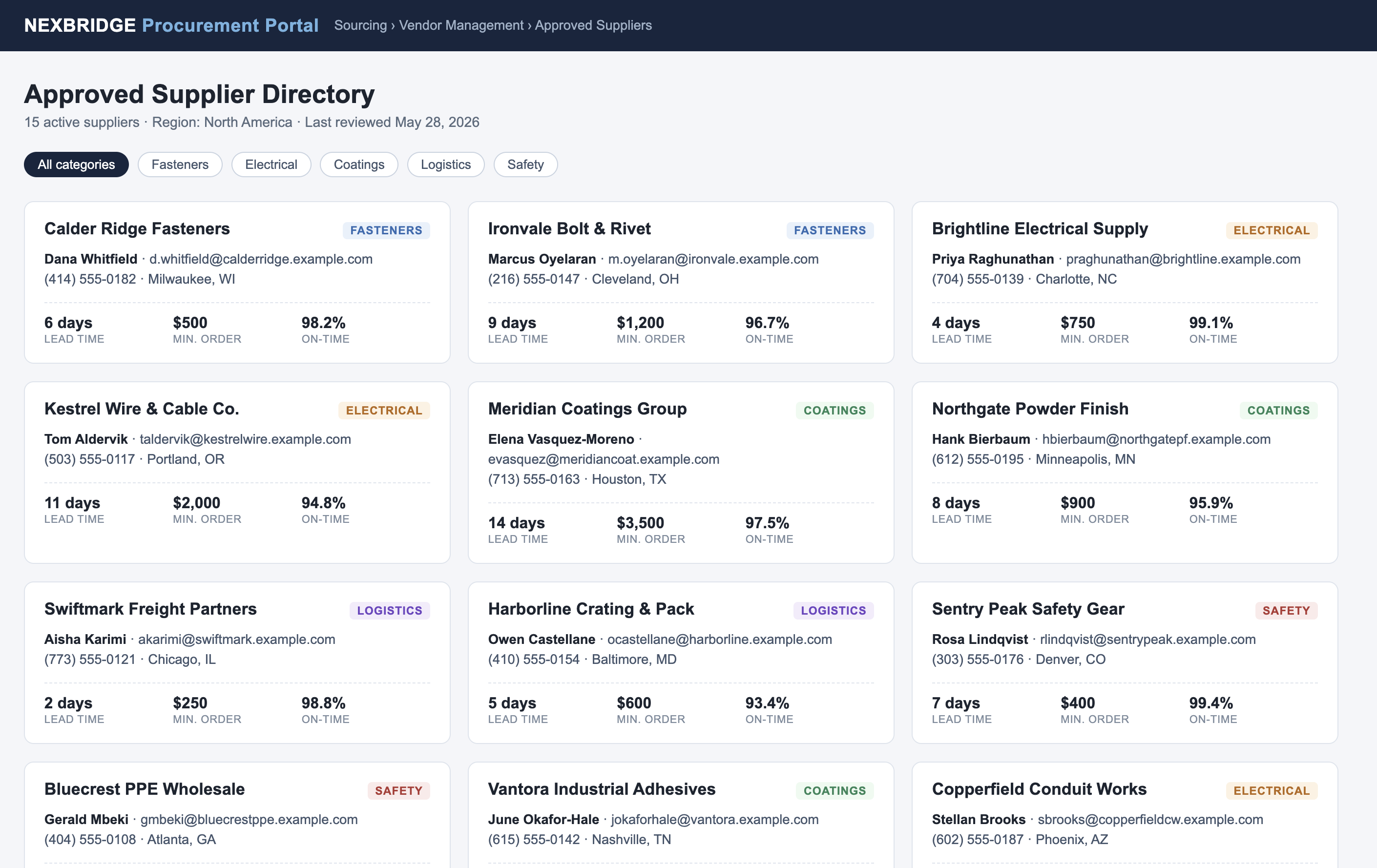 The raw input: a rendered webpage showing an approved supplier directory as a grid of cards - each with a company name, category tag, contact, and lead time, minimum order, and on-time stats
Fifteen suppliers. Every card has the same fields: company, category, contact name, email, phone, city, lead time, minimum order, on-time percentage. To a human this is obviously a table. Now look at the source:
<div class="card"> <div class="row1"><h2>Calder Ridge Fasteners</h2><div class="tag fasteners">Fasteners</div></div> <div class="contact"><b>Dana Whitfield</b> · d.whitfield@calderridge.example.com<br>(414) 555-0182 · Milwaukee, WI</div> <div class="facts"> <div class="fact"><div class="v">6 days</div><div class="k">Lead time</div></div> <div class="fact"><div class="v">$500</div><div class="k">Min. order</div></div> <div class="fact"><div class="v">98.2%</div><div class="k">On-time</div></div> </div> </div>
There is not one
<table> tag in the entire file. A conventional HTML-to-Excel converter walks the markup looking for table elements, finds none, and returns an empty sheet. That's not a bug in those tools - it's their whole design, and it stopped matching the web years ago. Card grids, flex layouts, definition lists: most pages that look like tables are structurally piles of divs.What comes back instead
HTML to Excel renders the markup and reads the result the way a person would - repeated visual structures count as rows, whatever they're tagged as:
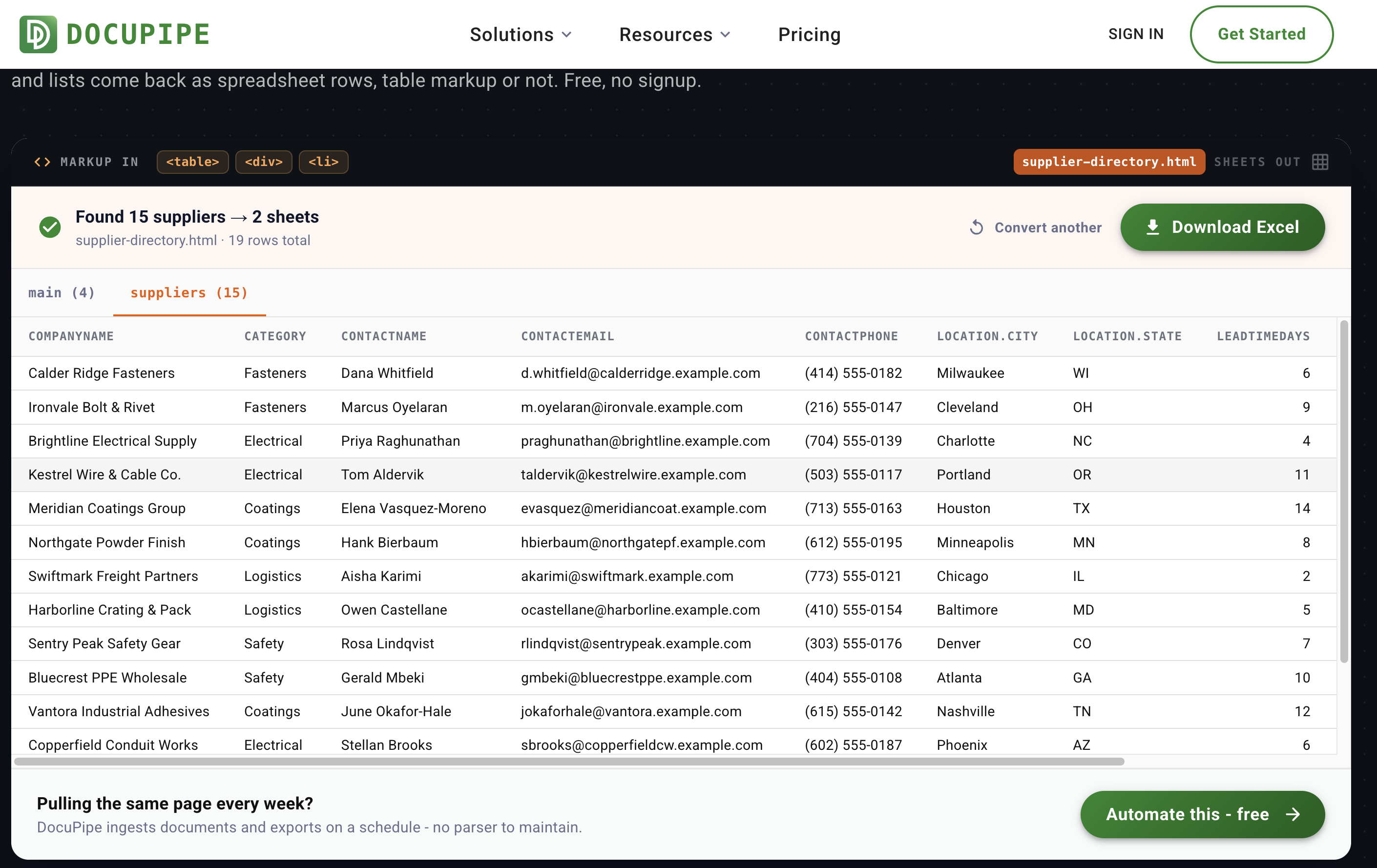 The result: "Found 15 suppliers → 2 sheets" with a suppliers sheet showing companyName, category, contactName, contactEmail, contactPhone, city, state, and leadTimeDays as clean columns
Fifteen cards became fifteen rows with one set of columns. The page-level facts - directory title, active supplier count, region, last-reviewed date - went to a main sheet instead of polluting the rows.
Three ways in, because HTML arrives three ways
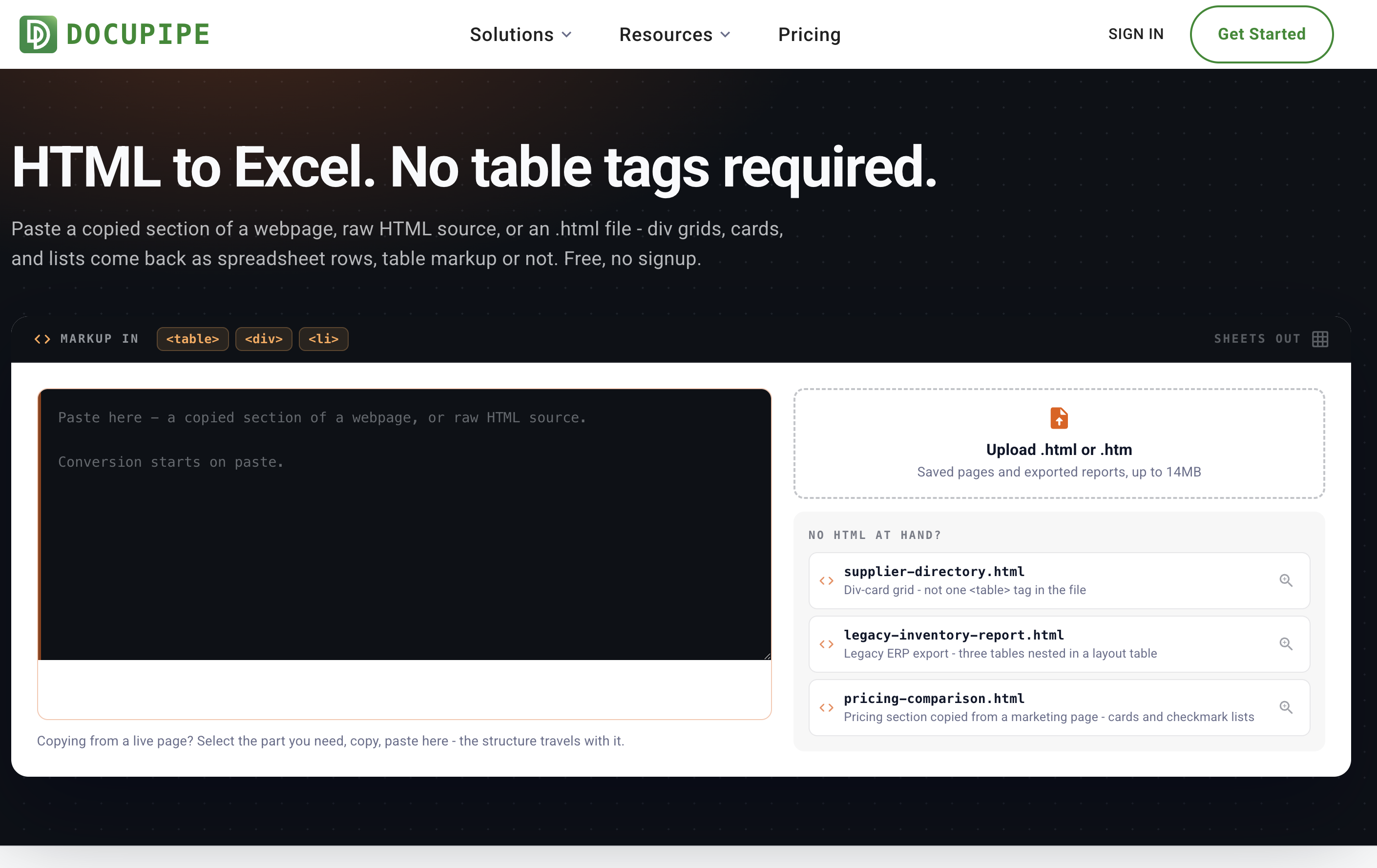 The HTML to Excel tool page: a dark code-editor intake with a paste box reading "Paste here - a copied section of a webpage, or raw HTML source", an upload slot for .html files, and three sample files
- Copy a section of a live page and paste it. Copying in a browser carries the underlying markup with it, so a comparison grid or results list you select on a page arrives here with its structure intact. This also solves JavaScript-rendered pages: what you select and copy is what the JavaScript already produced.
- Paste raw HTML source. Same box, detected automatically.
- Upload a saved .html file. Monitoring reports, CI output, legacy ERP exports - systems that only save as HTML.
One thing you can't do is paste a URL. The tool doesn't fetch pages from the web, partly because many pages need your login to render. Copying the section you need works everywhere instead, and for a whole page, Ctrl+S in your browser produces an .html file you can upload.
The other two samples cover the opposite failure. A legacy inventory report with three data tables nested inside a layout table - a structure that makes tag-mappers emit one giant wrong table - comes back as a four-sheet workbook. And a pricing section copied from a marketing page, built from cards and checkmark lists, comes back as comparable rows.
The fine print
Free, no signup, conversion starts on paste. Pastes and files up to 14MB, very long pages processed up to the first 20 rendered pages per run, and a daily number of free conversions per network. Your markup travels encrypted, is processed on ISO 27001-certified, HIPAA-compliant infrastructure, and is never used to train models. The samples are fictional.
If you're maintaining a scraper for this
A parser with hand-written selectors breaks the day the page layout changes. If you're pulling the same report every week, DocuPipe ingests documents and exports on a schedule and returns structured rows under a schema you control - no selectors to babysit. The reasoning behind the free version is in why we're doubling down on free tools.
One of our free document tools - the full list lives at www.docupipe.ai/tools. Related: Image to Excel if a screenshot is easier, PDF to Excel, Word to Excel.
Recommended Articles
Related Documents