
A Black Rectangle Is Not a Redaction: A Free PDF Redactor Built Around Review

Uri Merhav
Updated Jul 2nd, 2026 · 6 min read
Table of Contents
A Black Rectangle Is Not a Redaction: A Free PDF Redactor Built Around Review
A black rectangle drawn over live text is not a redaction. The redaction failures that make the news share one mechanic: someone used a drawing tool to place an opaque box over text that was still there, and anyone who received the file could select underneath the box and paste the "redacted" content into a text editor. The ink was cosmetic. The data shipped.
We built a free browser tool that gets this right: Auto Redactor. No signup, and the output is burned in - the masked pixels are rendered out of the page and the text layer underneath is removed.
You pick the categories, the AI proposes the boxes
Drop a PDF and choose what counts as sensitive: person names, SSNs and ID numbers, dates of birth, addresses, phone numbers and email addresses, account and medical record numbers. If your case needs something the presets don't cover, add instructions in plain language - "redact all vehicle plate numbers" - and detection follows them.
The AI then reads the pages and proposes a redaction box for every finding, drawn directly on the real page.
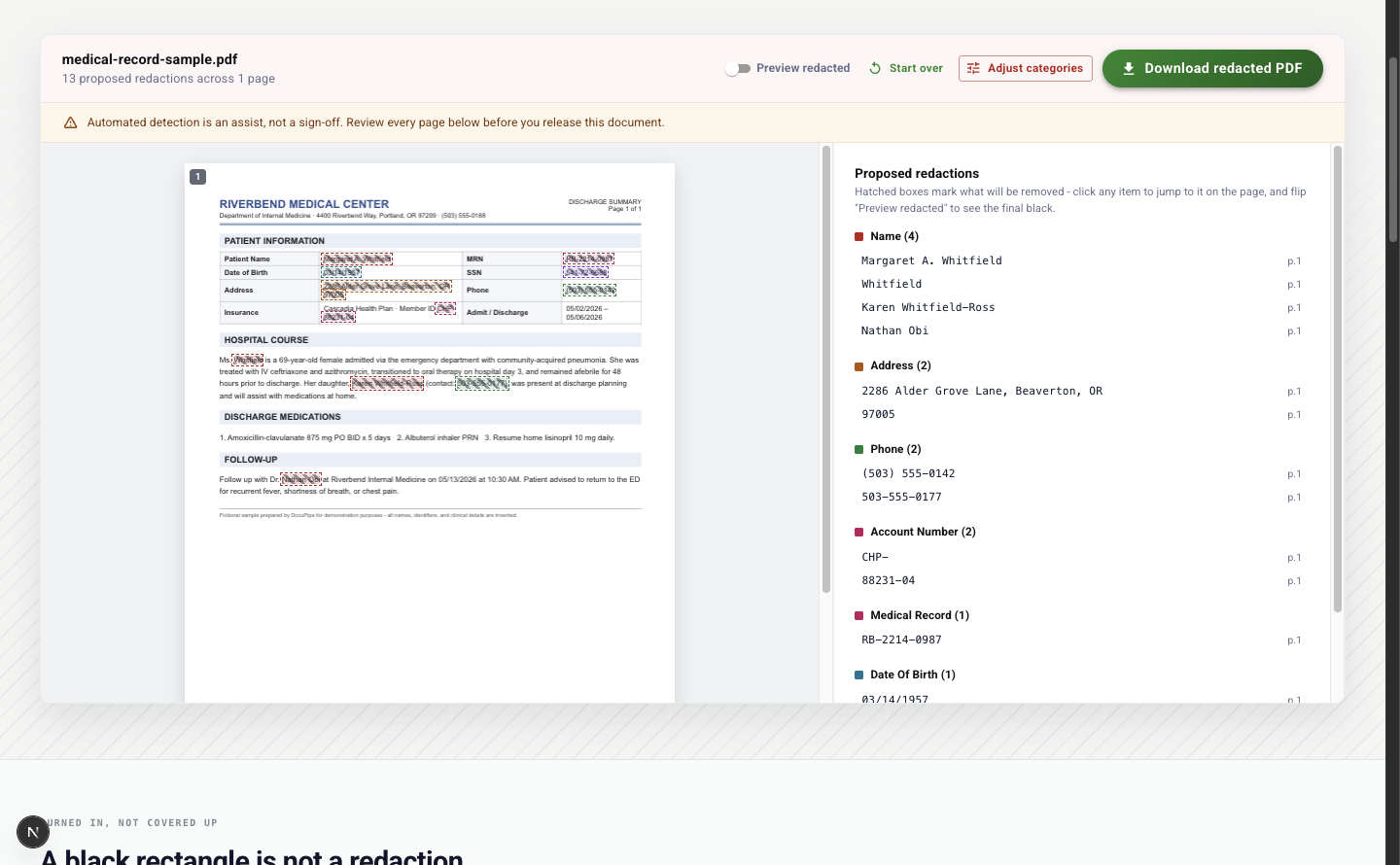 The review screen: a fictional medical record with hatched diagonal boxes over each proposed redaction, dashed outlines colored by category, and a findings rail on the right grouped by category - names, addresses, phones, account numbers, medical record numbers, dates of birth
Review every box before anything is final
The screenshot above is the heart of the tool. Every proposed redaction shows as a hatched box - hatched means "this will be removed" - with a dashed outline colored by category. The rail on the right lists every finding grouped by category, with the detected text spelled out: four names, two addresses, two phone numbers, and so on. Click any finding and the page scrolls to that exact box.
When you want to see what the released document will look like, flip the "Preview redacted" toggle and the hatching becomes solid black:
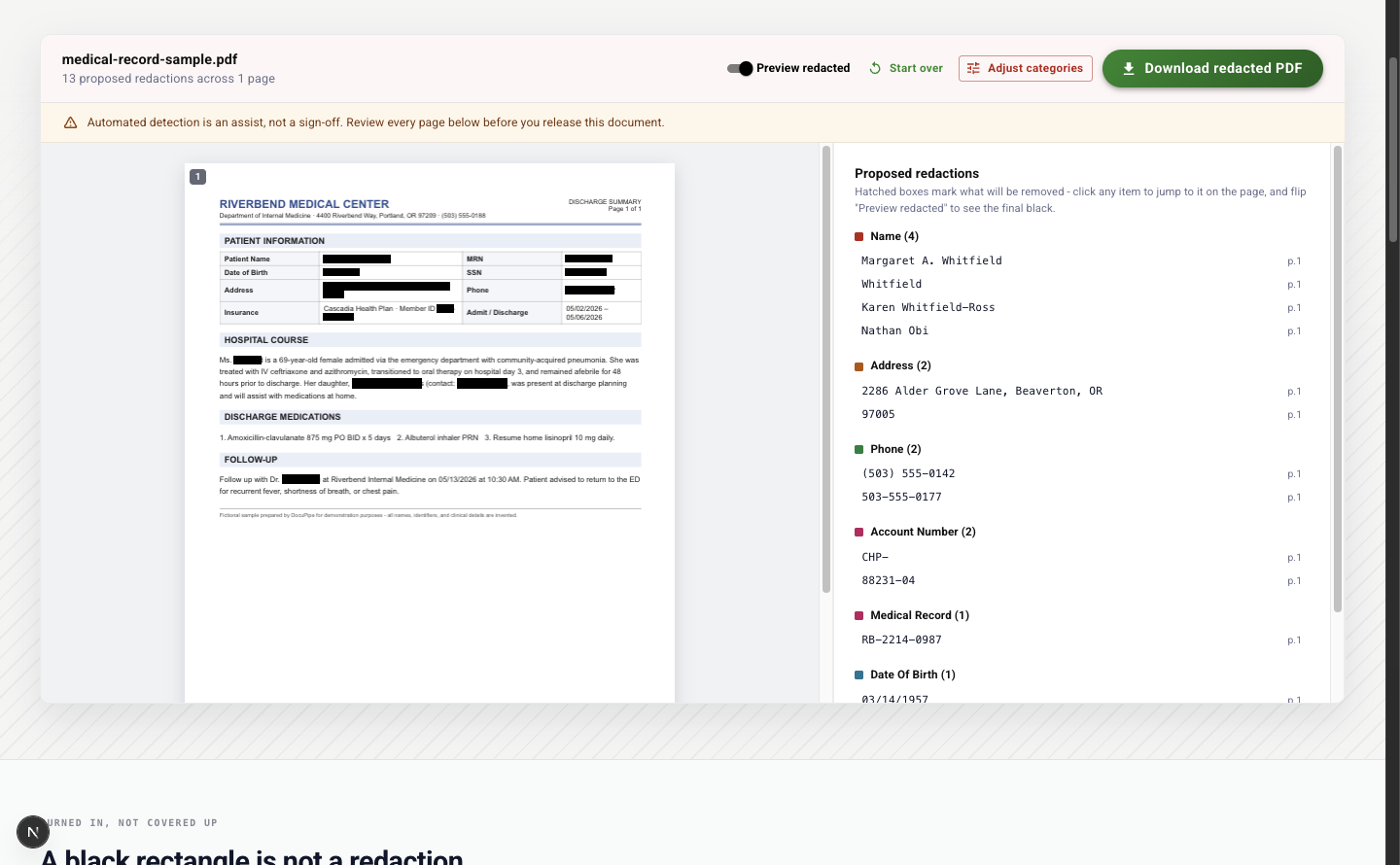 The same page with the "Preview redacted" toggle on: every proposed redaction rendered as a solid black box, exactly as it will appear in the downloaded file
This back-and-forth is the point. The document is fictional, but the workflow is the real one: read the page with the proposals on it, check each box against what you know about the case, adjust the categories and re-run if something is missing or overreaching, and only then download.
The download is burned in
The file you download is a flattened PDF. The redacted regions are masked at the pixel level and the text layer is removed, so there is no live text under the boxes to select, copy, or find-in-page. What you release is what a reader gets - nothing more.
The review is yours, not the tool's
The banner at the top of the review screen says it plainly: automated detection is an assist, not a sign-off. Detection can miss context a human would catch - a nickname, an indirect identifier, a detail that is sensitive only in this particular case. That is why the tool shows every proposed box on the real page instead of promising you don't need to look. Whether a release meets HIPAA, FOIA, GDPR, or your own policy is a call your reviewer makes; the tool's job is to make that review fast and to make the output technically sound once you've made it.
The fine print
The tool is free, runs in the browser, and requires no signup. Files are capped at 14MB, and the free redactor reads the first 10 pages of a document per run - redaction runs a heavier AI pass per page than plain extraction, so its cap is tighter than our other free tools. Files are encrypted in transit and at rest, processed on ISO 27001-certified, HIPAA-compliant infrastructure, and never used to train models. The sample documents on the page - a medical record and an incident report - are fictional.
Some organizations have a stricter rule: these documents do not leave our environment, full stop. For enterprise commitments, DocuPipe deploys the entire platform - API, OCR, extraction and redaction models, and storage - inside the customer's own cloud account, so documents never cross the boundary. The tool page has the full story, and contact us if that is your situation.
When redaction is a queue, not a file
The detection here runs on the same extraction engine as the DocuPipe platform, and a DocuPipe workflow runs the same extraction on every inbound document at scale - release-of-information desks, FOIA offices, and claims teams apply their redaction presets to everything that arrives and review in one place, instead of redacting file by file.
This is one of our free document tools - the full list lives at www.docupipe.ai/tools.
Recommended Articles
Related Documents