
The Tables Word Never Told You About: A Free Word to Excel Converter That Reads Like a Person

Uri Merhav
Updated Jul 5th, 2026 · 6 min read
Table of Contents
The Tables Word Never Told You About: A Free Word to Excel Converter That Reads Like a Person
Here is the document. A wholesale price list from a fictional packaging supplier, exactly as it renders in Word:
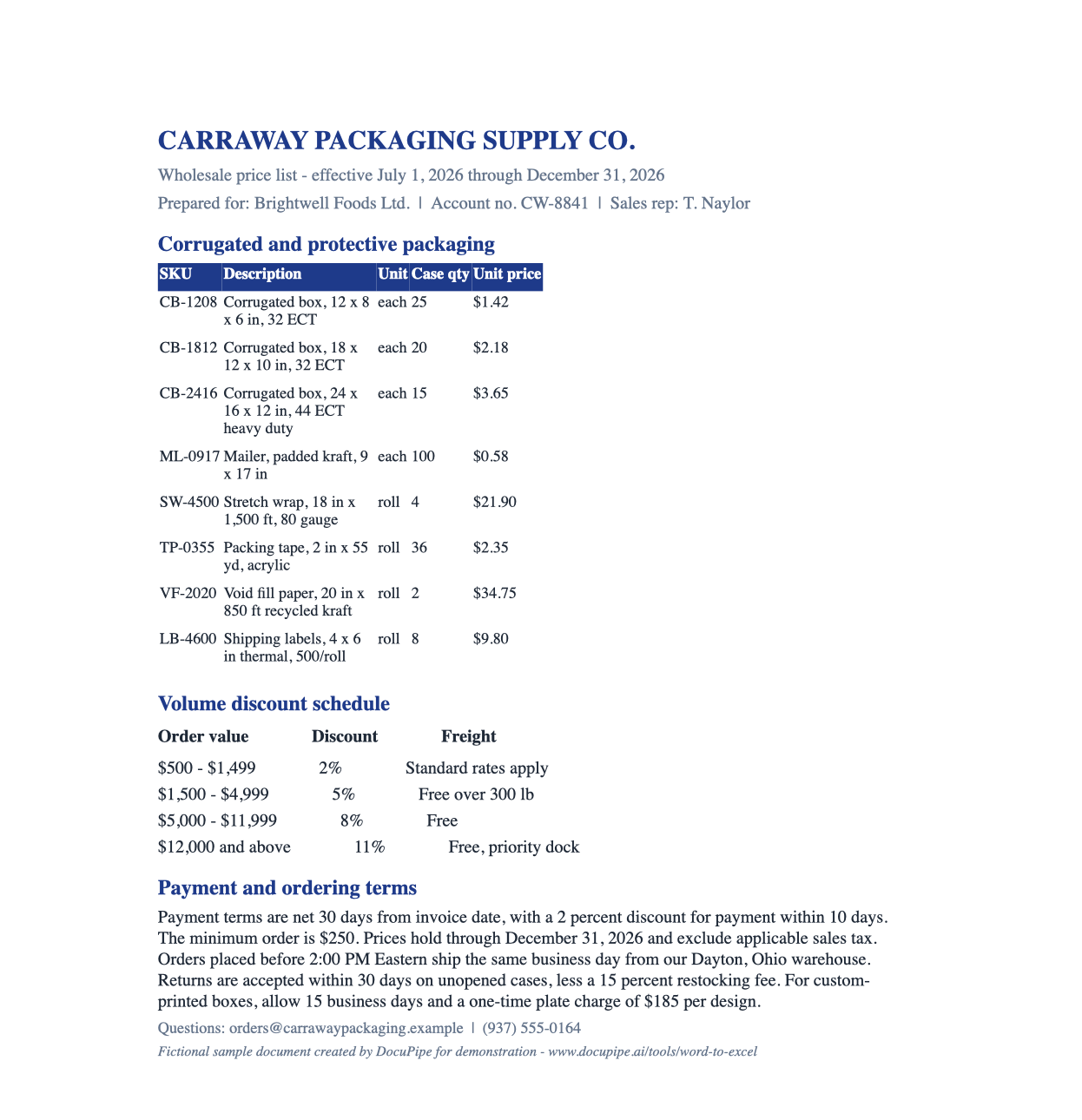 The raw input: a one-page Word price list with a real product table under "Corrugated and protective packaging", a tab-aligned "Volume discount schedule", and payment terms written as prose
Ask Word how many tables this document contains and it will tell you: one. The product table at the top - SKUs, descriptions, case quantities, unit prices - is a real Word table object. But look at the "Volume discount schedule" below it. Four discount tiers, three columns, clearly a table to any human reading the page. Structurally it's nothing of the sort: it's lines of text with tab stops. Someone typed it that way, as someone always does.
That's the trap in "convert Word to Excel." A mechanical converter walks the file looking for table objects, exports the one it finds, and the discount schedule silently disappears. So do the payment terms - net 30, a 2 percent early-payment discount, a $250 minimum order, a $185 plate charge - because prose isn't a table either, even when every number in it belongs in your spreadsheet.
What comes back instead
Drop that document on Word to Excel and the result header does the counting for you: 2 tables + 20 document fields → 3 sheets.
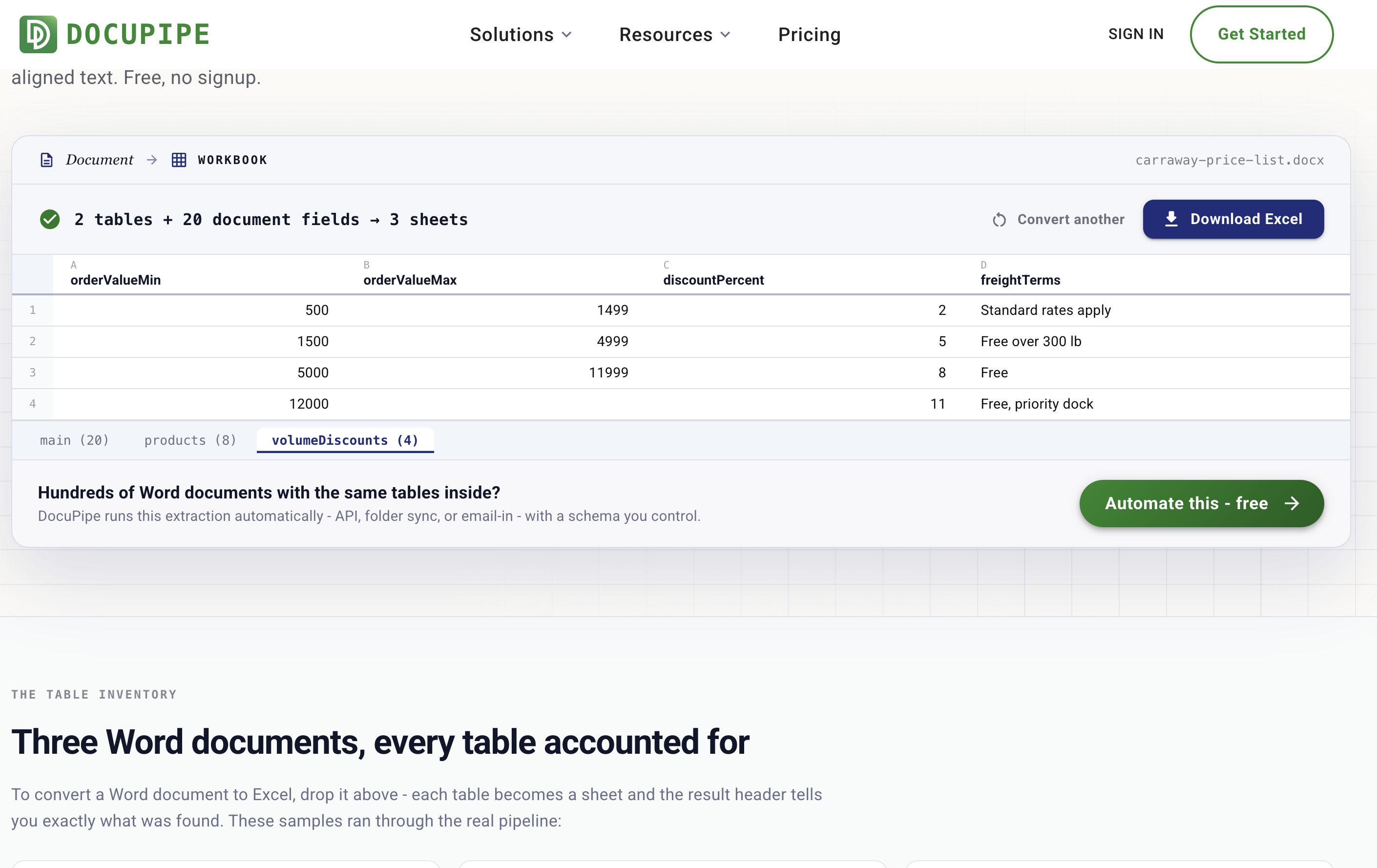 The result: "2 tables + 20 document fields → 3 sheets" above a spreadsheet preview showing the volumeDiscounts sheet - the tab-aligned discount tiers as typed cells - with Excel-style sheet tabs for main, products, and volumeDiscounts
Two tables - because the extraction reads the rendered page the way a person does, so the tab-aligned discount schedule counts. It comes back as its own volumeDiscounts sheet with the ranges split into orderValueMin and orderValueMax columns and the percentages as numbers. The products table gets its own sheet. And the 20 document fields on the main sheet catch what lived in the header and the prose: supplier, customer, account number, payment terms days, early payment discount percent, minimum order amount, restocking fee, same-day cutoff time, plate charge.
The preview tabs at the bottom match the sheets in the .xlsx you download.
The other classic failure: tables that cross pages
The page ships with three fictional samples, and one of them - a three-page project status report - is built around the second way converters fall apart: a risk register table that splits across a page break. Copy-paste and mechanical conversion give you two fragments with a repeated header row in the middle. Here it comes back as one table, because a page break isn't a semantic boundary, it's just where the paper ran out.
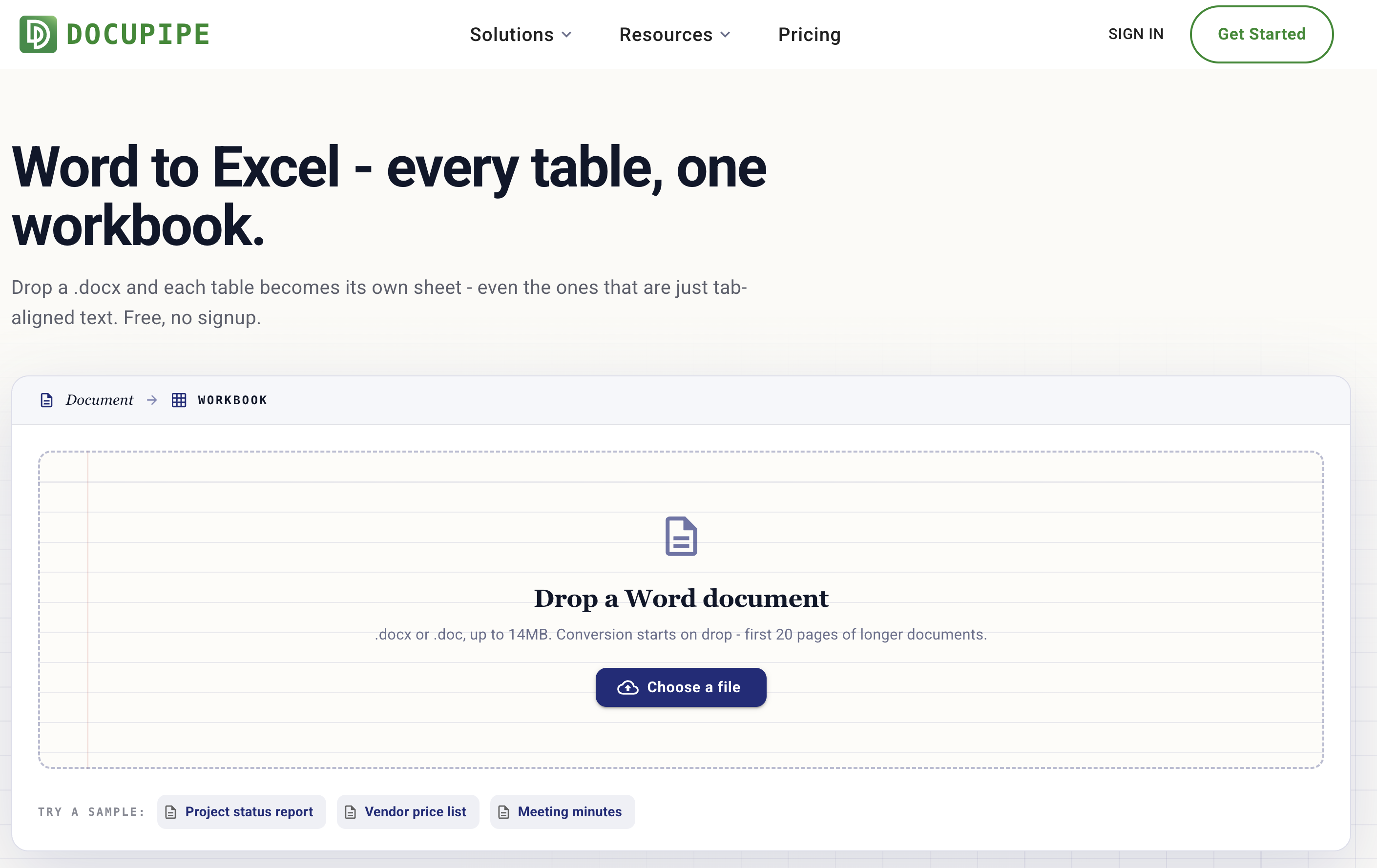 The Word to Excel tool page: a manuscript-styled dropzone reading "Drop a Word document" with sample chips for a project status report, a vendor price list, and meeting minutes
Both .docx and legacy .doc files work - documents are rendered server-side first, so a Word 97-2003 file doesn't need resaving. Images inside the document don't break anything either: the page is read like a printed page, so even a table living inside a pasted screenshot is picked up.
The fine print
Free, no signup, conversion starts on drop. Files up to 14MB, first 20 pages of longer documents, and a daily number of free conversions per network. Files travel encrypted, are processed on ISO 27001-certified, HIPAA-compliant infrastructure, are encrypted at rest, and are never used to train models. The samples are fictional.
When it's hundreds of documents, not one
Status reports, vendor price lists, and meeting minutes tend to arrive on a schedule, with the same tables inside every time. DocuPipe runs this extraction automatically - API, folder sync, or email-in - and delivers clean rows under a schema you control. The thinking behind giving the single-document version away is in why we're doubling down on free tools.
One of our free document tools - the full list lives at www.docupipe.ai/tools. Related: PDF to Excel, Image to Excel, HTML to Excel.
Recommended Articles
Related Documents