
Paste a Screenshot, Get a Workbook: Free Image to Excel Without the Retyping

Uri Merhav
Updated Jul 5th, 2026 · 5 min read
Table of Contents
Paste a Screenshot, Get a Workbook: Free Image to Excel Without the Retyping
Here is the document. A phone photo of a printed trade price list - tilted, unevenly lit, shot the way anyone actually photographs a piece of paper that's lying on a desk:
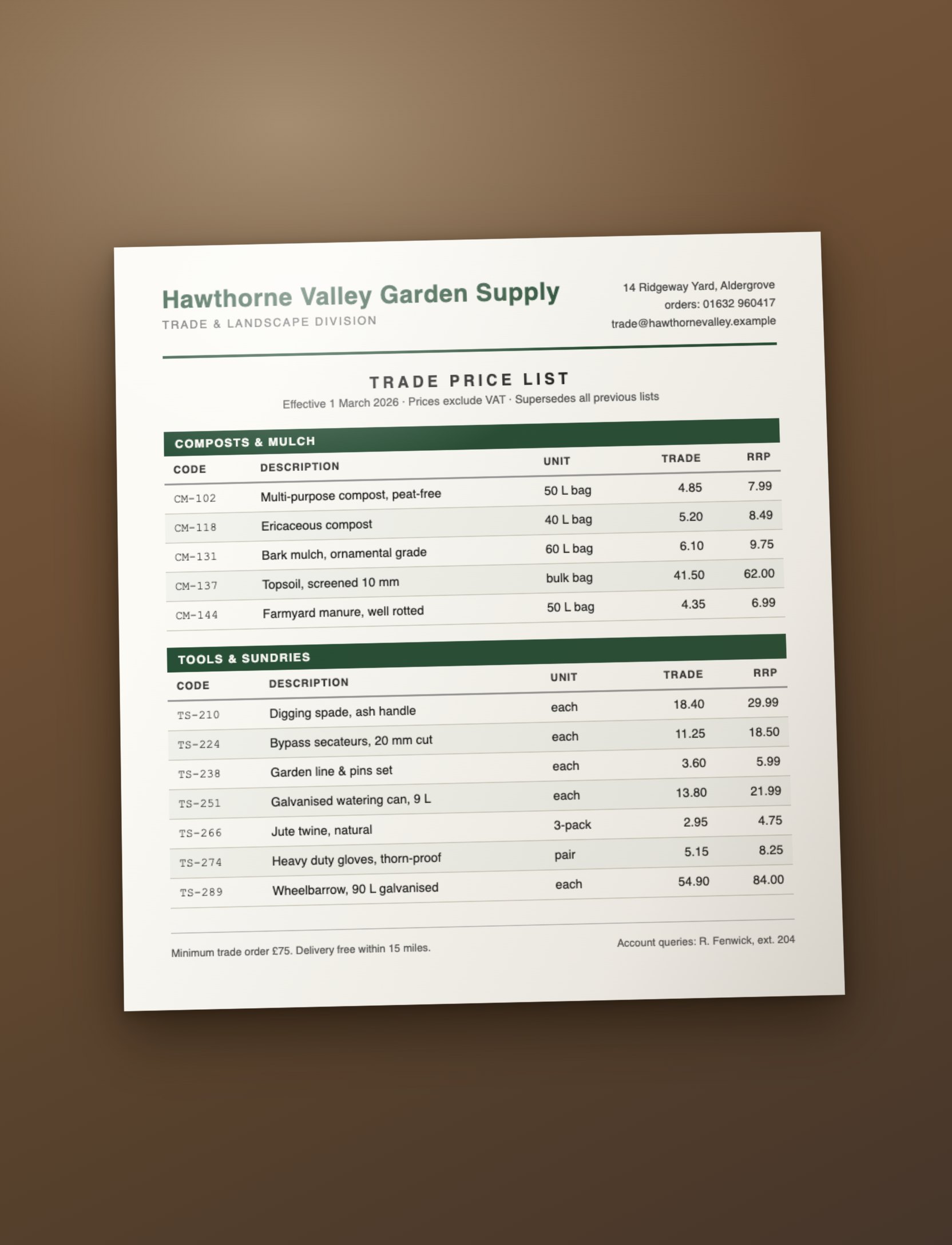 The raw input: a phone photo of a printed trade price list from a fictional garden supplier, tilted and unevenly lit
Look at what a machine has to survive to turn this into a spreadsheet. The page is rotated a few degrees. The lighting changes across the sheet. The table has category bands ("COMPOSTS & MULCH", "TOOLS & SUNDRIES") interleaved with product rows. Units are inconsistent - "50 L bag", "each", "3-pack", "pair". Two price columns sit side by side, and above the table there's a header block with an address, phone extensions, and delivery terms that belong in a summary, not in the rows.
This is Image to Excel, a free tool: paste or drop that photo, and this comes back:
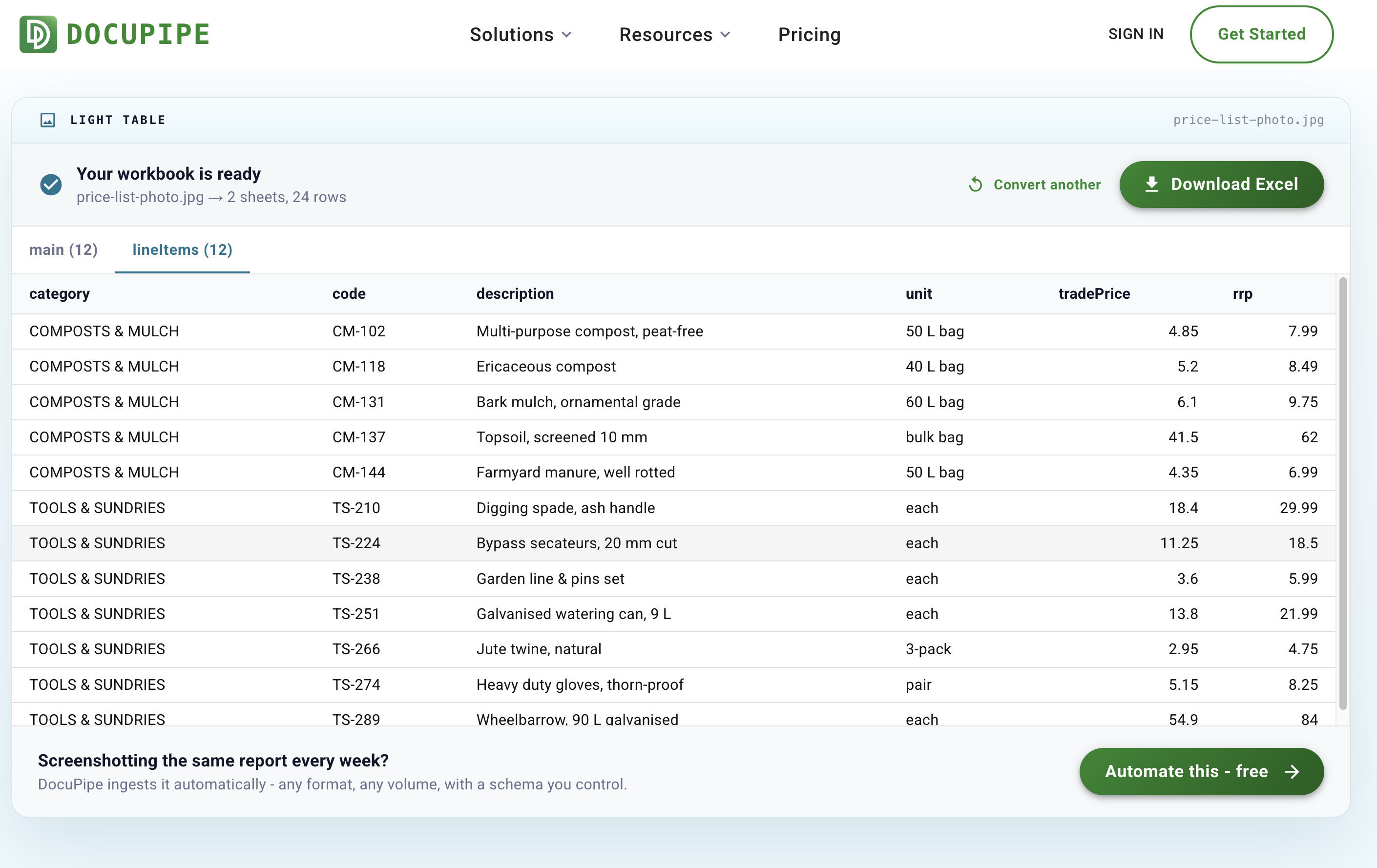 The result on the tool page: "Your workbook is ready - price-list-photo.jpg → 2 sheets, 24 rows", with a lineItems tab showing category, code, description, unit, tradePrice, and rrp columns as clean typed rows
Two sheets, 24 rows. The category bands became a column instead of garbage rows. The prices are numbers, not text - you can sum them the moment the file opens. The header block became a main sheet of field and value pairs: company name, effective date, minimum order, delivery radius. Nothing was retyped.
The fastest input is the one you already did
The tool is built paste-first. Take a screenshot, press Ctrl+V (Cmd+V on a Mac) anywhere on the page, and extraction starts on its own - no file dialog, no convert button. That covers the most common way tabular data gets trapped in a picture in the first place: a dashboard that won't export, a table inside a PDF viewer, a webinar slide, a price list someone sent over WhatsApp.
Dropping or choosing a file works too - PNG, JPG, WEBP, TIFF, and HEIC photos straight from an iPhone (HEIC converts to JPG in your browser before anything uploads).
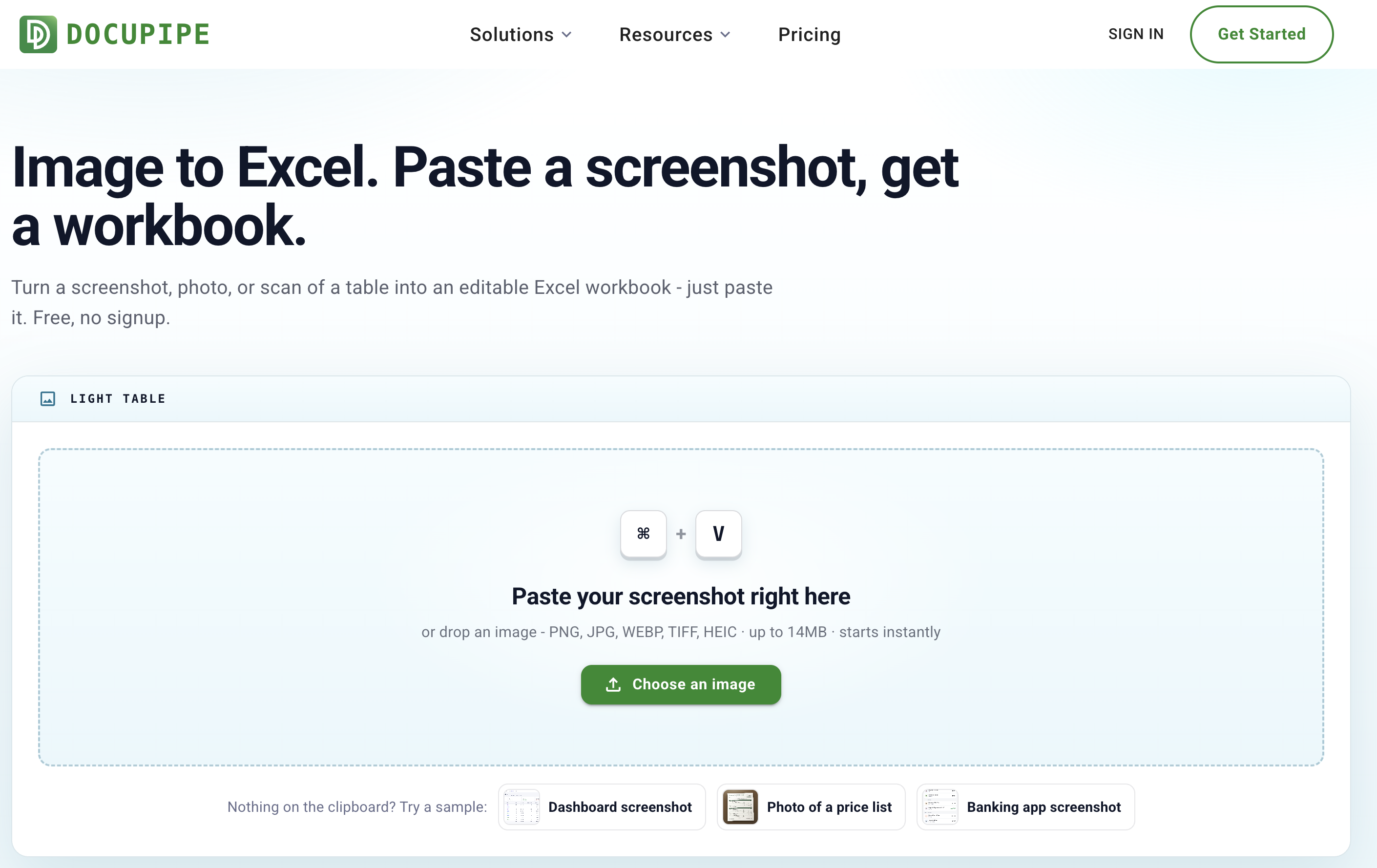 The Image to Excel tool page: a paste-first card with Cmd+V keycaps reading "Paste your screenshot right here", with sample chips for a dashboard screenshot, a price list photo, and a banking app screenshot
Why plain OCR doesn't get you there
Free OCR sites read the characters and hand you a wall of text. On the photo above, that means the row structure, the two price columns, and the category bands are all your problem again - you've traded retyping for reformatting. The extraction here reads the layout itself: which value belongs to which row and column, which lines are headers, which text is a field rather than a cell. Every table in the image becomes its own sheet, and anything outside the tables lands on a main sheet.
Rotation and skew are corrected before extraction, so the tilt in the photo above doesn't tilt the rows.
Try it on the samples
The page ships with three fictional samples - a crisp SaaS billing screenshot, the tilted price list photo above, and a mobile banking app screenshot - so you can run the whole flow without touching your own data. Each one renders its result instantly, and real uploads run through the same live pipeline.
The fine print
Free, no signup. Images up to 14MB, with a daily number of free runs per network. Files travel encrypted, are processed on ISO 27001-certified, HIPAA-compliant infrastructure, are encrypted at rest, and are never used to train models. The samples are fictional.
When it's the same screenshot every week
If you're photographing or screenshotting the same report on a schedule, the retyping you're avoiding is a workflow you could delete entirely. DocuPipe - the platform this tool runs on - ingests recurring documents automatically, any format, and returns clean data under a schema you control. That story is in why we're doubling down on free tools.
One of our free document tools - the full list lives at www.docupipe.ai/tools. Have a PDF instead? PDF to Excel. A Word file? Word to Excel.
Recommended Articles
Related Documents