
Loss Runs to Excel, Rent Rolls to Excel: Two Free Tools for the Worst Retyping Jobs

Uri Merhav
Updated Jul 2nd, 2026 · 6 min read
Table of Contents
- The renewal job: eight carriers, one claims history
- The lending job: a 40-page rent roll and a model that wants ten columns
- Why generic PDF converters fail on these documents
- Loss runs: every carrier into one workbook
- Rent rolls: the same columns every time, and a tie-out
- The fine print
- If this is a weekly job, not a one-off
Loss Runs to Excel, Rent Rolls to Excel: Two Free Tools for the Worst Retyping Jobs
We built two free browser tools for two documents that professionals still retype into spreadsheets by hand: insurance loss runs and rent rolls. Both work on any PDF or scan and require no signup:
- Loss Run to Excel - drop loss run PDFs from every carrier on an account, get one consolidated claims workbook.
- Rent Roll Normalizer - drop any rent roll, get a standardized Excel with the same columns every time, plus a totals tie-out check.
If you just need a generic table pulled out of a PDF, our PDF to Excel converter does that. These two exist because loss runs and rent rolls need more than conversion, and this post explains why.
The renewal job: eight carriers, one claims history
A commercial submission needs a 5-year claims history. The account has moved between carriers over those years, so the broker requests loss runs from each one and gets back eight PDFs in eight formats. One is a dense portrait grid from a legacy claims system. One is a boxed workers' comp layout. One is a sparse TPA printout with half the columns missing. They disagree about everything except being PDFs:
- Some report paid, reserved, and incurred separately; some report paid and outstanding reserves and leave incurred to you.
- Each has its own valuation date, printed in a different corner of the page.
- Claim numbering, status labels, and date formats differ per carrier.
- Totals and subtotals appear per policy period, per line of business, or wherever the report template put them.
The underwriter wants one schedule: every claim on its own row, paid, reserved, and incurred in comparable columns, and total incurred and open-claim counts on top. Getting there has usually meant retyping, the week the submission is due.
The lending job: a 40-page rent roll and a model that wants ten columns
The borrower sends the rent roll as a PDF exported from their property management system - Yardi, AppFolio, RealPage, Buildium, or something homegrown - or as a scan of a printout. The underwriting model wants the same ten columns for every deal: unit, type, square feet, tenant, status, market rent, in-place rent, lease start, lease end, deposit.
The PDF contains all of that, arranged differently every time: merged headers, header rows that repeat on all 40 pages, subtotals by floor plan in the middle of the data, and a totals row whose position depends on the report template. Re-keying it into the model is slow, and one mis-typed rent quietly changes NOI, DSCR, and everything downstream of them.
Why generic PDF converters fail on these documents
A generic converter treats the page as geometry: find lines, find cells, reproduce them. That works on a clean single-page table and breaks on these documents in predictable ways:
- Multi-page tables. The table continues for dozens of pages. Converters either lose the header after page one or re-extract the repeated header on every page as data rows.
- Merged and stacked headers. A two-row header like "Rent" spanning "Market" and "Actual" collapses into one wrong row of column names, and every value below it lands in the wrong column.
- Totals rows in odd places. Subtotals per policy period or per floor plan sit mid-table and come out looking like claims or units.
- Different sources, different shapes. A converter reproduces each carrier's layout faithfully - which means eight carriers still produce eight differently shaped spreadsheets. The retyping just moves one step later.
We've written before about why table extraction breaks most tools. These two tools go a step further than converting: they know what a claim row or a unit row is supposed to contain, so they can normalize different layouts onto one set of columns and then check the result against the document itself.
Loss runs: every carrier into one workbook
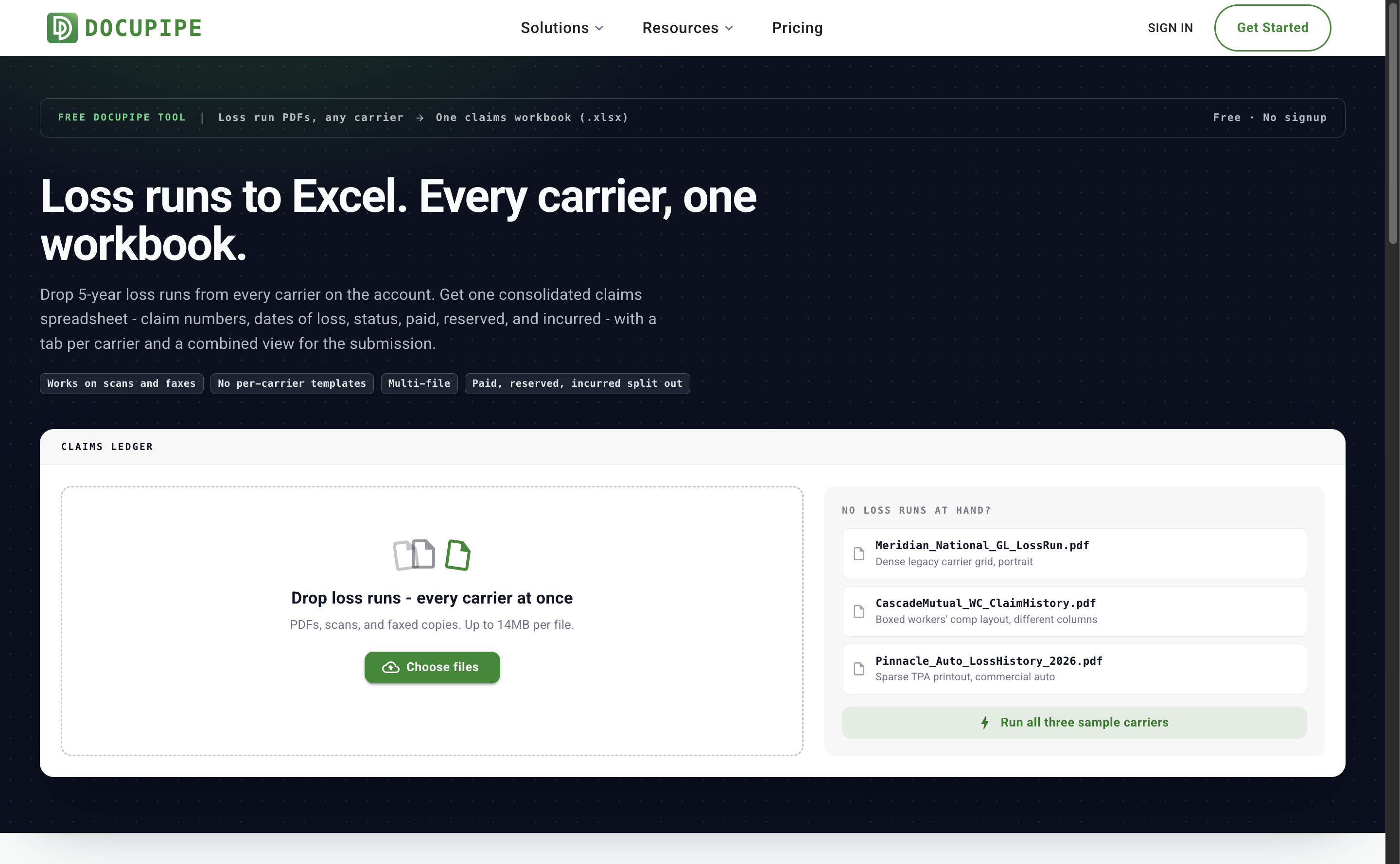 The Loss Run to Excel tool: a dark claims-terminal page with a multi-file drop zone and three sample loss run files from fictional carriers
Loss Run to Excel accepts multiple files at once - digital PDFs, scans, and faxed copies, up to 14MB each. Each file is read on its own; there are no per-carrier templates. Every claim maps to the same columns: claim number, date of loss, status, description, policy period, paid, reserved, and incurred. When a run only reports paid and outstanding reserves, incurred is computed as paid plus reserves so the columns stay comparable across carriers.
On screen you get a merged claims ledger: total incurred, paid to date, outstanding reserves, and open claim count, with a tab per carrier and a combined view. The page ships with three sample loss runs in three deliberately different formats - all fictional carriers and fictional claims - so you can run the whole flow before uploading anything of your own:
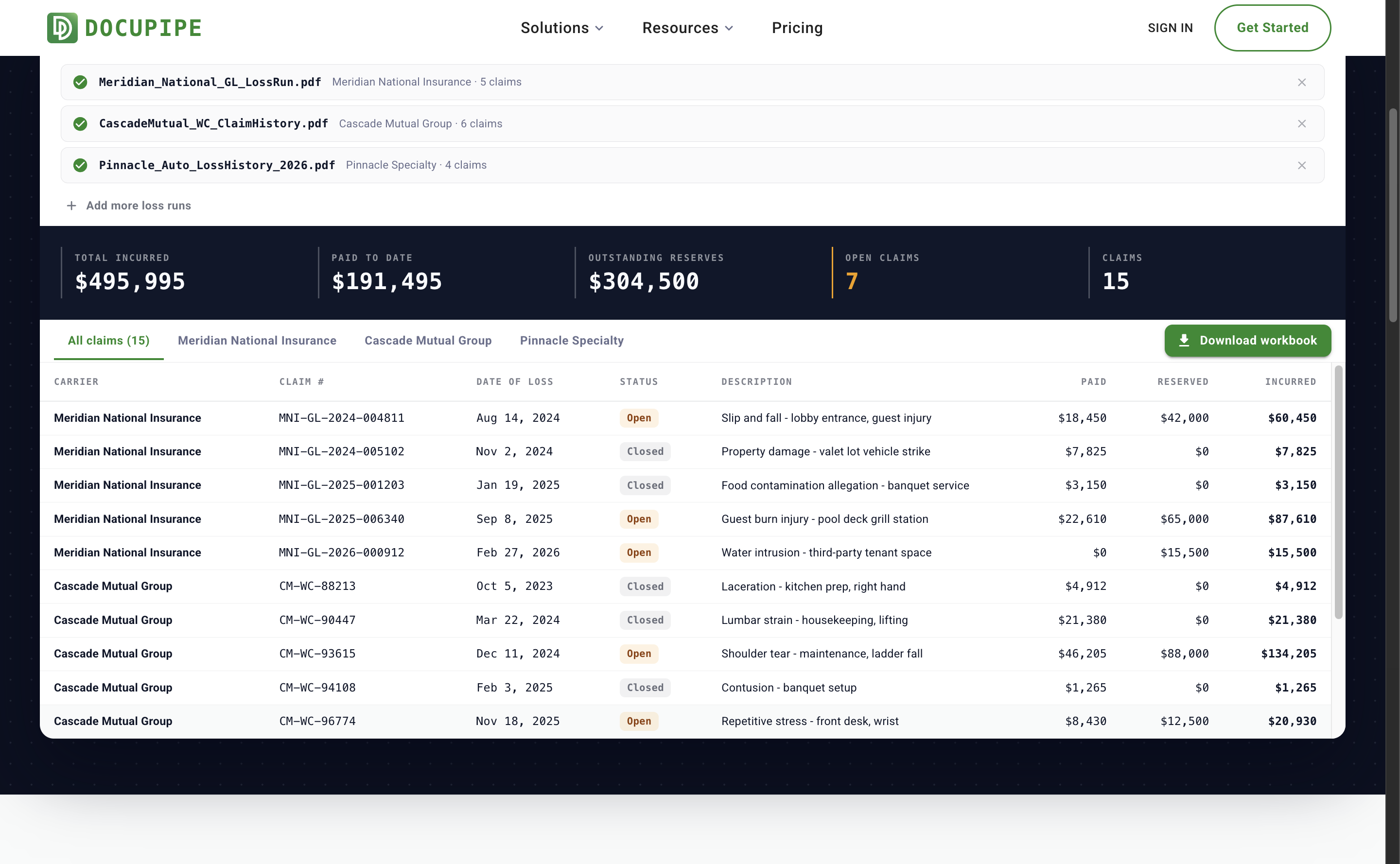 Results after running the three fictional sample carriers: a KPI strip with total incurred, paid to date, outstanding reserves and open claims, above a merged claims table with per-carrier tabs
The downloadable workbook contains a Summary sheet, an All Claims sheet with a carrier column and a totals row, and one tab per carrier.
Rent rolls: the same columns every time, and a tie-out
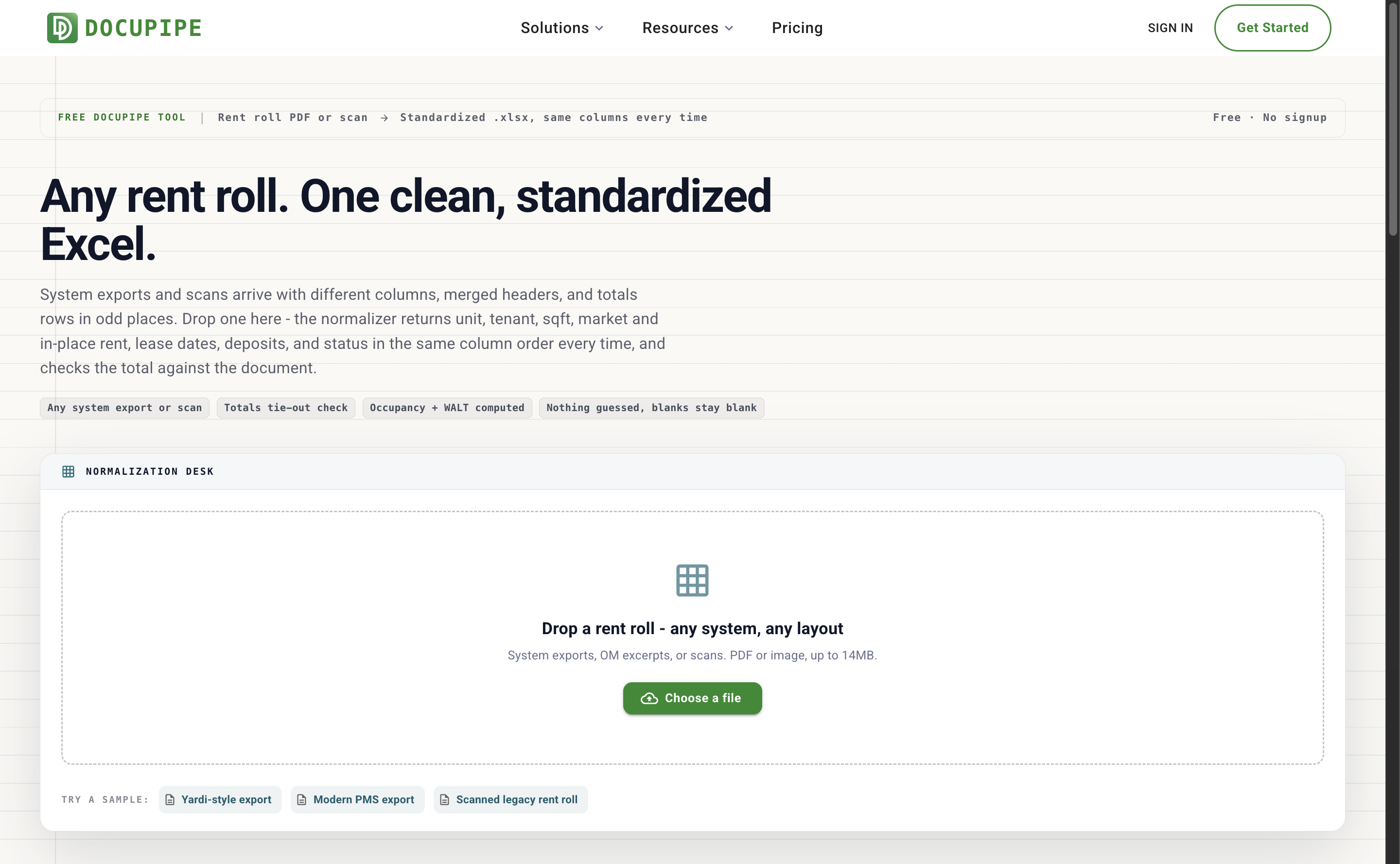 The Rent Roll Normalizer tool: a ledger-paper page with a single-file drop zone and sample chips for a Yardi-style export, a modern PMS export, and a scanned legacy rent roll
Rent Roll Normalizer takes one rent roll at a time - a system export or a scanned page - and returns the ten columns above in the same order, every time. Fields the document doesn't have come back blank rather than guessed. Repeated headers and subtotal rows stay out of the unit list.
It also runs the first check an analyst would do by hand: it sums the extracted in-place rents and compares them against the document's own reported total. If they match, you get a green tie-out. If they don't, you get the exact difference before anything goes into the model. If the document has no totals row, the tool says so and reports the computed total. Occupancy, vacant and month-to-month counts, and WALT are computed from the extracted units and lease dates:
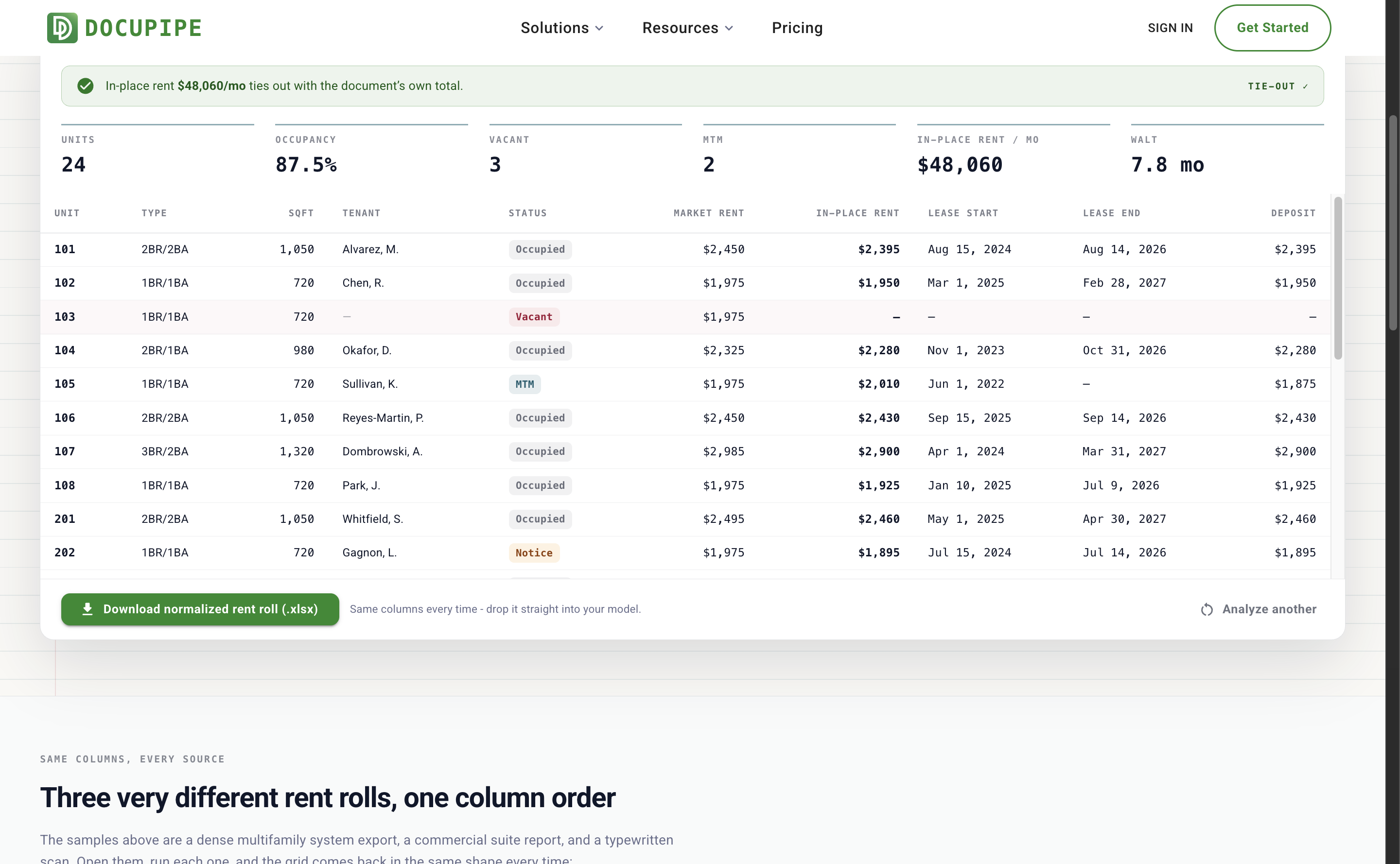 A normalized rent roll for a fictional sample property: green tie-out banner confirming in-place rent matches the document total, occupancy and WALT stats, and a standardized unit grid
The fine print
Both tools are free, with no account required and a daily cap on documents. Files are encrypted in transit and at rest, processed on ISO 27001-certified infrastructure, and never used to train models. The sample documents on both pages are fictional - invented carriers, properties, and tenants - so you can try everything without touching client data.
If this is a weekly job, not a one-off
The free tools are built for the single renewal or the single deal. When loss runs or rent rolls arrive continuously, the same extraction runs inside DocuPipe as a workflow: documents in by API or dashboard upload, structured data out under a schema you control, exported to Excel or JSON or pushed into your AMS or underwriting model. A free account is enough to set that up.
Recommended Articles
Related Documents