
5 min read
DocuPipe vs PyMuPDF: Which is best for your team? [2026]

Published March 6, 2026
Looking for the best PyMuPDF alternative? PyMuPDF is great for native PDFs with embedded text. But print a document, sign it, and scan it back? PyMuPDF returns NOTHING. No text layer means no extraction. DocuPipe handles both: native PDFs and scanned documents. OCR is built in. You get structured JSON whether the PDF was born digital or scanned from paper.
TL;DR
PyMuPDF only reads digital text layers - print, sign, scan means zero output. DocuPipe handles scanned documents with OCR built in. Structured JSON, not raw text.
Table of Contents
- DocuPipe vs PyMuPDF at a glance
- PyMuPDF alternative: when scanned documents return nothing
- The maintenance nightmare: two parsing architectures
- Raw text vs structured JSON
- Table extraction: detection vs understanding
- Handwriting: a complete blind spot
- When PyMuPDF makes sense: speed for native PDFs
- PyMuPDF vs DocuPipe: library vs API
- Which should you choose?
- FAQ
DocuPipe vs PyMuPDF at a glance
| DocuPipe | PyMuPDF | |
|---|---|---|
| Scanned PDFs | Full OCR, extracts text from images | Returns nothing - no text layer |
| Native PDFs | Extracts structured JSON | Extracts raw text |
| Output format | Structured JSON matching your schema | Raw text strings |
| Table extraction | Structured rows/columns | Text positions, you build logic |
| Handwriting | 100+ languages | Cannot read handwriting |
| Human review | Built-in source highlighting UI | Build your own |
| Deployment | Managed API | Self-hosted Python library |
| Pricing | $99/mo Business tier | Free (but no OCR capability) |
Ready to see the difference?
Get up to 20,000 free credits with an eligible work email. No credit card required.
PyMuPDF alternative: when scanned documents return nothing
PyMuPDF (also known as Fitz) is the standard Python library for PDF text extraction. For native PDFs with embedded text layers, it works well. Fast, reliable, widely used.
But here's the critical limitation: PyMuPDF can't handle scanned documents at all - no OCR. It only extracts text from native PDFs. Anything that isn't a born-digital PDF - scans, photos, faxes - is completely invisible. Print a contract, sign it, scan it back? PyMuPDF returns empty. Zero text. Nothing.
In real-world document processing, this happens constantly. Signed contracts, faxed forms, archived documents, mobile photos saved as PDFs. DocuPipe handles all of them with built-in OCR.
The maintenance nightmare: two parsing architectures
When teams hit PyMuPDF's scanned document limitation, they bolt on Tesseract or EasyOCR. Now they're maintaining two parsing pipelines: one for native PDFs (PyMuPDF), one for scanned documents (OCR).
But it gets worse. Tesseract's output doesn't match PyMuPDF's output. You're writing conversion logic, handling edge cases where documents are partially native and partially scanned, debugging two completely different failure modes.
DocuPipe handles both document types with a single API. Native PDFs, scanned documents, photos - same endpoint, same output format, same schema.
Raw text vs structured JSON
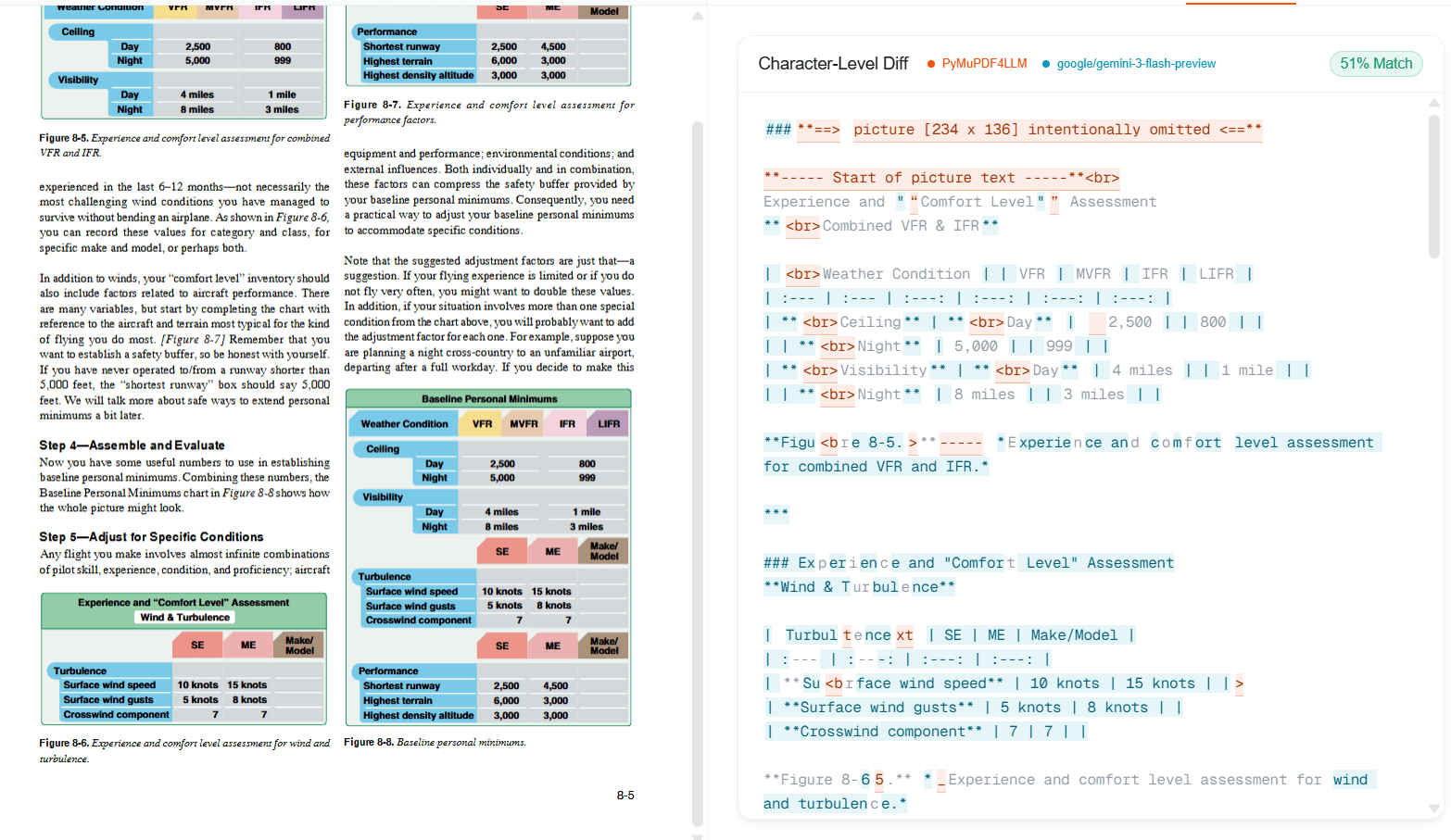
Even for native PDFs, PyMuPDF gives you raw text. It tells you what characters are on the page and roughly where they are. Figuring out which text is the invoice total, which is the vendor name, how line items relate to each other - that's your engineering work.
DocuPipe returns structured JSON matching your schema. Define fields like 'invoice_total', 'vendor_name', 'line_items' and get typed data back. The extraction intelligence is built in.
PyMuPDF is a text extraction library. DocuPipe is a document understanding API.
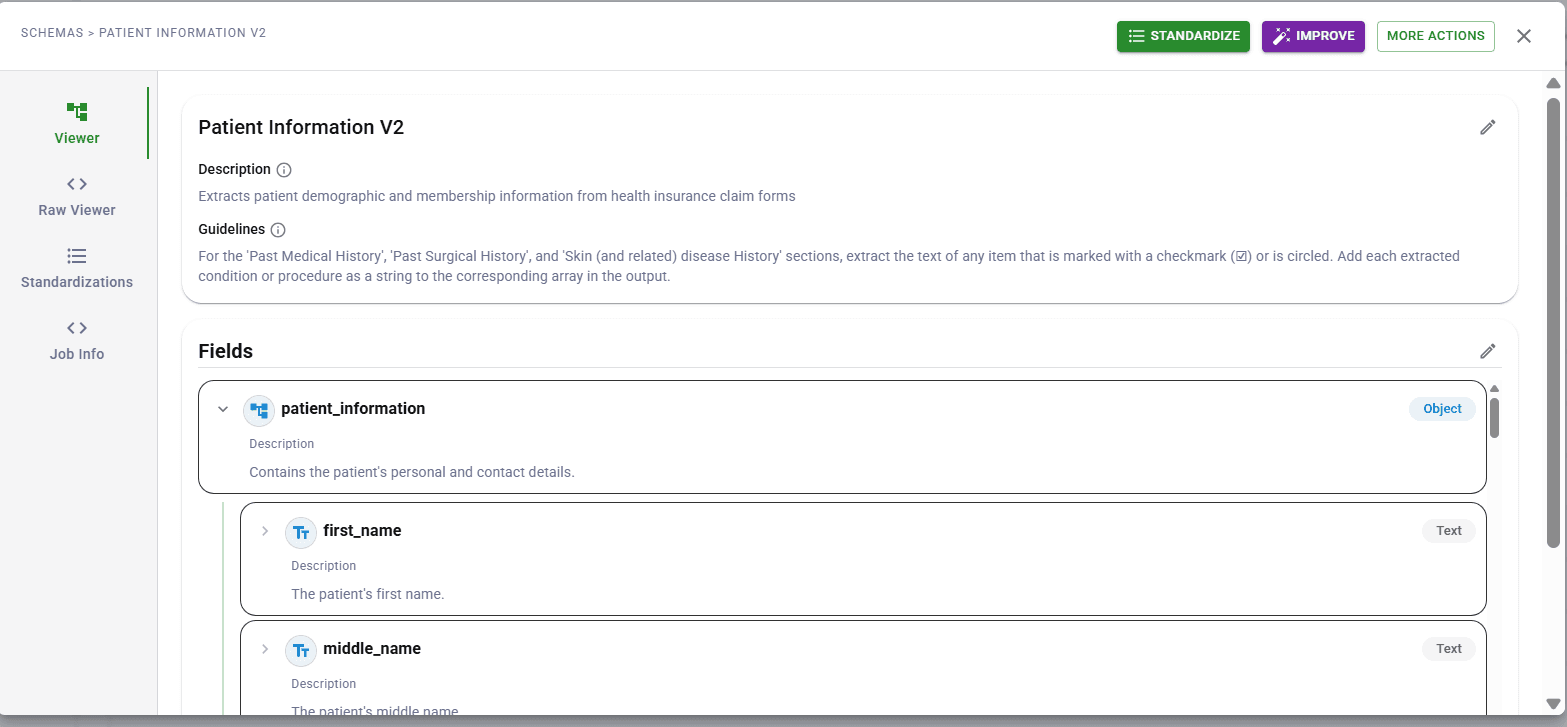
Table extraction: detection vs understanding
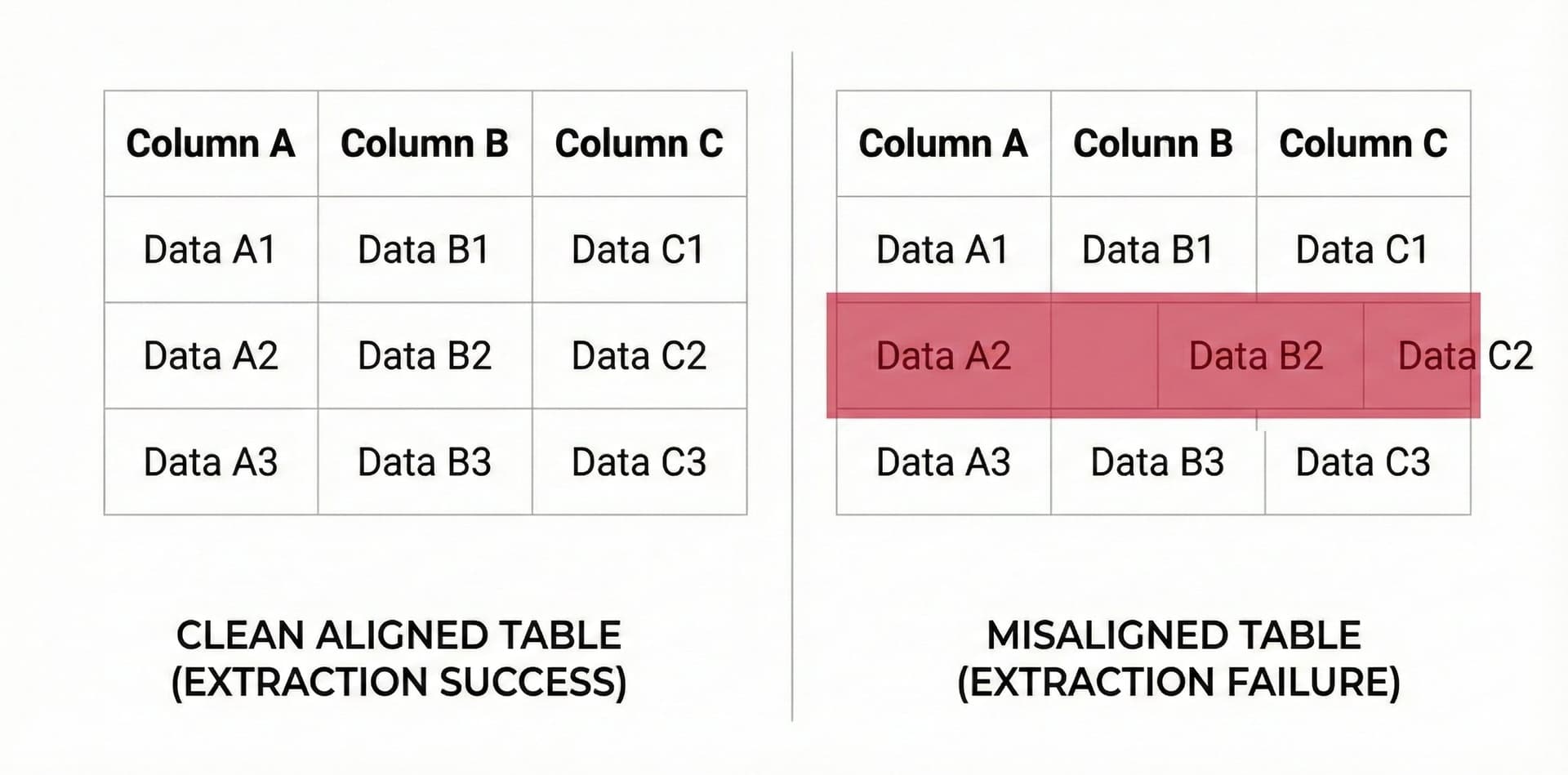
PyMuPDF can detect table boundaries in native PDFs. It gives you text and positions. But mapping that to rows and columns - especially with merged cells, borderless tables, or complex layouts - requires custom algorithms.
Developers using PyMuPDF for tables often switch to Camelot or Tabula (table-specific libraries). Now they're maintaining three libraries for one extraction task.
DocuPipe handles tables natively. Complex layouts, merged cells, borderless tables - you get structured data without juggling libraries.
See it in action
Up to 20,000 free credits with an eligible work email. No credit card required.
Handwriting: a complete blind spot
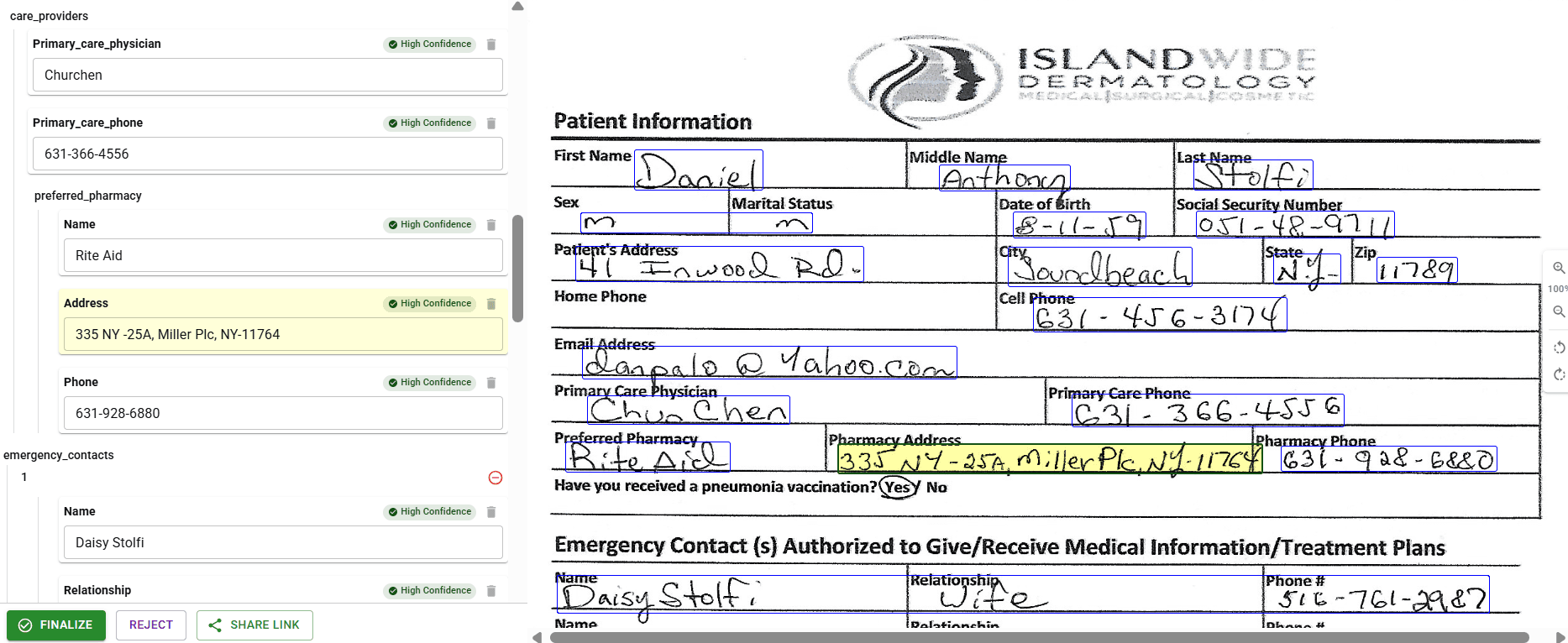
PyMuPDF extracts embedded text. Handwritten annotations? Signatures? Form fields filled in by hand? Invisible. The text layer doesn't include them.
For many business documents, handwriting is the most important part. The signature that makes a contract valid. The annotations that clarify terms. The checkbox selections that indicate choices.
In an independent review, The Digital Merchant tested DocuPipe on a doctor's handwritten prescription - described as 'notoriously illegible' - and reported being 'impressed with the accuracy of the output.' A G2 reviewer processing thousands of handwritten forms reported 98% reliability on handwriting transcription. DocuPipe's handwriting recognition supports 100+ languages - everything on the document gets extracted.
When PyMuPDF makes sense: speed for native PDFs
For native PDFs with embedded text, PyMuPDF is fast - one of the faster PDF text extraction libraries. The MuPDF engine underneath is highly optimized C code. If you're processing millions of born-digital PDFs and only need raw text, PyMuPDF's speed is a legitimate advantage.
This is a real use case. Some organizations have document archives that are 100% native PDFs - never printed, never scanned. Legal discovery, academic research, digital-native workflows. For these, PyMuPDF's speed-to-raw-text is valuable.
But most real-world document processing involves mixed inputs. The moment you receive a scanned contract, a faxed form, or a photo of a receipt, PyMuPDF returns nothing. DocuPipe handles both - native PDFs use fast text extraction when available, scanned documents get OCR automatically. One API, any document.
PyMuPDF vs DocuPipe: library vs API
Choose PyMuPDF if you only process native PDFs with embedded text, you need a Python library for simple text extraction, and you're building your own document processing pipeline.
Choose DocuPipe if you process any mix of native and scanned documents, you need structured JSON extraction, and you want a managed API that handles OCR and extraction together.
PyMuPDF is a capable library with a fundamental limitation. DocuPipe doesn't have that limitation.
Which should you choose?
Choose DocuPipe if...
You process scanned documents, faxes, or photos
You need structured JSON, not raw text
You want OCR and extraction in one API
Your documents include handwriting
You prefer a managed service over library juggling
Choose PyMuPDF if...
You only process native PDFs with embedded text
You need a Python library, not an API
You're building custom text extraction logic
Scanned documents aren't in your workflow
Skip the setup headaches
Start extracting documents in minutes, not weeks.
Frequently asked questions
PyMuPDF extracts embedded text layers from PDFs. Scanned documents are images inside PDF wrappers - there's no text layer to extract. PyMuPDF isn't an OCR tool; it reads existing text data. DocuPipe includes OCR, so scanned documents work automatically.
Yes, by bolting on Tesseract or another OCR library. But now you're maintaining two parsing pipelines with different outputs, handling edge cases, and debugging two failure modes. DocuPipe handles both document types with a single API.
For raw text extraction from native PDFs, PyMuPDF is fast and reliable. But it gives you text and positions - you still build the logic to map that to your data model. DocuPipe gives you structured JSON matching your schema.
PyMuPDF can detect table boundaries in native PDFs, but output is raw text positions. For structured table data, developers often add Camelot or Tabula. DocuPipe handles tables natively - structured rows and columns without additional libraries.
PyMuPDF cannot extract handwriting. It only reads embedded text layers. Handwritten signatures, annotations, and form fields are invisible to it. DocuPipe's OCR includes handwriting recognition for 100+ languages.
PyMuPDF is free open-source software. But for production extraction, you'll add OCR (engineering time), table libraries (more complexity), and build your own pipeline. DocuPipe is $99/mo for a complete, managed solution.


The best way to compare? Try it yourself.
Up to 20,000 free credits with an eligible work email. No credit card required.