
4 min read
DocuPipe vs Marker: Which is best for your team? [2026]

Published March 8, 2026

Marker is a Python library for ML engineers building RAG pipelines - it converts PDFs to clean Markdown for LLM consumption. DocuPipe is a managed API for teams shipping products - it extracts structured JSON matching your exact schema. If you need to feed an LLM, Marker works. If you need invoice_total in your database, DocuPipe is built for that.
TL;DR
Marker is a Python library for ML engineers building RAG pipelines - it converts PDFs to Markdown. DocuPipe is a managed API for teams shipping products - it extracts structured JSON with schema enforcement, confidence scores, and review UI.
Table of Contents
- DocuPipe vs Marker at a glance
- Marker alternative: Markdown conversion vs structured extraction
- The schema gap: when you need specific fields
- Production features Marker doesn't have
- Verification: source highlighting vs nothing
- Deployment: managed API vs self-hosted Python
- Marker vs DocuPipe: conversion vs extraction
- Which should you choose?
- FAQ
DocuPipe vs Marker at a glance
| DocuPipe | Marker | |
|---|---|---|
| Output format | Structured JSON matching your schema | Markdown text |
| Schema extraction | Define fields, get typed JSON | No schema support |
| Use case | Production data extraction | RAG prep / LLM feeding |
| Key-value pairs | Native extraction | You parse the Markdown |
| Type enforcement | Numbers, dates, arrays validated | Everything is text |
| Human review | Built-in source highlighting UI | None |
| Webhooks | Svix-powered notifications | None |
| Deployment | Managed API or on-premise | Self-hosted Python |
Ready to see the difference?
Get up to 20,000 free credits with an eligible work email. No credit card required.
Marker alternative: Markdown conversion vs structured extraction
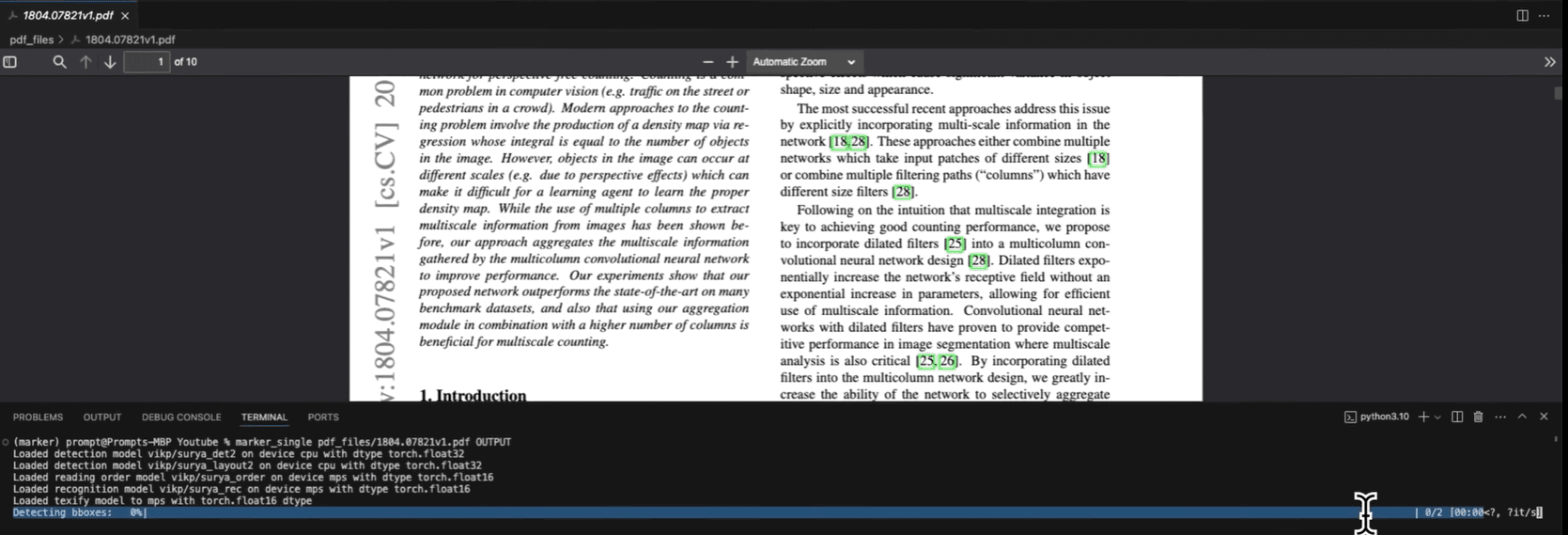
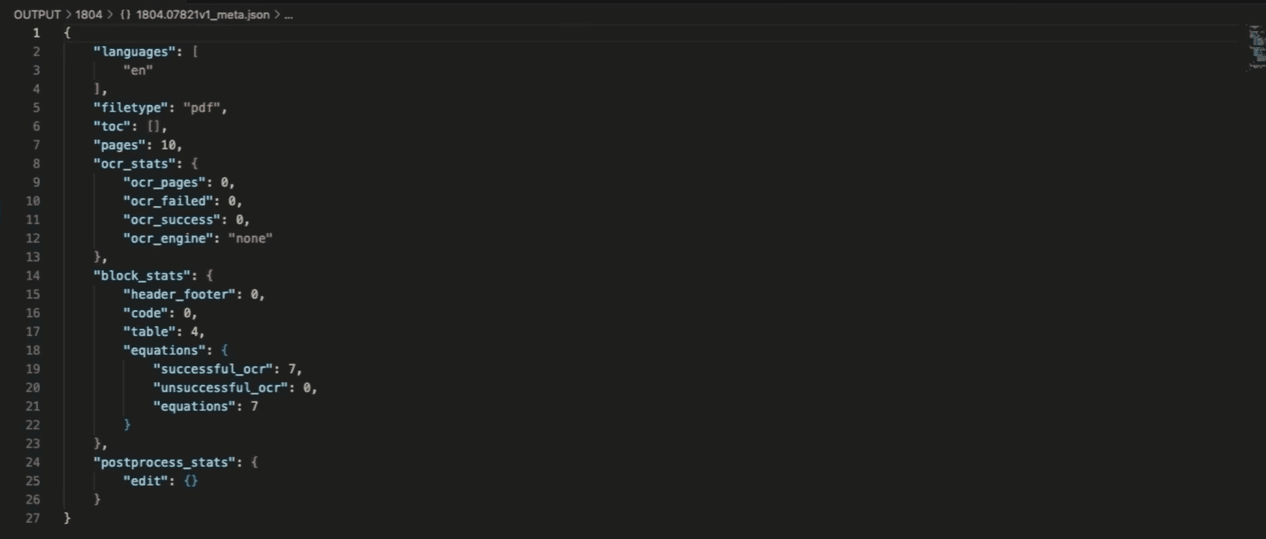
Marker is popular for converting PDFs to clean Markdown. Nice for RAG pipelines. But here's what you lose when output is Markdown: all structured data, table formatting, and confidence scores. You get text that looks nice but can't be validated, typed, or audited.
Markdown isn't structured data. You can't insert Markdown into a database. You can't validate that 'invoice_total' is a number. You can't enforce that required fields exist. You can't trace a field back to its source location. Marker gives you text; DocuPipe gives you data with full extraction metadata.
If your goal is RAG or LLM prompting, Marker works. If your goal is extracting fields into production systems where you need confidence scores, type validation, and audit trails, DocuPipe is built for that.
The schema gap: when you need specific fields
With Marker, you get the entire document as Markdown. Want the invoice total? Parse the Markdown yourself. Want the vendor name? Write regex or feed it to another LLM to extract specific fields.
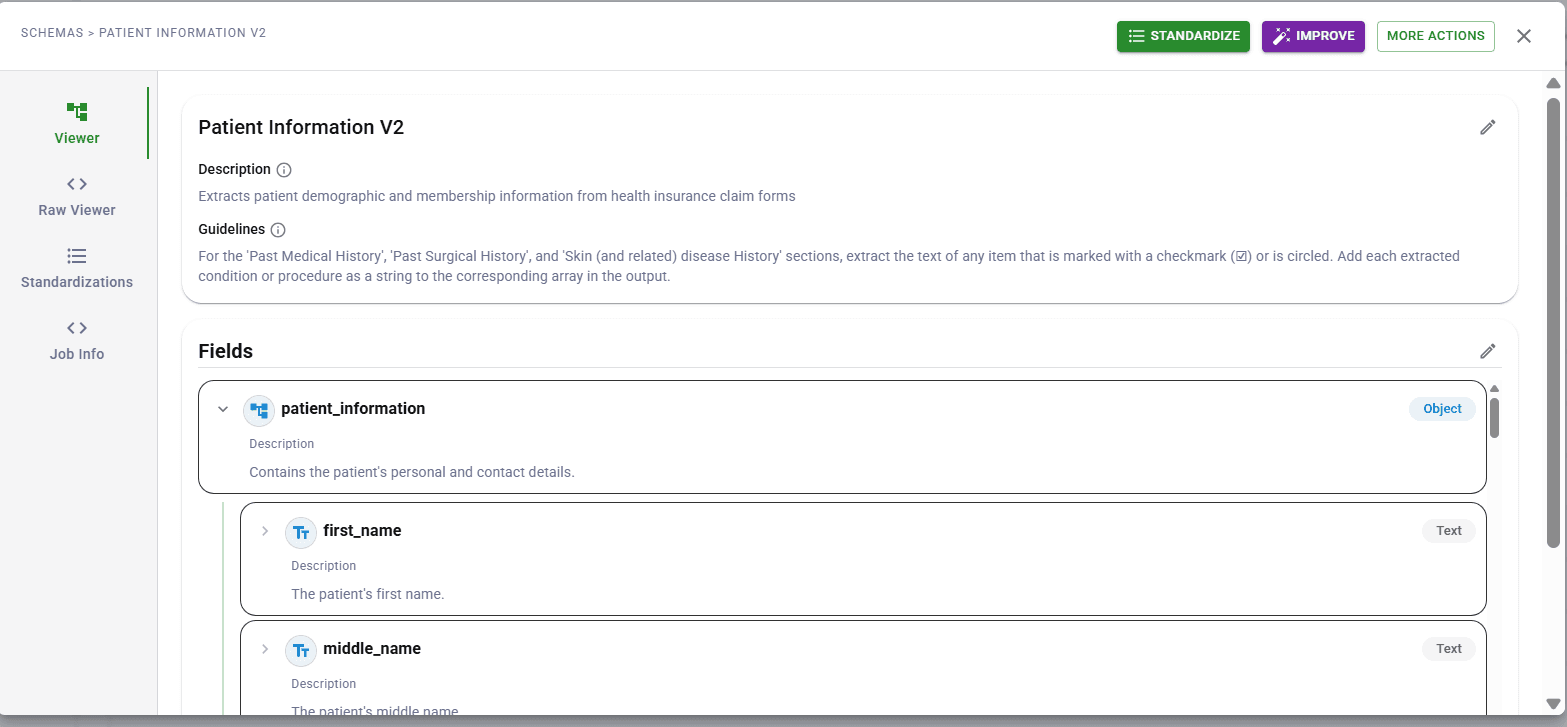
DocuPipe lets you define a schema upfront. Specify that you need 'invoice_total' as a number, 'vendor_name' as a string, 'line_items' as an array. You get exactly those fields, validated and typed.
Marker converts format. DocuPipe extracts meaning.
Production features Marker doesn't have
Marker is a conversion tool. DocuPipe is a production pipeline. The difference shows in what's included: DocuPipe has document classification (auto-route to correct schema), document splitting (handle multi-doc PDFs), webhooks (notify your systems when extraction completes), human review (verify extractions with source highlighting).
Building these on top of Marker means writing significant infrastructure. Marker gives you Markdown; you build everything else.
If you're feeding an LLM once, Marker is fine. If you're processing thousands of documents in production, DocuPipe's pipeline features matter.
Verification: source highlighting vs nothing
Marker outputs Markdown. There's no confidence scoring - every piece of text has equal weight. There's no source traceability - you can't click a sentence and see where it came from on the original PDF.
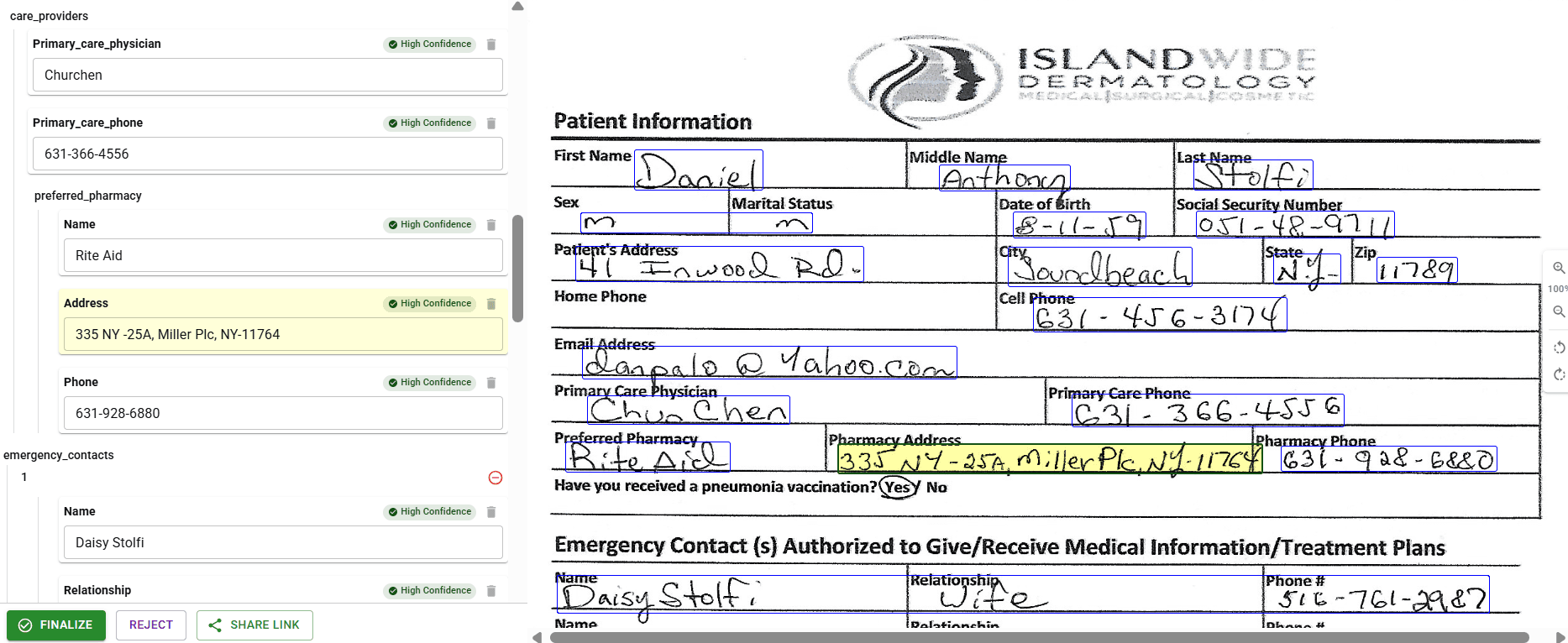
DocuPipe extracts fields with confidence scores. Low-confidence extractions are flagged for human review. Click any field with source highlighting to see exactly where the data came from on the source document.
For production systems where accuracy matters, DocuPipe's verification features catch errors before they corrupt your data.
See it in action
Up to 20,000 free credits with an eligible work email. No credit card required.
Deployment: managed API vs self-hosted Python
Marker is a Python library you run yourself. That means hosting infrastructure, managing dependencies, handling updates, scaling compute. For GPU acceleration (which Marker benefits from), you're provisioning GPU instances.
DocuPipe is a managed API. One endpoint, structured JSON back. No infrastructure to manage, no scaling to handle, no GPU costs.
Marker is free software with operational costs. DocuPipe is a service with predictable pricing.
Marker vs DocuPipe: conversion vs extraction
Choose Marker if you're building RAG pipelines and need clean Markdown for vector databases, you're comfortable with self-hosted infrastructure, and you'll handle field extraction separately.
Choose DocuPipe if you need specific fields extracted into typed JSON, you want a production pipeline with webhooks and review, and you prefer a managed API over self-hosted infrastructure.
Different tools, different purposes. Marker converts documents. DocuPipe extracts data.
Which should you choose?
Choose DocuPipe if...
You need specific fields extracted into typed JSON
You want schema validation and type enforcement
You need confidence scores and human review
You're building production data pipelines
You prefer a managed API over self-hosted infrastructure
Choose Marker if...
You need clean Markdown for RAG/vector databases
You're comfortable with self-hosted Python infrastructure
You'll handle field extraction separately
Your primary use case is LLM prompting
Skip the setup headaches
Start extracting documents in minutes, not weeks.
Frequently asked questions
Marker outputs clean Markdown representing the document's content and structure. DocuPipe outputs structured JSON matching your defined schema - specific fields like 'invoice_total' and 'vendor_name' with type validation. Marker gives you text; DocuPipe gives you data.
Not directly. Marker gives you the whole document as Markdown. To extract specific fields, you'd parse the Markdown yourself or feed it to an LLM for field extraction. DocuPipe handles field extraction natively - define a schema and get those exact fields.
Yes. Marker produces clean Markdown that chunks well for vector databases. If your use case is semantic search over documents, Marker is purpose-built for that. If your use case is extracting structured data for business logic, DocuPipe is the right tool.
DocuPipe uses Markdown as an intermediate representation during extraction (our spatial preprocessing), but the output is structured JSON matching your schema. If you specifically need Markdown for RAG, Marker is more direct.
Marker is free open-source software - but you pay for hosting infrastructure and GPU compute for speed. DocuPipe is $99/mo as a managed API with no infrastructure costs. Total cost depends on your scale and ops capacity.
Some teams do: Marker for RAG features (semantic search, chatbots) and DocuPipe for transactional extraction (invoice processing, data entry). Different tools for different purposes.



The best way to compare? Try it yourself.
Up to 20,000 free credits with an eligible work email. No credit card required.