
8 min read
DocuPipe vs Azure Document Intelligence: Which is best for your team? [2026]

Published January 19, 2026
Looking for the best Azure Document Intelligence alternative? Azure's pre-built models work for standard document types, but custom fields require Document Studio training - labeling samples, drawing bounding boxes, waiting for model training. DocuPipe takes a different approach: pass a JSON schema to our API, get structured data immediately. No training, no labeling, no waiting.
TL;DR
Azure Document Intelligence requires labeling documents in Document Studio and training models for custom fields. DocuPipe extracts your schema in one API call - no training, no labeling, no waiting.
Table of Contents
- DocuPipe vs Azure Document Intelligence at a glance
- The fundamental difference: zero-shot extraction vs training-required models
- Document Studio labeling vs instant schema extraction
- Pre-built model limitations: why teams need more than Azure's templates
- Long document processing: auto-chunking vs manual management
- Built-in review UI and webhooks: the operational layer Azure lacks
- Schema management: visual dashboard vs code-only configuration
- Deployment flexibility: on-premise vs Azure ecosystem lock-in
- Which should you choose?
- FAQ
DocuPipe vs Azure Document Intelligence at a glance
| DocuPipe | Azure Document Intelligence | |
|---|---|---|
| Best for | Teams that want structured data today | Teams with time to label and train models |
| Custom field extraction | Zero-shot - pass schema, get data | Requires Document Studio training |
| Time to first extraction | Minutes (API key + JSON schema) | Days to weeks (labeling + training) |
| Output format | JSON with your fields, ready to use | Pre-built model fields or trained custom fields |
| Schema flexibility | Any schema, any document, instantly | Limited to trained fields |
| Human review | Built-in UI with source highlighting | Build it yourself |
| Webhooks | Built-in (Svix-powered) | Build with Azure Functions |
| Long document handling | Handles long docs automatically | Manual chunking required |
| Deployment | Cloud or on-premise | Azure cloud (limited container option) |
| Compliance | HIPAA, ISO 27001 | Azure compliance (you secure the pipeline) |
Ready to see the difference?
Get up to 20,000 free credits with an eligible work email. No credit card required.
The fundamental difference: zero-shot extraction vs training-required models
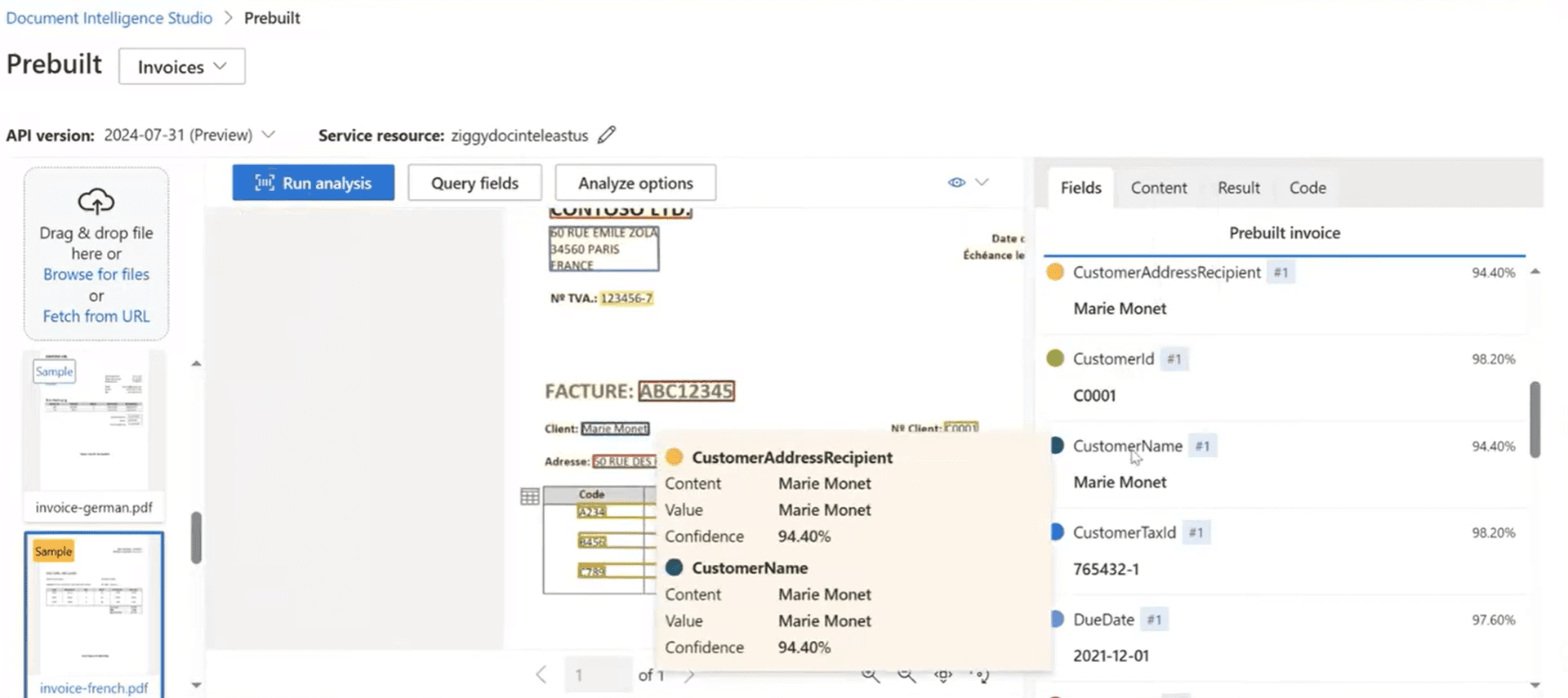
Here's what Azure Document Intelligence vs DocuPipe comes down to: Azure provides OCR and layout detection, but custom field extraction requires training in Document Studio. You upload sample documents, draw bounding boxes around fields, label each one, and wait for model training to complete.
DocuPipe works differently. Pass a JSON schema to our API, get structured data back immediately. No labeling. No training. No waiting. Your schema defines fields like 'policy_number', 'coverage_amount', 'effective_date' - and DocuPipe extracts them from any document that contains that information. First API call, first extraction.
Azure's pre-built models work well for invoices, receipts, and IDs with their predefined fields. But the moment you need fields outside their template, you're in the custom model training workflow. DocuPipe handles any schema, any document type, with zero training required.
Document Studio labeling vs instant schema extraction
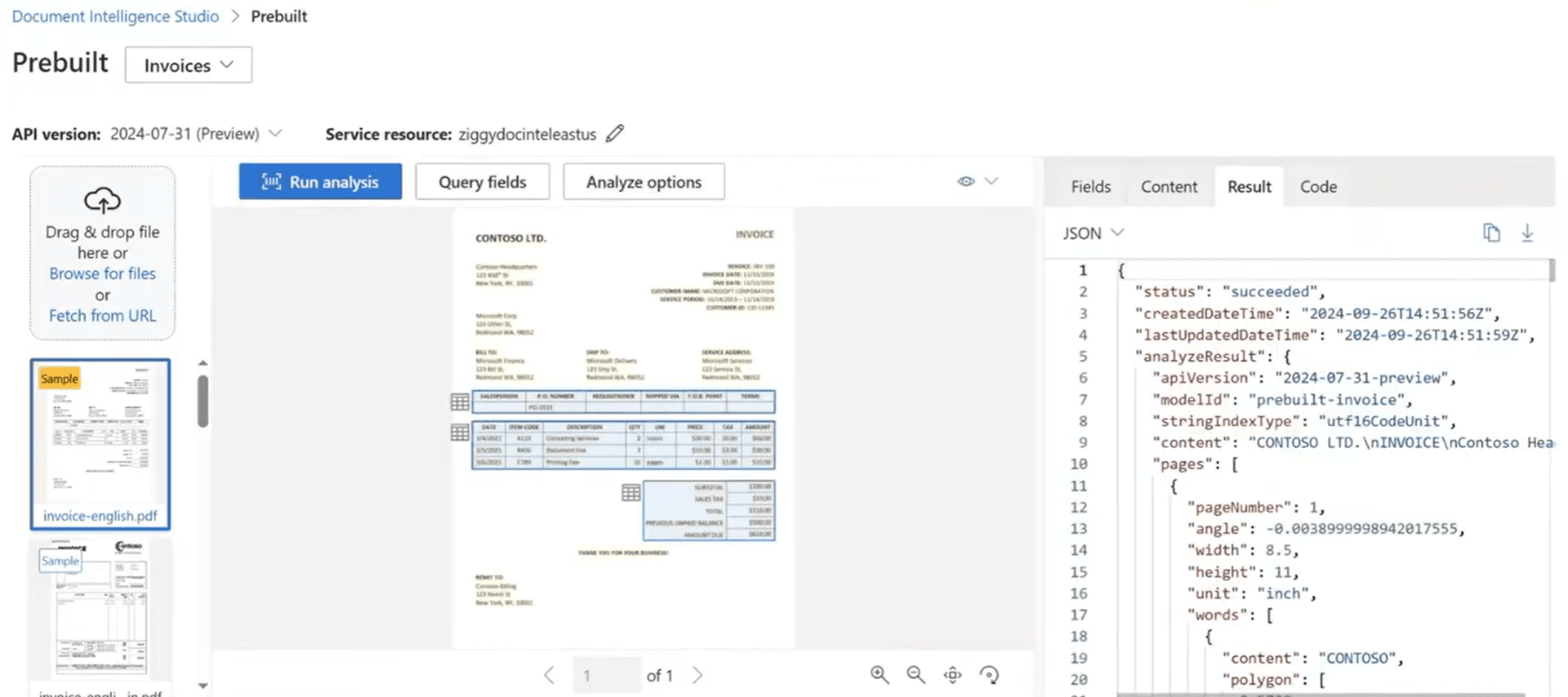
Azure Document Intelligence custom models require Document Studio. You upload sample documents, manually draw bounding boxes around fields, label each one, and train a model. Microsoft recommends at least 5 documents per document type, but real-world accuracy usually requires 50+. That's hours of manual labeling before you extract a single production document.
With DocuPipe, you define your schema in JSON and start extracting immediately. Need to add a field? Update your schema. Need to handle a new document type? Same API, same schema approach. No retraining. No relabeling. No waiting for model updates.
For teams that already have extensive labeled datasets and dedicated ML resources, Azure's training approach offers fine-tuned control. But for teams that want to ship document extraction today, DocuPipe's zero-shot approach eliminates the training bottleneck entirely.
Pre-built model limitations: why teams need more than Azure's templates
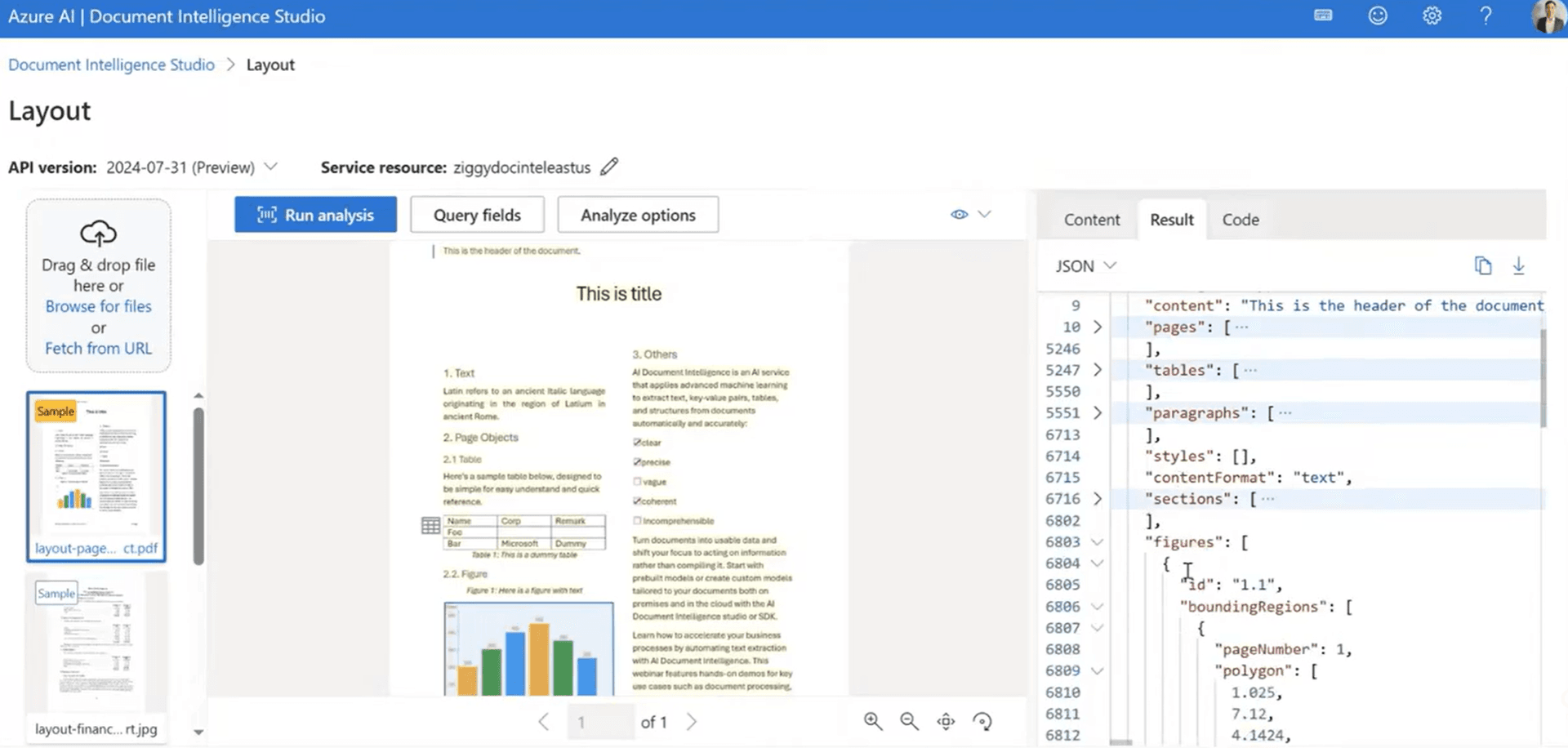
Azure Document Intelligence offers pre-built models for common documents: invoices, receipts, IDs, W-2s, health insurance cards. These work well for their specific field sets. Invoice extraction gives you vendor name, invoice total, line items - Azure's predefined fields.
But what happens when you need fields Azure didn't anticipate? What if your invoices have custom reference numbers, project codes, or department allocations that matter to your business? With Azure, you're either ignoring those fields or training a custom model.
DocuPipe's intelligent document processing handles any field you define. Your schema is your contract. Define the fields your business needs, and DocuPipe extracts them. No pre-built limitations. No custom model training. Just your data, your way.
Long document processing: auto-chunking vs manual management
Processing long documents with Azure Document Intelligence requires careful planning. You'll need to handle pagination, manage API limits, and piece together results from multiple calls. For contracts, reports, or multi-page forms, this adds complexity to your pipeline.
DocuPipe includes auto-chunking built in. Upload a 100-page document, get structured data back. We handle the chunking, the context preservation, and the result assembly. Your code stays simple regardless of document length.
This matters especially for document types like contracts, medical records, or financial reports where critical information spans many pages. DocuPipe keeps the context intact. With Azure, you're managing that complexity yourself.
See it in action
Up to 20,000 free credits with an eligible work email. No credit card required.
Built-in review UI and webhooks: the operational layer Azure lacks
Document extraction isn't just an API call - it's an operational workflow. DocuPipe includes source highlighting review UI where your team can verify extractions with source highlighting. Click any field, see exactly where it came from on the document. Built-in webhooks (powered by Svix) notify your systems when processing completes.
Azure Document Intelligence focuses on the extraction API. Building a review interface means custom development. Webhook notifications require Azure Functions, Event Grid, or custom polling logic. The operational layer that makes document processing production-ready - you're building it yourself.
For teams with dedicated Azure developers and time to build custom tooling, this flexibility works. For teams that want to deploy document extraction with review workflows this month, DocuPipe's built-in operational features save weeks of development.
Schema management: visual dashboard vs code-only configuration
DocuPipe includes a schema dashboard where ops teams can create, edit, and manage extraction schemas visually. No code required. See your field definitions, test extractions, adjust as needed. This matters because document processing often involves business teams, not just developers.
Azure Document Intelligence configuration happens through Document Studio for custom models or code for API calls. There's no unified dashboard for managing extraction schemas across document types. Configuration is scattered between training projects, API code, and Azure portal settings.
For developer-only workflows, Azure's approach works. For organizations where operations teams need to adjust extraction rules without deploying code, DocuPipe's visual schema management provides the right level of control.
Deployment flexibility: on-premise vs Azure ecosystem lock-in
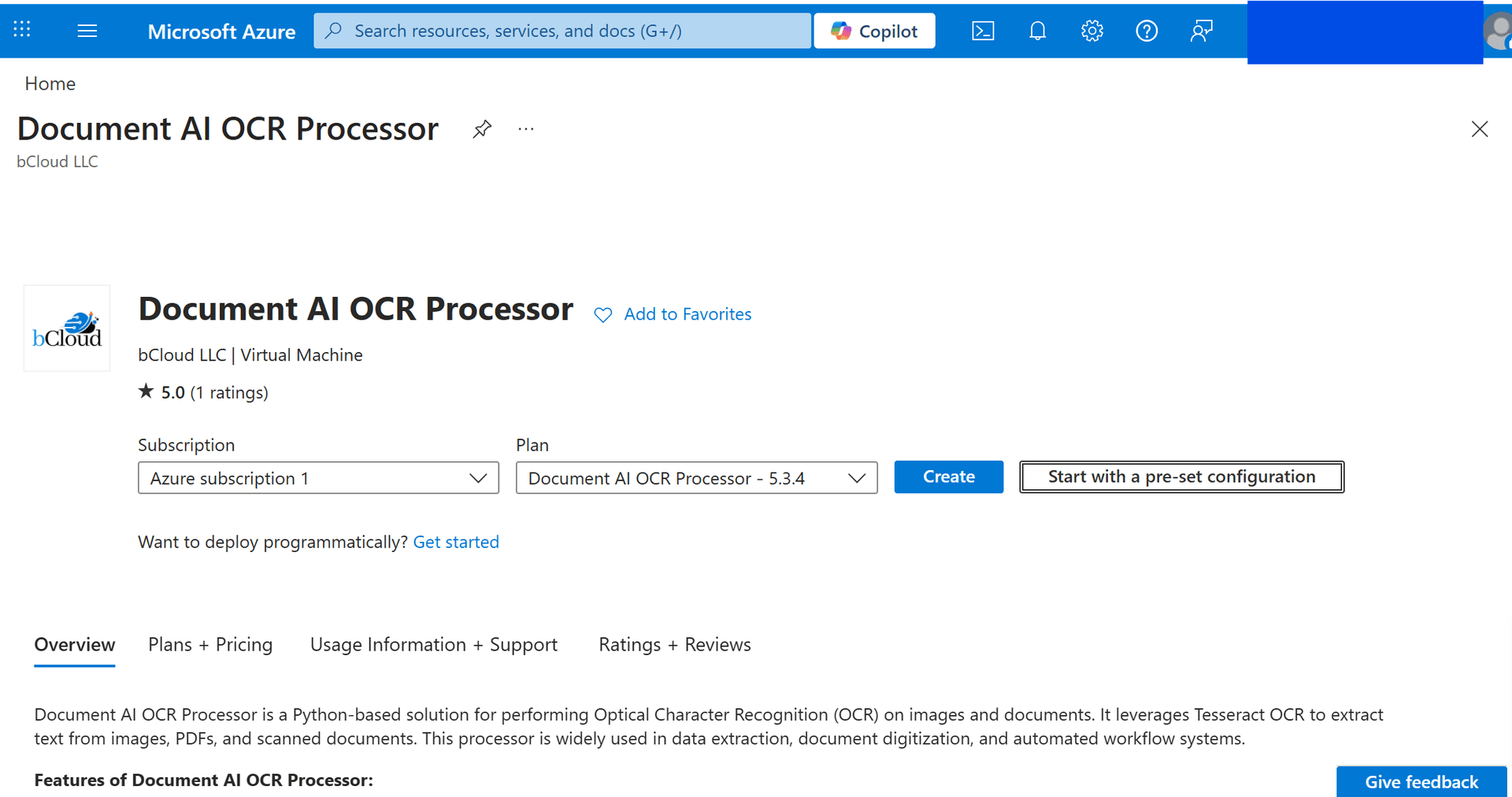
Azure Document Intelligence runs on Azure. While container deployment exists, it's limited compared to the full cloud service. Your documents flow through Azure infrastructure, which works for many organizations but not all.
DocuPipe offers full on-premise deployment. The entire extraction pipeline runs in your infrastructure. For healthcare, government, financial services, or any organization with strict data residency requirements, this is often the deciding factor.
If you're already in the Azure ecosystem and comfortable with Azure's data handling, Document Intelligence integrates naturally. If you need documents to stay on your network, DocuPipe's enterprise deployment gives you that control.
Which should you choose?
Choose DocuPipe if...
You want structured data organized by your schema immediately
You don't want to label documents and train custom models
You need custom fields beyond pre-built model templates
You want built-in review UI with source highlighting
You need webhooks without building Azure Functions
You have long documents that need auto-chunking
You need on-premise deployment for data residency
Choose Azure Document Intelligence if...
You have extensive labeled training data and ML expertise
You only need Azure's pre-built model field sets
You're deep in the Azure ecosystem and want integration
You have time to train and iterate on custom models
You have developers to build review UI and webhook infrastructure
Skip the setup headaches
Start extracting documents in minutes, not weeks.
Frequently asked questions
Azure Document Intelligence provides OCR and layout detection, but custom extraction requires training models in Document Studio. DocuPipe provides zero-shot extraction - pass a JSON schema to the API, get structured data immediately. No training, no labeling, no waiting. Azure is raw OCR plus trained models. DocuPipe is structured JSON with your schema from the first API call.
No. DocuPipe never requires training. Define your schema with the fields you need, and DocuPipe extracts them from any document immediately. Azure Document Intelligence requires Document Studio labeling and training for custom fields. This is the core architectural difference between the two approaches.
Azure's pre-built models work well for their specific document types (invoices, receipts, IDs) with their predefined field sets. But you're limited to Azure's fields. DocuPipe handles any schema you define, for any document type, without being constrained to pre-built templates. Need custom fields? Just add them to your schema.
If you have 50-100 manually labeled documents per document type, dedicated ML engineers to manage training, and weeks to wait before extraction works - and you only need fields that match Azure's pre-built processors - Document Intelligence is an option. But that's significant upfront investment before you extract a single production document. Most teams need extraction working today, not after a training project.
With DocuPipe: minutes. Define your schema, make an API call, get structured data. With Azure Document Intelligence: days to weeks. You need to collect sample documents, label them in Document Studio, train a model, validate accuracy, and iterate. The training bottleneck is why teams look for Azure Document Intelligence alternatives.
DocuPipe includes built-in source highlighting review UI where you can verify extractions with source highlighting. Azure Document Intelligence provides extraction APIs but no built-in review interface - you'd need to build that yourself. For teams that need human-in-the-loop verification, DocuPipe's review UI saves weeks of custom development.
DocuPipe includes built-in webhooks powered by Svix - reliable delivery, retry logic, and monitoring out of the box. Azure Document Intelligence requires you to build webhook functionality using Azure Functions, Event Grid, or custom polling. The operational infrastructure comes included with DocuPipe.
Yes, and better in many cases. DocuPipe includes auto-chunking that handles long documents automatically while preserving context. With Azure Document Intelligence, you manage pagination and chunking yourself. For contracts, reports, or multi-page forms, DocuPipe's built-in handling simplifies your pipeline.
Yes. DocuPipe is ISO 27001 compliant. We sign BAAs for healthcare customers. For the strictest requirements, on-premise deployment keeps your entire document extraction pipeline inside your own infrastructure - something Azure's cloud-first approach makes difficult.
Swap your Azure API calls for DocuPipe document extraction API calls. Document upload works similarly. The key difference is defining your schema - with DocuPipe, you pass the schema you want, and get structured JSON back. Most teams keep their existing document handling and downstream logic.



The best way to compare? Try it yourself.
Up to 20,000 free credits with an eligible work email. No credit card required.