
Cloud vs On-Premise Document Extraction: How to Choose (2026)

Uri Merhav
Updated Jan 26th, 2026 · 8 min read
Table of Contents
Cloud vs On-Premise Document Extraction: How to Choose
Before evaluating features, accuracy, or pricing - answer this question first:
Can your documents even leave your network?
Cloud deployment means documents are sent via API to vendor servers for processing. On-premise deployment means the extraction software runs entirely within your own infrastructure—documents never leave your network.
If the answer is "absolutely not," you should only be considering systems with on-premise deployment. If the answer is "yes, with appropriate security controls," cloud is likely faster and cheaper to deploy. If the answer is "it depends on the document," you're potentially looking at a hybrid approach. For background on how document extraction works, see our guide to intelligent document processing.
Everything else follows from there.
What You Need to Know
Cloud advantages: Faster deployment, automatic updates, no infrastructure management, and typically lower upfront costs. Most organizations start here.
On-premise advantages: Complete data control, compliance with strict regulations, no data leaving your network, and predictable costs at scale.
Hybrid approach: Process sensitive documents on-premise while using cloud for less sensitive workloads. Many enterprises land here.
The real question: What are your actual compliance requirements? Start there, not with technology preferences.
Table of Contents
- The Quick Comparison
- When Cloud Is the Right Choice
- When On-Premise Is the Right Choice
- The Hybrid Path
- The Compliance Question
- Cost Reality Check
- Questions to Ask Vendors
- FAQ
- Key Takeaways
The Quick Comparison
Speed: Cloud deploys in days - it's an API call. On-premise can take weeks to months for infrastructure, installation, and configuration.
Cost structure: Cloud means low upfront, pay-per-use pricing. On-premise can mean a high upfront investment in infrastructure and licenses, but costs obviously flatten at scale.
Data control: Cloud means documents leave your network (with encryption and security controls of course). On-premise means documents never leave your environment.
Scaling: Cloud scales automatically with demand. On-premise requires capacity planning.
Updates: Cloud delivers improvements continuously and automatically. On-premise requires manual upgrade cycles - you control timing but that also means you can lag behind.
Neither is universally better. The right choice depends on your situation, security requirements, and organizational needs.
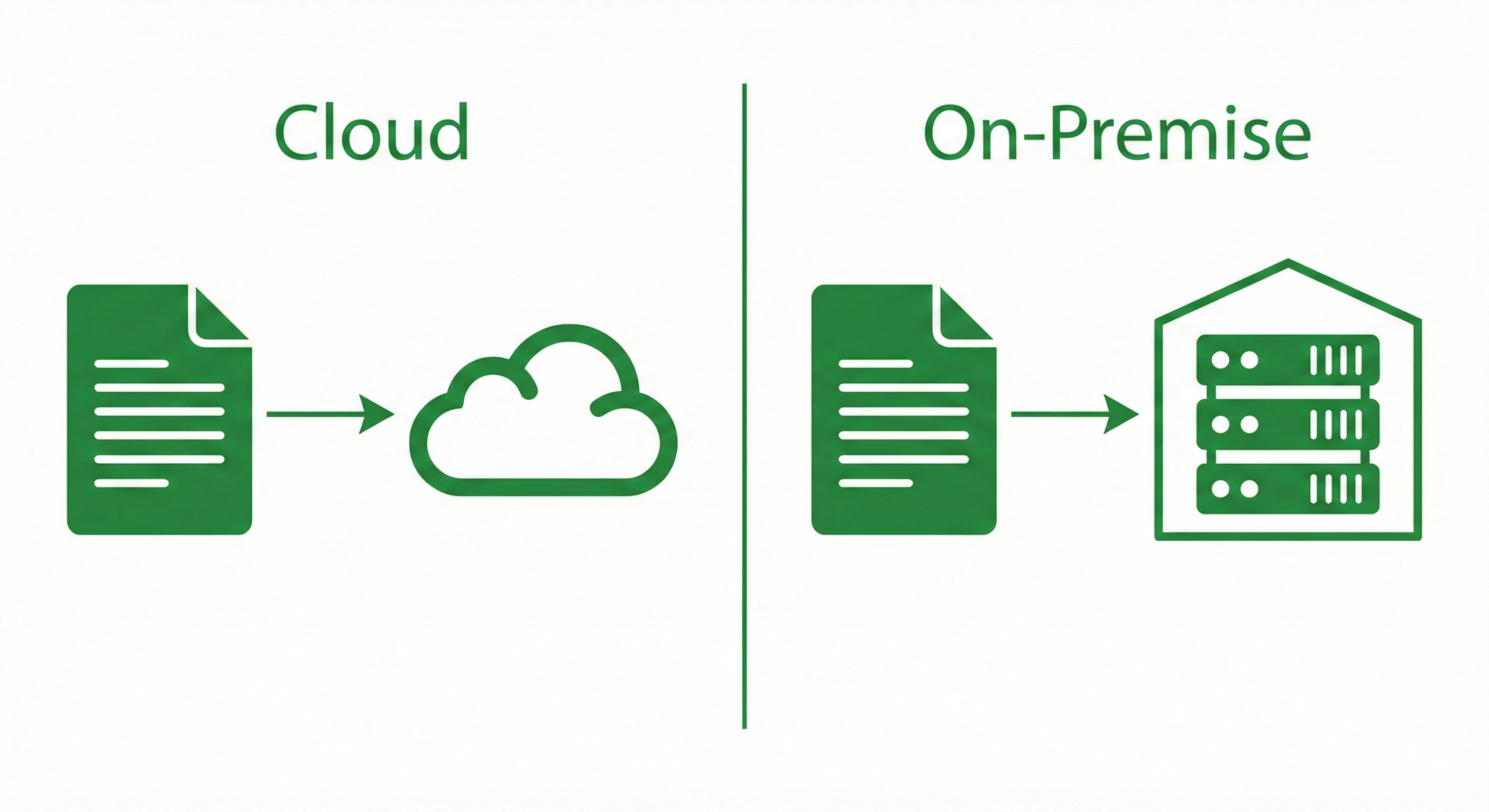 Cloud vs on-premise deployment diagram
When Cloud Is the Right Choice
You don't have regulatory prohibitions on cloud processing. Many industries can use cloud services with appropriate vendor certifications and contracts (SOC2, BAAs, etc.).
You need to deploy fast. Cloud extraction is a call away. No infrastructure to provision, no software to install. You can be processing documents in minutes to days depending on your situation.
Your volume is moderate or unpredictable. Cloud scales automatically. Process 100 documents one week, 10,000 the next, without capacity planning.
You don't want to manage infrastructure. The vendor handles servers, security patches, updates, and availability. Your team can focus on integration and actually using the data.
You want the latest models automatically. Cloud deployments get improvements continuously. No upgrade cycles, no version management. Immediate updates.
Cloud Concerns to Address
Security due diligence: Make sure to verify the vendor's security posture. SOC 2 Type II certification is standard. Ask about encryption in transit and at rest, data retention policies, and what happens to your documents after processing.
Data residency: If you have geographic requirements, confirm where processing happens. Most cloud providers offer various options.
Vendor lock-in: Understand how portable your integration is. Can you switch vendors for a different service without rebuilding your entire extraction system?
When On-Premise Is the Right Choice
Regulations prohibit data leaving your network. Some industries, government contracts, or internal policies require documents to stay on a controlled infrastructure.
You need controls beyond vendor certifications. Your security team wants to manage the environment directly: network access, encryption keys, audit logs, incident response, etc.
You're processing at very high volume. At scale, the economics flip. Per-document cloud pricing can add up. On-premise infrastructure becomes more cost-effective at a certain point.
You need air-gapped deployment. Classified or highly sensitive environments with no external network connectivity require on-premise.
You have strong internal infrastructure expertise. On-premise means your team manages servers, updates, and scaling. This requires capability and ongoing investment.
On-Premise Concerns to Address
Deployment timeline: Plan for weeks to months, not days. Infrastructure provisioning, software installation, configuration, and testing takes a solid amount of time.
Update management: You're responsible for applying updates. New features and model improvements require explicit upgrade cycles. You can potentially lag behind cloud capabilities.
Capacity planning: You must provision for peak loads. Underprovisioning causes bottlenecks during volume spikes. Overprovisioning wastes valuable resources.
LLM model limitations: Its important to be aware that on-premise deployments do restrict which AI models you can use. For instance, air-gapped environments are limited to open-source LLMs only. If deploying within a cloud ecosystem, you're restricted to models supported by that platform - for instance, AWS Bedrock supports Anthropic models but does not Gemini or GPT.
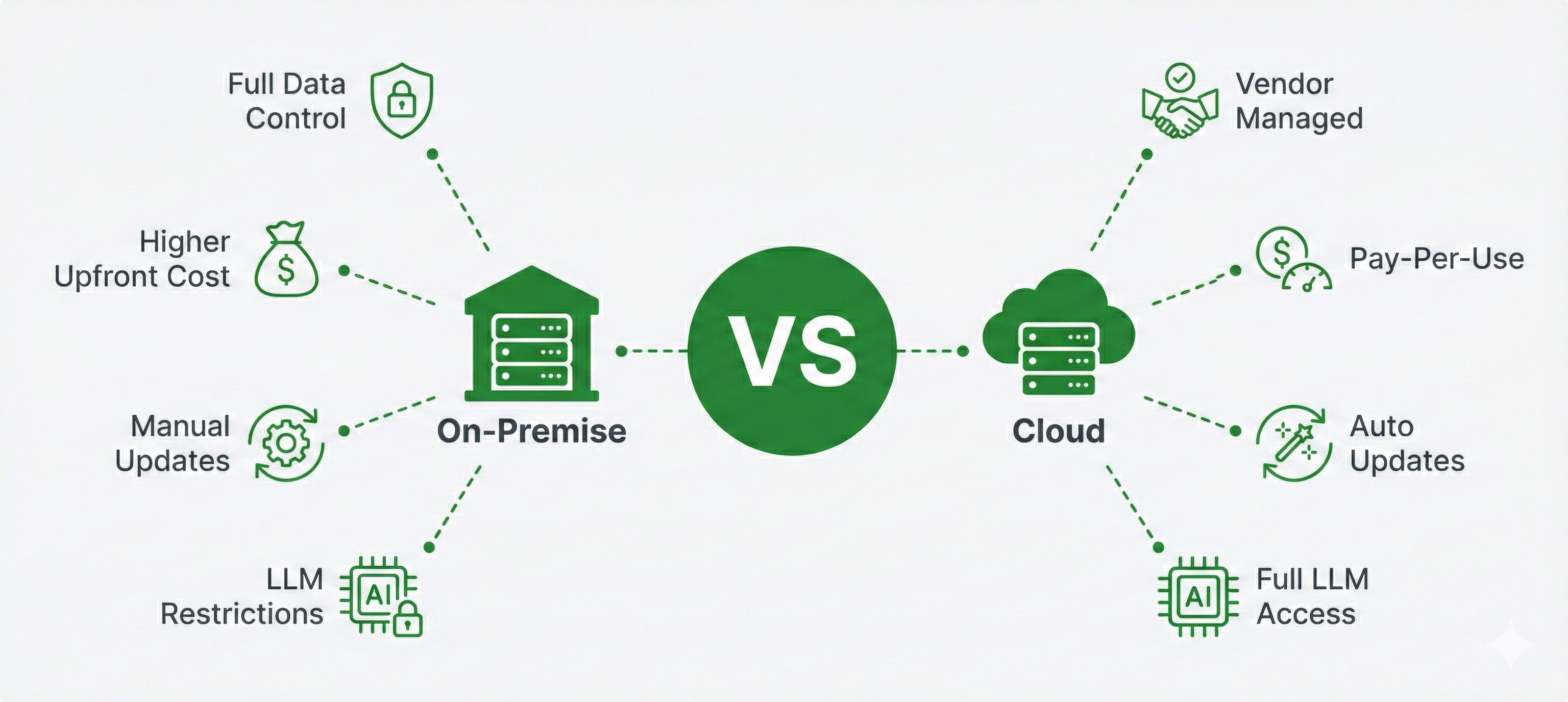 Side-by-side comparison of cloud vs on-premise deployment: cloud offers vendor management, pay-per-use pricing, automatic updates, and full LLM access, while on-premise provides full data control but requires higher upfront cost, manual updates, and has LLM restrictions
The Hybrid Path
Some organizations land on a hybrid approach: cloud for some workloads, on-premise for others.
Sensitivity-based routing: Documents containing PII, PHI, or classified data process on-premise. For example, bank statements with financial data might require on-premise, while standard invoices could use cloud.
Environment-based split: Production runs on-premise where security requirements are strictest. Development and testing use cloud with synthetic or anonymized data.
Geographic distribution: On-premise at headquarters for sensitive operations. Cloud in regions where infrastructure investment doesn't make sense.
Hybrid Requirements
To make hybrid work, you need:
- Clear classification of which documents go where
- Consistent APIs across both deployment models
- Routing logic that's maintainable and auditable
- Unified monitoring across environments
Ask vendors specifically: "Do cloud and on-premise deployments use the same APIs and produce the same outputs?"
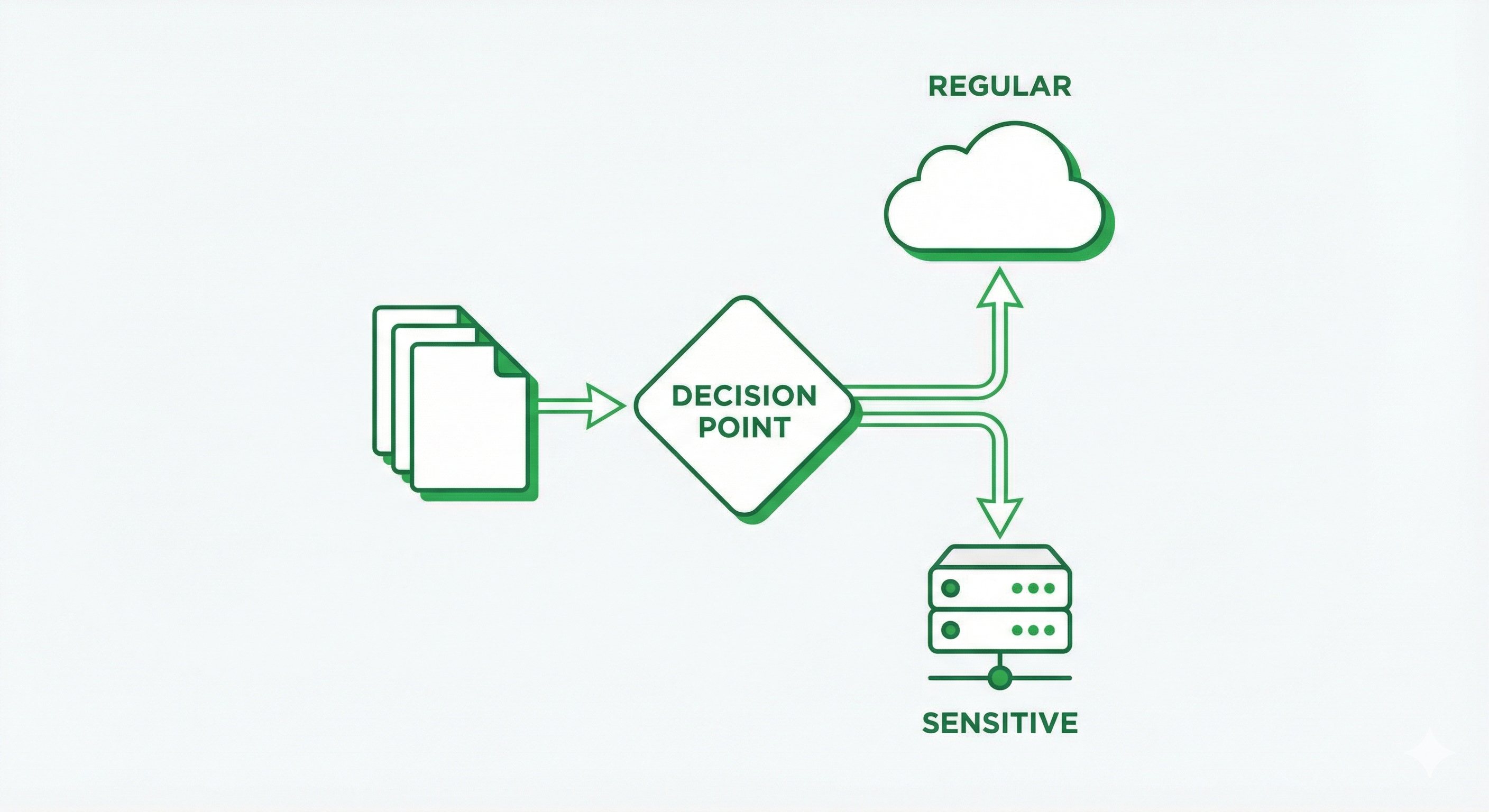 Hybrid deployment routing diagram
The Compliance Question
Compliance requirements are often the driver of the deployment decision. Here's how to think through it:
Start with your compliance team. Don't think about what you prefer - centralize what they require. Regulatory requirements aren't really negotiable.
Map requirements to deployment options:
- HIPAA: Cloud possible with BAA, but some organizations require on-premise for PHI
- FedRAMP: Required for federal government data; limits cloud options significantly
- GDPR: Data residency requirements may constrain geographic options
- SOC 2: Standard for cloud vendors; verify Type II certification
- Industry-specific rules: Financial services, healthcare, government all have unique requirements. See our guides on form extraction and table extraction for document-specific considerations.
Document the decision. When auditors ask why you chose cloud or on-premise, you need clear reasoning tied to specific requirements.
Cost Reality Check
Cloud economics:
- Low upfront: No infrastructure investment
- Variable ongoing: Pay per document or API call
- Predictable per-unit: Easy to model costs
- Risk at scale: High volume can get expensive
On-premise economics:
- High upfront: Hardware, software licenses, implementation
- Fixed ongoing: Infrastructure and staff costs regardless of volume
- Complex modeling: Total cost of ownership includes many factors
- Advantage at scale: Per-document cost decreases with volume
Model your costs at 10x current volume before committing to either approach, as rapid scaling can quickly shift the equation.
Questions to Ask Vendors
For Cloud Deployment
- What certifications do you maintain? (SOC 2, HIPAA, ISO 27001)
- Will you sign a BAA? DPA?
- Where are documents processed geographically?
- What's your data retention policy? Can we require zero retention?
- What happens to our data if we cancel or change providers?
For On-Premise Deployment
- What are the hardware requirements?
- What's the realistic deployment timeline?
- How are updates delivered? How often?
- Can it run fully air-gapped?
- What does the licensing model look like at our volume?
For Either Deployment
- Is feature parity maintained between cloud and on-premise?
- Can we start with cloud and migrate to on-premise later?
- What does the API look like? Same across deployment models?
FAQ
Reputable vendors maintain SOC 2 certification, encrypt data in transit and at rest, and offer BAAs for HIPAA compliance. Whether this meets your requirements depends on your specific regulatory and policy constraints.
For well-designed platforms, accuracy is identical. The same models run in both environments. On-premise can potentially lag on updates until you upgrade.
Cloud has lower upfront costs but variable per-document pricing. On-premise has higher upfront investment but predictable ongoing costs. At high volumes, on-premise can often cost less per document.
Depends entirely on the vendor. Some offer both deployment models with migration paths. Ask specifically about portability before committing.
Hybrid routes documents to cloud or on-premise based on sensitivity, geography, or other criteria. Sensitive documents process on-premise; others use cloud for convenience.
Yes, with on-premise deployment. The system runs entirely within your isolated network with no external connectivity required.
Cloud document extraction processes your documents on the vendor's servers via API. Documents are uploaded, processed, and results returned—all over the internet with encryption and security controls.
On-premise document extraction runs entirely within your own infrastructure. The software is installed on your servers, and documents never leave your network—ideal for sensitive data or strict compliance requirements.
Key Takeaways
- Start with compliance requirements, not technology preferences. Regulations often dictate deployment options.
- Cloud offers speed and convenience. Deploy in days, scale automatically, no infrastructure management.
- On-premise offers control. Documents never leave your network. You manage security end-to-end.
- Accuracy should be identical across deployment models. Ask vendors about feature parity.
- Total cost depends on volume. Cloud is often cheaper at low volume. On-premise wins at scale.
Making the Decision
If compliance requires on-premise: That's your answer. Everything else is optimization within that constraint.
If compliance allows cloud: Start there. Faster deployment, lower upfront cost, automatic updates. Move to on-premise or hybrid if you hit limitations.
If you're unsure: Talk to your compliance and security teams before evaluating vendors. The deployment model constrains your options more than any feature comparison.
The technology works either way. The question is which deployment model fits your organization's requirements and constraints. At DocuPipe, we designed our system to handle both options.
Recommended Articles
Related Documents