
9 min read
DocuPipe vs Unstructured: Which is best for your team? [2026]

Published March 12, 2026

Looking for the best Unstructured alternative? Here's the core difference: Unstructured outputs element arrays like `[{type: "Title"}, {type: "Table"}, {type: "Text"}]`. DocuPipe outputs your schema fields like `{invoice_total: 500, vendor_name: "Acme"}`. Unstructured is built for RAG prep - chunking documents to feed vector databases. DocuPipe is built for transactional extraction - turning documents into database records. If you're building a chatbot that answers questions about documents, Unstructured works. If you need to extract invoice totals, vendor names, and line items into your database, DocuPipe is what you need.
TL;DR
Unstructured returns element arrays for RAG pipelines. DocuPipe returns your exact schema fields for transactional systems. No post-processing, no LLM chaining required.
Table of Contents
- DocuPipe vs Unstructured at a glance
- Unstructured alternative: DocuPipe gives you database records, not document elements
- RAG pipelines vs transactional extraction: choosing the right tool
- Schema enforcement: why "close enough" doesn't work for business data
- Document classification and routing: a feature Unstructured doesn't have
- Human review: source highlighting vs build-it-yourself
- Unstructured pricing vs DocuPipe: fast vs accurate extraction
- Anti-hallucination: why schema extraction needs safeguards RAG doesn't
- Which should you choose?
- FAQ
DocuPipe vs Unstructured at a glance
| DocuPipe | Unstructured | |
|---|---|---|
| Best for | Transactional extraction into databases | RAG prep for vector databases |
| Output format | {invoice_total: 500, vendor_name: "Acme"} | [{type: "Title"}, {type: "Table"}] |
| Schema enforcement | Define fields, get those fields back | None - you map elements yourself |
| Document classification | Auto-detect and route to schemas | Not available |
| Human review | Built-in source highlighting UI | Not available |
| Webhooks | Built-in notification system | Not available |
| Anti-hallucination | Layout detection + strict schema validation | None - raw element output |
| Language support | 100+ languages | Limited language support |
| Pricing | Free tier, then tiered credits | Hi-Res $0.01/page, Fast $0.001/page |
Ready to see the difference?
Get up to 20,000 free credits with an eligible work email. No credit card required.
Unstructured alternative: DocuPipe gives you database records, not document elements
The fundamental difference between Unstructured and DocuPipe is what you get back. Unstructured returns element arrays: [{type: "Title", text: "Invoice"}, {type: "Table", ...}, {type: "Text", text: "Thank you for your business"}]. You get structural chunks - titles, tables, paragraphs, lists. What you do with those chunks is up to you. And building on open-source solutions like Unstructured means slow development, brittle maintenance, and often lagging behind dedicated vendors on model quality.
Here's the catch: Unstructured is powerful for RAG, but if you need structured extraction - key-value pairs into your database - you need to chain another LLM call after Unstructured. You're stitching together open-source tools, running documents through Unstructured to get chunks, then feeding those chunks to another model to actually extract your schema fields. That means large upfront and ongoing engineering costs.
DocuPipe returns your schema directly: {invoice_total: 500, vendor_name: "Acme", line_items: [...]}. You define the fields you need, and DocuPipe extracts exactly those fields from the document. No post-processing. No chaining LLM calls. No mapping logic. If you're building transactional systems that need to extract specific fields into your database, you need schema-based extraction. That's DocuPipe.
RAG pipelines vs transactional extraction: choosing the right tool
Unstructured is built for one thing: preparing documents for retrieval-augmented generation. They tout SCORE-Bench performance for document parsing, but benchmarks measure parsing quality, not extraction accuracy. Their entire product is optimized for chunking documents into pieces for vector databases. If your only goal is feeding a chatbot - and you don't care about extracting specific fields - Unstructured exists for that narrow use case.
DocuPipe is built for transactional extraction. When an invoice arrives, you need to extract the total, vendor name, due date, and line items - and put them directly into your database. When a contract comes in, you need specific clauses, dates, and parties. This is the bread and butter of intelligent document processing.
The question is what you're actually building. Most document processing is transactional - extracting invoices, contracts, applications into database records. That's DocuPipe's focus. If you're building a chatbot that just needs to retrieve document chunks (a much narrower use case), Unstructured exists for that. But trying to use Unstructured for transactional extraction means building an entire mapping and validation layer yourself.
Schema enforcement: why "close enough" doesn't work for business data
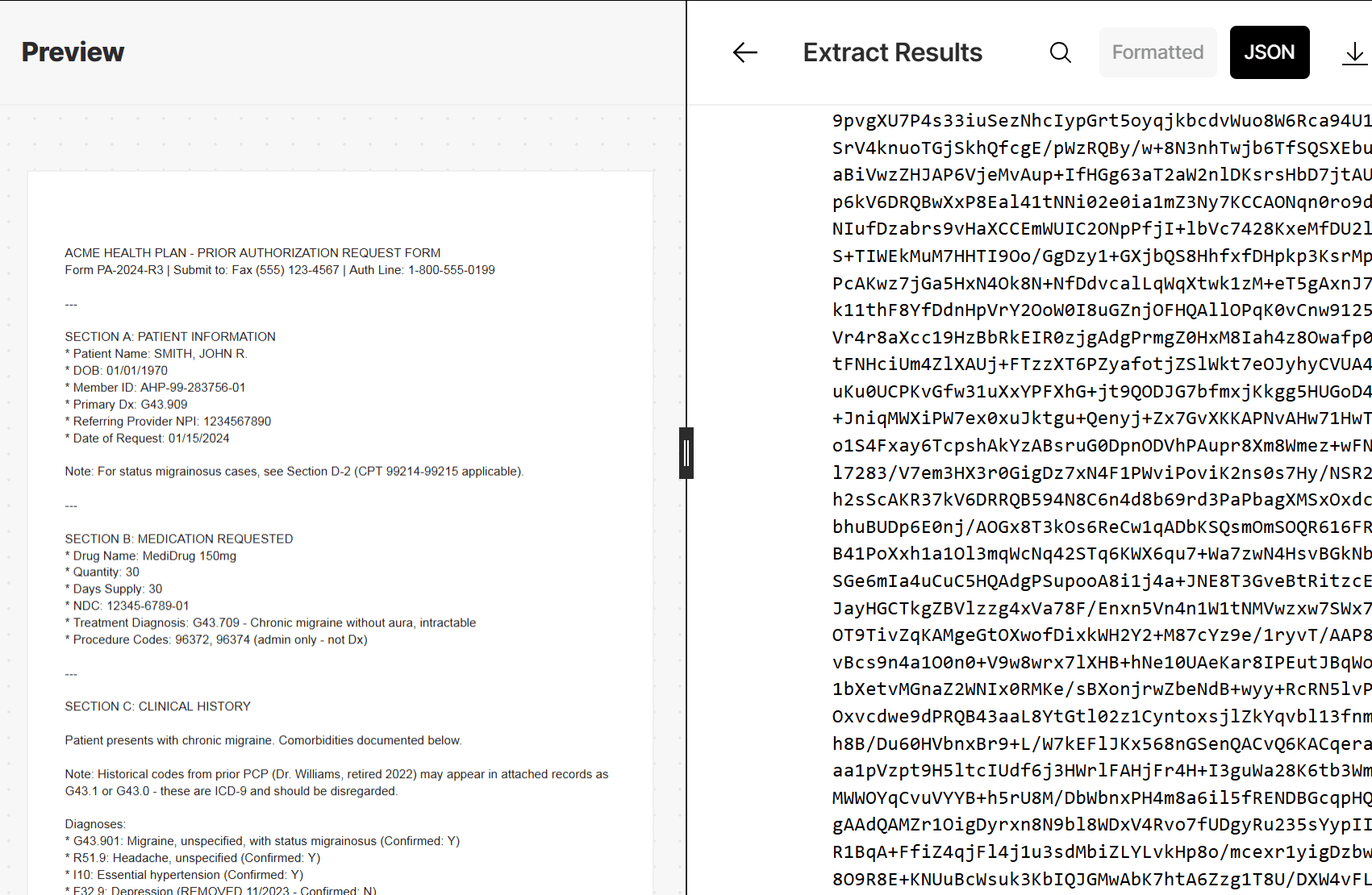
When you process an invoice with Unstructured, you get elements. Maybe the invoice total is in a Table element. Maybe it's in a Text element. Maybe it's split across two elements. You write code to find it, extract it, and map it to your invoice_total field. Tomorrow, a slightly different invoice format breaks your mapping logic.
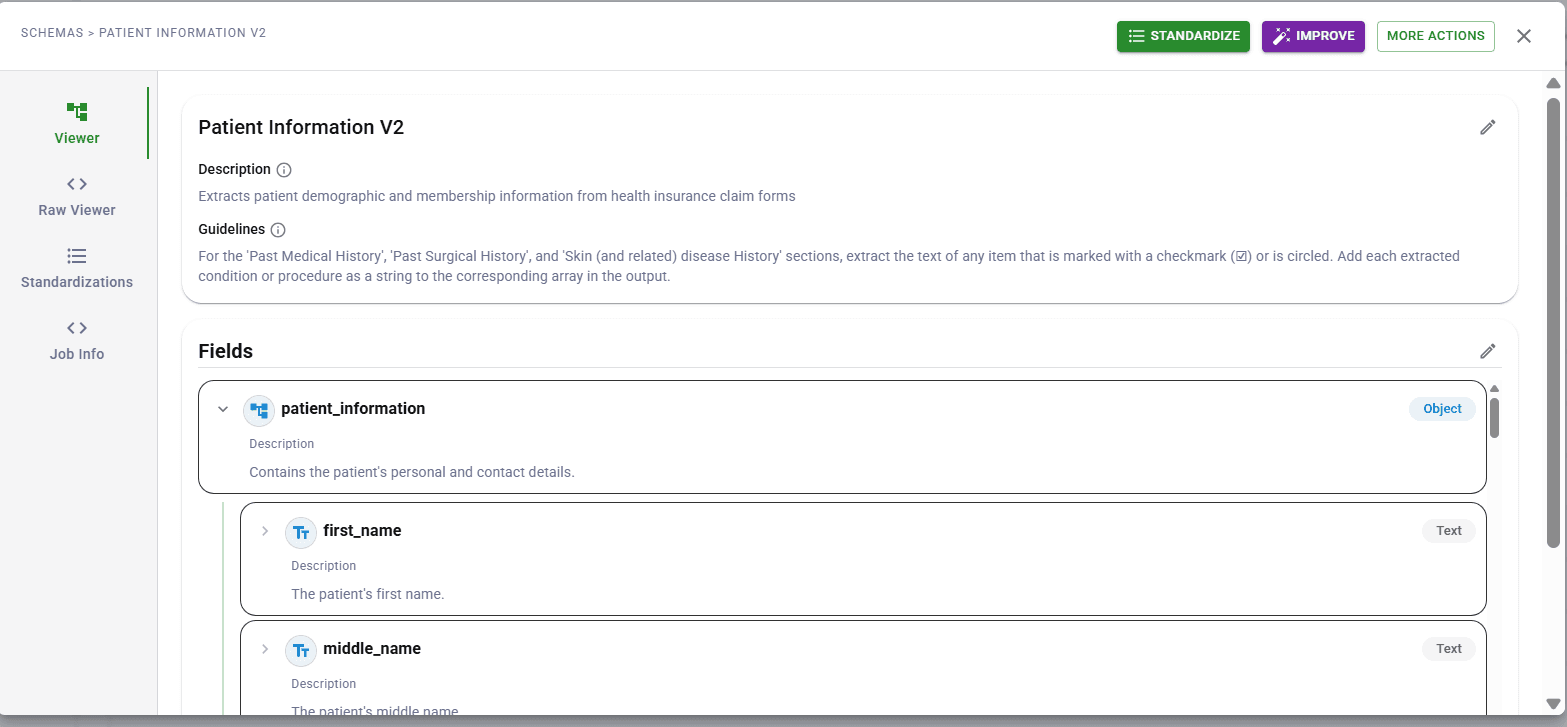
DocuPipe's schema enforcement works differently. You define invoice_total as a currency field. DocuPipe's extraction engine - with spatial preprocessing and anti-hallucination safeguards - finds that value and returns it in your schema. Every time. Same field name, same data type, validated against your rules.
For business-critical data, consistency matters. Your downstream systems expect invoice_total to be a number, not sometimes a string, sometimes null, sometimes extracted from the wrong table cell. Schema enforcement isn't a nice-to-have - it's how you build reliable document processing pipelines.
Document classification and routing: a feature Unstructured doesn't have
Real document processing pipelines handle multiple document types. Invoices, receipts, contracts, applications - each needs different extraction logic. DocuPipe's document classification automatically identifies what type of document you've received and routes it to the appropriate schema. Upload a mixed batch, get properly extracted data for each document type.
Unstructured doesn't classify documents. It chunks them into elements regardless of type. If you need to handle multiple document types, you build the classification layer yourself - or process everything the same way and hope your RAG retrieval sorts it out.
For transactional extraction where different documents need different schemas, classification isn't optional. An invoice schema won't work for a contract. A receipt schema won't work for an application. DocuPipe handles this automatically. With Unstructured, it's another system you build and maintain.

See it in action
Up to 20,000 free credits with an eligible work email. No credit card required.
Human review: source highlighting vs build-it-yourself
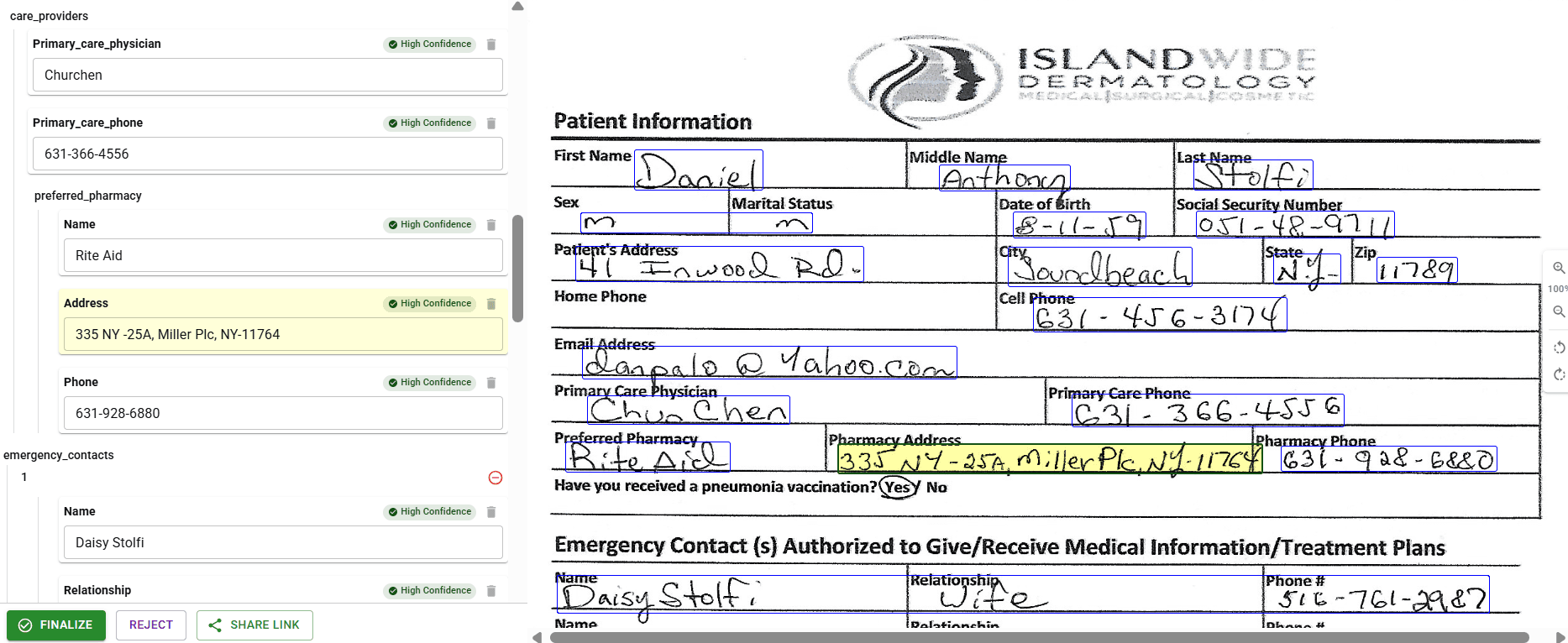
DocuPipe ships with source highlighting, our visual review interface. Click any extracted field and see exactly where it came from on the source document, highlighted in context. Your ops team can verify extractions, correct errors, and approve documents - no technical background required. Audit trails are built in for compliance.
Unstructured has no review interface. They output elements, and what happens next is up to you. For RAG use cases where you're feeding a chatbot, maybe that's fine - the retrieval model handles imperfection. For transactional extraction where wrong data means wrong invoices paid or wrong contracts signed, you need human verification.
Building a document review interface is a project in itself. Source highlighting, field editing, audit logging, user permissions - this is months of development work. DocuPipe includes it. Unstructured doesn't. If human review matters to your workflow, factor this into your evaluation.
Unstructured pricing vs DocuPipe: fast vs accurate extraction
Unstructured offers two tiers: Fast at $0.001/page and Hi-Res at $0.01/page. The catch? Fast mode drops complex layouts. Multi-column documents, intricate tables, nested structures - Fast mode struggles with these. For reliable extraction, you need Hi-Res, which is 10x the cost.
DocuPipe uses a tiered credit system that covers everything - extraction, review, classification, standardization. No separate fees for complex documents. No choosing between fast-but-broken and slow-but-accurate. Every document gets the same thorough extraction.
Both offer free tiers - Unstructured gives you 15K pages, DocuPipe has its own free tier. But when you're running production workloads, consider what you're actually paying for. Unstructured gives you elements to map yourself. DocuPipe gives you schema-validated database records. The per-page cost tells only part of the story.
Anti-hallucination: why schema extraction needs safeguards RAG doesn't
When an LLM chatbot occasionally retrieves the wrong chunk, users notice and ask again. When an extraction system hallucinates an invoice total, you pay the wrong amount. The tolerance for errors is fundamentally different between RAG and transactional extraction.
DocuPipe's anti-hallucination stack combines spatial preprocessing with schema enforcement. We don't just ask an LLM to extract fields - we preprocess the document layout, constrain outputs to valid schema values, and cross-validate extractions. This is how you get extraction accuracy that business processes can rely on.
Unstructured outputs what it finds. Element arrays with text and metadata. There's no schema to validate against, no constraints on what values are acceptable. For RAG, this works - the retrieval model handles uncertainty. For transactional extraction where invoice_total must be correct, you need the safeguards DocuPipe provides.
Which should you choose?
Choose DocuPipe if...
You need schema-based extraction: {invoice_total: 500}, not element arrays
You're building transactional systems that populate databases
You need document classification to route to different schemas
You want human review with source highlighting built in
You need webhooks and ops team dashboards
Schema enforcement and anti-hallucination matter for your use case
You're processing documents in many languages (100+ supported)
Choose Unstructured if...
You're building RAG pipelines for chatbots or search
You need to chunk documents for vector databases
Element arrays work for your downstream processing
You'll build your own schema mapping layer
You have downstream validation that catches extraction issues
You don't need document classification or human review
Skip the setup headaches
Start extracting documents in minutes, not weeks.
Frequently asked questions
Unstructured outputs element arrays like [{type: "Title"}, {type: "Table"}, {type: "Text"}] - structural chunks for feeding vector databases. DocuPipe outputs your schema fields like {invoice_total: 500, vendor_name: "Acme"} - database-ready records. Unstructured is built for RAG pipelines. DocuPipe is built for transactional extraction. Different tools for different problems.
If your only use case is feeding chunks to a chatbot or search system - and you don't need to extract specific fields - Unstructured exists for that narrow workflow. But most document processing is transactional (invoices, contracts, applications), where DocuPipe's schema-based extraction is the right approach.
Technically yes, but you'll build significant infrastructure. Unstructured gives you elements - you write code to find the invoice total within those elements, map it to your field, handle edge cases when formats vary. DocuPipe does this automatically with schema enforcement. If you're extracting business data into databases, DocuPipe is purpose-built for that.
No. Unstructured outputs elements and that's it. For RAG use cases, you typically don't need manual review - the retrieval model handles imperfection. For transactional extraction where accuracy matters, you'd need to build your own review interface. DocuPipe includes source highlighting, our visual review UI with source highlighting, built in.
Unstructured Fast costs $0.001/page but drops complex layouts - multi-column documents, intricate tables, and nested structures won't extract correctly. Hi-Res costs $0.01/page (10x more) and handles complex layouts. For reliable extraction of business documents, you'll likely need Hi-Res pricing.
DocuPipe is optimized for transactional extraction - turning documents into database records. You can use extracted data for RAG, but if your only goal is chunking documents for vector databases (a narrower use case), there are tools built specifically for that.
DocuPipe automatically classifies documents and routes them to appropriate schemas. Upload a mixed batch of invoices, receipts, and contracts - each gets extracted with its correct schema. Unstructured doesn't classify documents. It chunks everything into elements regardless of document type. Classification is another layer you build yourself.
Yes. DocuPipe is ISO 27001 compliant. We sign BAAs for healthcare customers processing PHI. For organizations with the strictest data requirements, on-premise deployment keeps the entire extraction pipeline inside your infrastructure.
Unstructured reports 35K organizations using their platform, primarily for RAG preparation workflows. They're well-established in the RAG/LLM space. DocuPipe serves teams focused on transactional document extraction - different market, different use case, different customer base.
DocuPipe supports 100+ languages with consistent extraction quality. Unstructured has more limited language support. If you're processing documents in multiple languages, especially non-Latin scripts, verify language support before choosing either platform.


The best way to compare? Try it yourself.
Up to 20,000 free credits with an eligible work email. No credit card required.