
6 min read
DocuPipe vs Lido AI: Which is best for your team? [2026]

Published March 19, 2026

Looking for the best Lido AI alternative? Lido extracts documents to spreadsheets - Excel, Google Sheets, CSV. Great for ops teams who live in spreadsheets. But if you're building software, you need structured JSON via API, not CSV files to parse. DocuPipe is API-first: define your schema, send a document, get typed JSON back. Webhooks notify your systems. Schema enforcement guarantees structure. No spreadsheet intermediary, no manual exports, no parsing CSVs in your code.
TL;DR
Lido exports to spreadsheets. DocuPipe returns structured JSON via API. If you're building software, you need JSON with schema enforcement - not CSV files to parse. API-first beats spreadsheet-first for developers.
Table of Contents
- DocuPipe vs Lido AI at a glance
- Lido AI alternative: spreadsheets vs structured JSON
- Automation: webhooks vs folder watching
- Schema enforcement: typed JSON vs spreadsheet columns
- Pricing: per-page vs credit-based
- Built for ops teams vs built for developers
- Lido AI vs DocuPipe: choosing the right tool
- Which should you choose?
- FAQ
DocuPipe vs Lido AI at a glance
| DocuPipe | Lido AI | |
|---|---|---|
| Output format | Structured JSON via API | Excel, Google Sheets, CSV |
| Best for | Developers building software | Ops teams working in spreadsheets |
| Integration style | API-first with webhooks | Spreadsheet export, folder watching |
| Schema enforcement | Typed fields, validation built-in | Column mapping to spreadsheet |
| Automation | Webhooks trigger your systems | Folder/inbox watching, form filling |
| Human review | Built-in source highlighting UI | Validation before export |
| Pricing | $99/mo Business tier | $29/mo for 100 pages |
| Compliance | HIPAA, ISO 27001 | SOC 2 Type II, HIPAA |
Ready to see the difference?
Get up to 20,000 free credits with an eligible work email. No credit card required.
Lido AI alternative: spreadsheets vs structured JSON
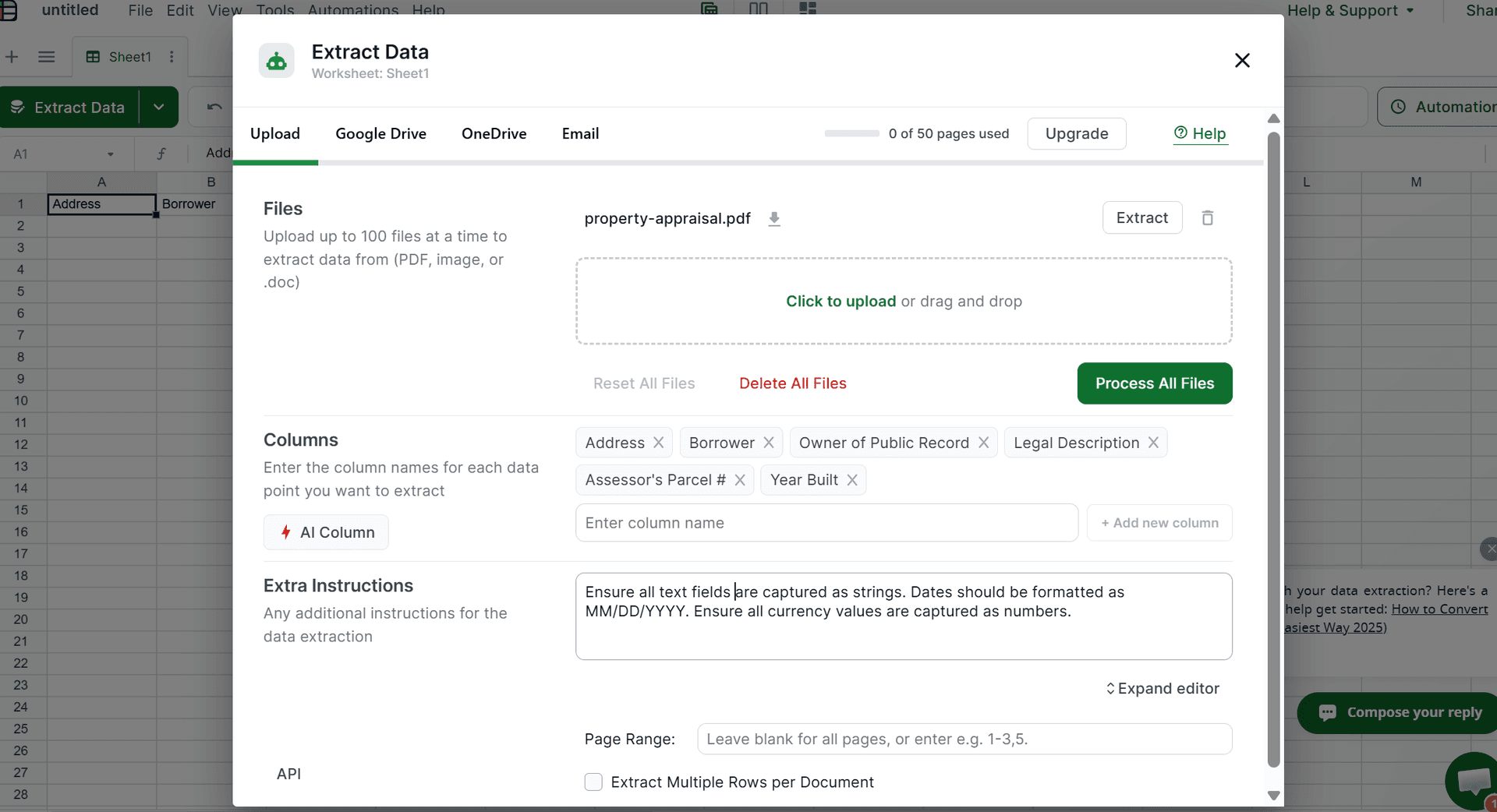
Lido and DocuPipe differ in output format. Lido extracts documents to spreadsheets - Excel, Google Sheets, CSV. For manual workflows where the end goal is literally a spreadsheet, Lido offers that. But most document processing doesn't end in a spreadsheet - it feeds into software systems that need structured data.
But if you're building software, spreadsheets are the wrong output format. You don't want CSV files to parse. You want structured JSON that matches your data model, delivered via API, with type enforcement and validation. DocuPipe is built for this use case.
Define your schema with typed fields. Send a document to our API. Get JSON back that matches your schema exactly - numbers are numbers, dates are dates, arrays are arrays. No parsing spreadsheets. No CSV edge cases. Just structured data ready for your database.
Automation: webhooks vs folder watching
Lido automates document processing through folder watching and inbox monitoring. Drop a file in a folder, Lido processes it and exports to a spreadsheet. It's automation built for manual workflows - the spreadsheet is still the end destination.
DocuPipe uses webhooks. When extraction completes, we POST structured JSON directly to your endpoint. Your systems react automatically - update your database, trigger downstream processes, send notifications. No polling, no file watching, no spreadsheet intermediary.
For engineering teams building automated pipelines, webhooks are the right integration pattern. Your code receives structured data the moment it's ready. Plus, DocuPipe's webhooks connect to no-code platforms like Make, Zapier, and n8n. Lido's folder-watching model is built around manual workflows - it's not how modern software integrations work.
Schema enforcement: typed JSON vs spreadsheet columns
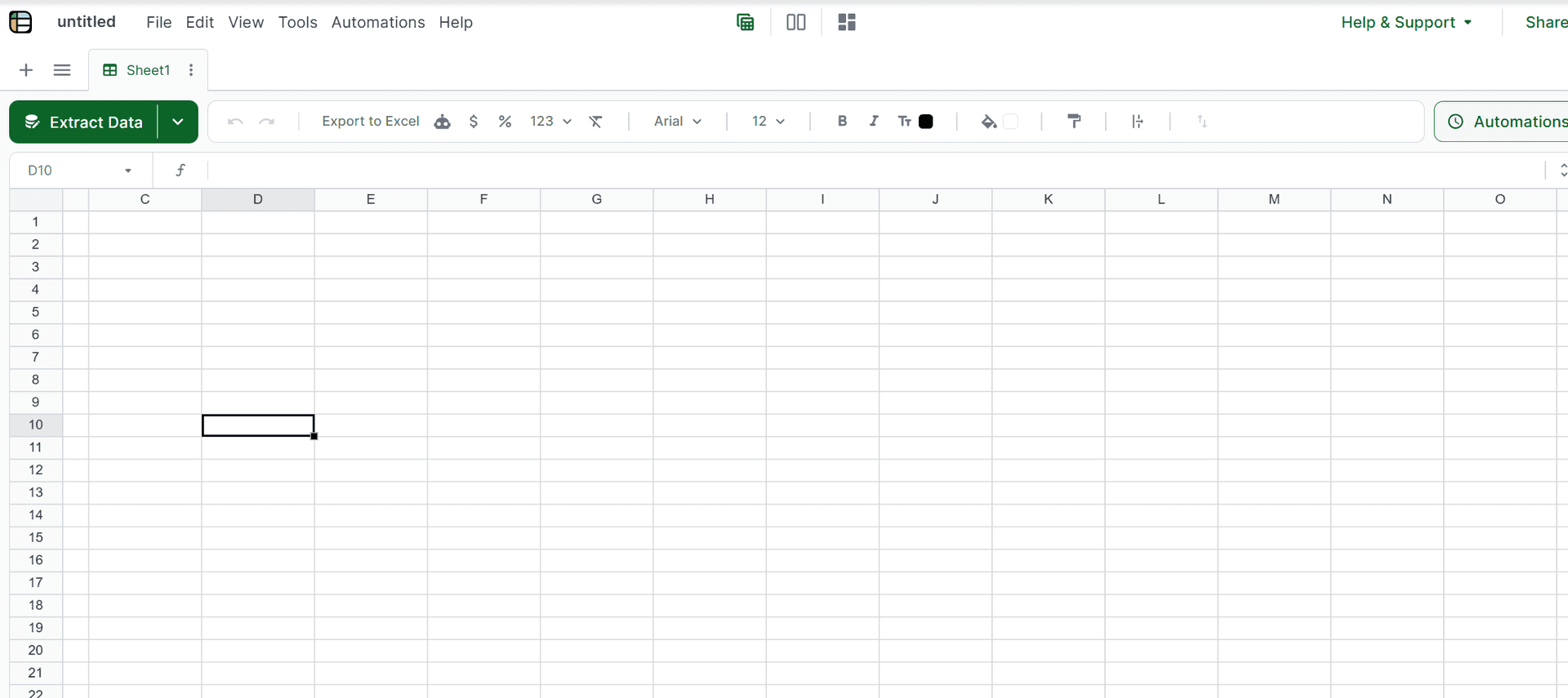
Lido maps extracted data to spreadsheet columns. You define which fields go in which columns, and Lido fills in the cells. But spreadsheets don't have types - everything is text until you format it. A number that looks like '1,234.56' might be text. A date might be formatted wrong. You handle validation downstream.
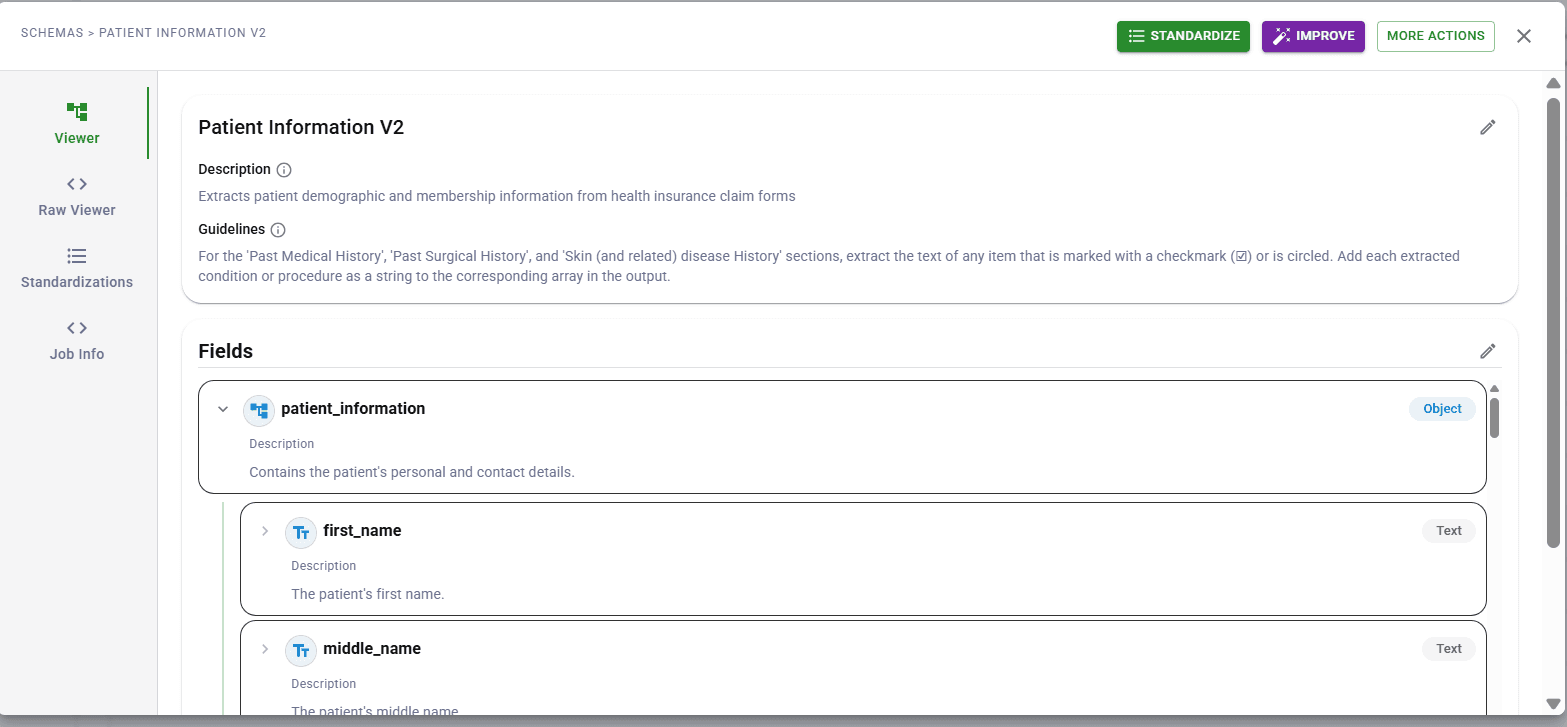
DocuPipe enforces schemas at extraction time. Define 'invoice_total' as a number - you get a number. Define 'due_date' as a date - you get ISO format. Define 'line_items' as an array - you get an array of objects. Type enforcement is built into the extraction, not bolted on after.
For production systems where data quality matters, schema enforcement catches errors at the source. Lido's spreadsheet approach pushes validation to your downstream processes. DocuPipe validates before the data ever reaches you.
Pricing: per-page vs credit-based
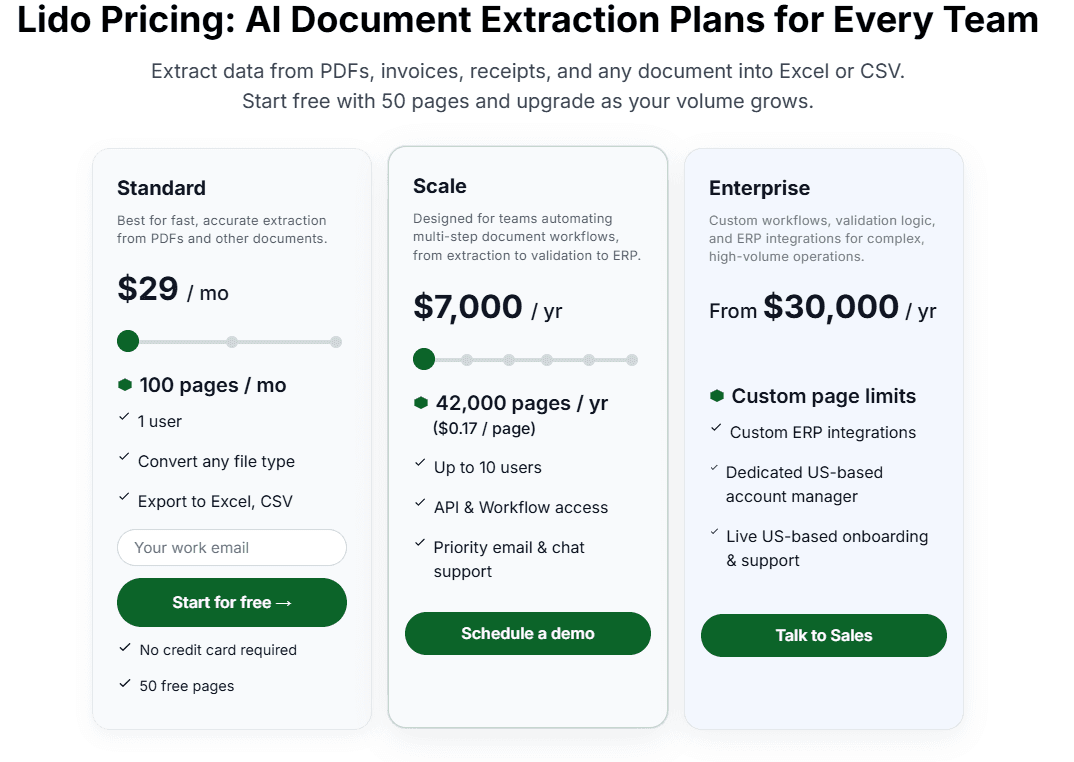
Lido's pricing is straightforward: $29/month for 100 pages, scaling to $7,000/year for 42,000 pages. If you're processing a predictable volume of simple documents, the per-page model works.
DocuPipe uses credit-based pricing at $99/month. Credits scale with document complexity - a simple one-page invoice uses fewer credits than a 50-page contract. This model is fairer for teams processing varied document types.
In the real world with actual business documents that vary in complexity and length, DocuPipe's credit model is far more sustainable and predictable. No hidden fees or custom quotes required.
See it in action
Up to 20,000 free credits with an eligible work email. No credit card required.
Built for ops teams vs built for developers
Lido is designed for operations teams. Finance departments processing invoices. AP teams managing receipts. Logistics operations handling bills of lading. The spreadsheet output format reflects this - ops teams work in Excel and Google Sheets.
DocuPipe is designed for developers. Engineering teams building document processing into their applications. Product teams automating data entry. The JSON API output reflects this - developers work with structured data and APIs.
The key question is where your data needs to go. If you're doing fully manual data entry where someone copies from a spreadsheet into another system, Lido fits that legacy workflow. But if you're building any kind of automated system - which is most modern document processing - DocuPipe is the right tool.
Lido AI vs DocuPipe: choosing the right tool
Choose Lido AI if your team lives in spreadsheets, you need to export documents to Excel or Google Sheets, and your workflow ends with reviewing data in a spreadsheet. Lido's form-filling feature is also useful if you're populating forms from extracted data.
Choose DocuPipe if you're building software that processes documents, you need structured JSON via API, and you want webhooks to trigger your automated workflows. DocuPipe's schema enforcement and typing make it the right choice for production systems.
Ask yourself: does your workflow end in a spreadsheet, or does it feed into code? Lido is built for spreadsheets. DocuPipe is built for code.
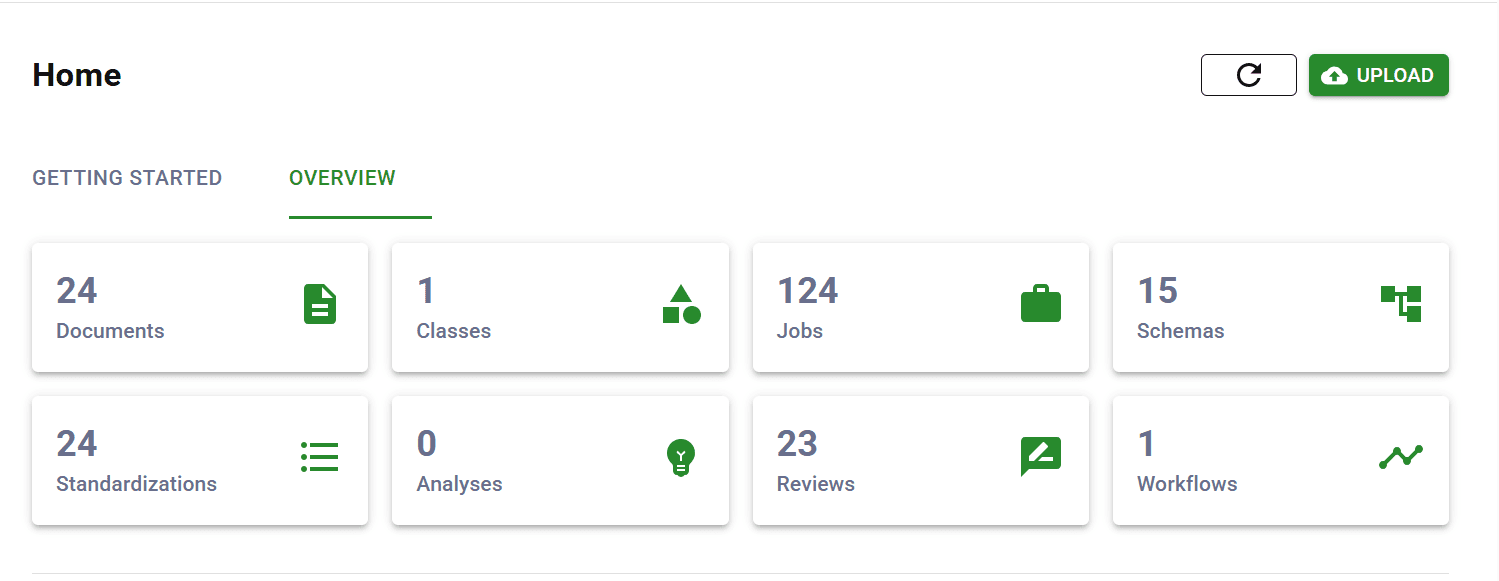
Which should you choose?
Choose DocuPipe if...
You're building software that processes documents
You need structured JSON output via API
You want webhooks to trigger automated workflows
You need schema enforcement and type validation
You're a developer who prefers APIs over spreadsheets
You need on-premise deployment for data residency
Choose Lido AI if...
Your team lives in spreadsheets
You need to export documents to Excel or Google Sheets
Your workflow ends with reviewing data in a spreadsheet
You need AI-powered form filling
You're an ops team, not a development team
Folder watching and inbox monitoring fit your workflow
Skip the setup headaches
Start extracting documents in minutes, not weeks.
Frequently asked questions
Output format and target user. Lido exports to spreadsheets (Excel, Google Sheets, CSV) for manual workflows. DocuPipe returns structured JSON via API for developers. If you're building software - which is most modern document processing - DocuPipe's API-first approach is what you need.
No. Lido is built around spreadsheet output - that's their core value proposition. If you need JSON, you'd export to CSV and parse it yourself. DocuPipe outputs structured JSON natively, with schema enforcement and type validation built in.
Not directly. DocuPipe outputs JSON via API. You could build spreadsheet export from the JSON output, but it's not a native feature. We're built for developers integrating document extraction into software, not ops teams exporting to Excel.
Lido charges per page: $29/month for 100 pages, $7K/year for 42K pages. DocuPipe uses credits: $99/month. For real-world business documents with varying complexity and length, DocuPipe's credit model is far more sustainable and predictable.
No. Lido uses folder watching and inbox monitoring for automation - drop a file, it processes and exports to a spreadsheet. DocuPipe uses webhooks - when extraction completes, we POST JSON to your endpoint. Webhooks are better for developer integrations.
Depends on your workflow. If your AP team manually reviews invoices in spreadsheets and types data into your accounting system by hand, Lido fits that legacy process. But if you're building any level of automation - which most teams are - DocuPipe's API and webhooks are the modern approach.
Lido states that it is SOC 2 Type II and HIPAA compliant. DocuPipe is ISO 27001 certified and HIPAA compliant, with configurable retention and on-premise deployment for organizations with strict data residency requirements.
You could, but it's unusual. Lido for ops teams processing to spreadsheets, DocuPipe for engineering teams building software - but typically an organization standardizes on one approach based on their primary use case.


The best way to compare? Try it yourself.
Up to 20,000 free credits with an eligible work email. No credit card required.