
Any document in.
Structured data out.
Pull typed, structured data from any document. Define the fields you need, upload your files, and get back usable JSON. For most of our customers, this is the core of their entire document pipeline.
VP1 — click for details
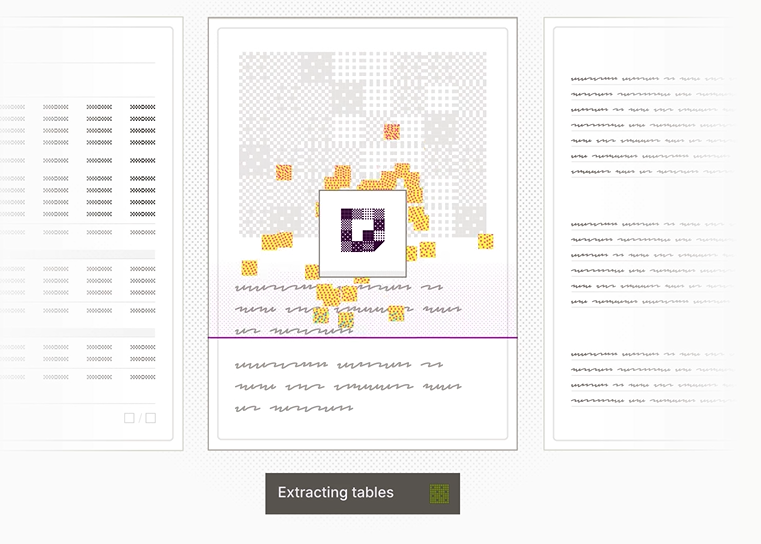
The extraction step
Where documents become data
Extract is a core step in the document intelligence pipeline. After a document is parsed and potentially classified, Extract applies your schema to identify and pull structured fields from the content. It is what turns raw text into structured JSON you can actually use.
You define the fields, Extract fills them in
Nested objects, arrays, and enums all supported
Every value traced back to its source location
Confidence scores for every single data point
Output matches your schema exactly, every time
Missing fields return null, not errors
Works on any document that has been parsed
VP2 — click for details
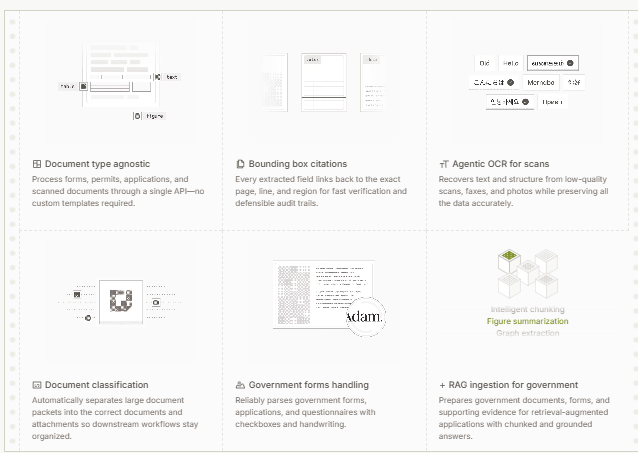
How it works
You give Extract a document and a schema. It reads the full content, understands the layout and structure, finds every field you asked for, and returns clean JSON. Not pattern matching. Not regex. It reads the document the way a person would, then gives you back exactly what you defined in your schema.
VP3 — click for details
Try a sample:
Invoice
Patient Form
Grant Deed
Upload your own
Drop a document here
or click a sample above to see extraction in action
















Universal extraction
Any document. Any structure. Any language.
Extract handles printed text, cursive handwriting, tables, checkboxes, and nested layouts across 150+ languages and scripts. The same engine processes a German tax form, a Japanese sustainability report, and a photo of a handwritten medical note. No templates, no retraining, no per-language configuration. Consistent structured output every time.
Try it yourselfVP4 — click for details
You control the extraction
Depth, schema, and output format
You choose how deep Extract goes. Standard runs a single pass with fast models. High runs stronger models and double-checks the output. Extended reads page by page with a sliding context window, building up results as it goes.
Schema-defined extraction
Define field names, types, nesting, and values. Extract returns JSON that conforms to your schema exactly. Build schemas manually or with the AI studio.
Schema-free extraction
Upload a document with no schema. Extract infers the structure, returns the data, and generates a reusable schema from the result for you to use on future documents.
VP5 — click for details
What you can extract
Extraction capabilities at a glance
Extraction
2500+ pages per document
Enum fields with constrained values and Other fallback
Array deduplication with index/page overrides
Default values applied from schema
Output keys sorted to match schema field order
Excel, CSV, and JSON export
Quality
Field-level confidence scores (high/medium/low)
Bounding box evidence for every extracted value
V3 agentic multi-pass extraction
3 effort levels (Standard, High, Extended)
Cross-page context preservation
Processing
Batch uploads (100 docs per request)
Async processing with job polling
Smart result caching
Smart document splitting (Auto/Never/All)
3 display modes (Spatial, Sections, Image)
Post-processing with defaults and null-fill
Integration
REST API (POST /v2/standardize/batch)
Webhook notifications on completion
JSON, CSV, and Excel export
Presigned URLs for raw originals
Workflow automation triggers
Every script, every alphabet
Extract handles 150+ languages across every major script: Latin, Cyrillic, CJK, Arabic, Hebrew, Devanagari, Thai, and more. No per-language setup required.
Latin
64 languages
EN
English
Ñ
Spanish
Ã
Portuguese
Ç
French
ID
Indonesian
ß
German
SW
Swahili
Đ
Vietnamese
Ş
Turkish
IT
Italian
MS
Malay
Ɗ
Hausa
Ł
Polish
IJ
Dutch
Ș
Romanian
Ẹ
Yoruba
Ị
Igbo
ZU
Zulu
XH
Xhosa
SO
Somali
Show all 64 languages (+44 more)
CJK
8 languages
简
Chinese (Simplified)
日
Japanese
한
Korean
繁
Chinese (Traditional)
粵
Cantonese
吳
Wu Chinese
閩
Min Chinese
客
Hakka
Arabic
14 languages
ع
Arabic
ٹ
Urdu
پ
Persian
ښ
Pashto
ڕ
Kurdish (Sorani)
ڄ
Sindhi
ئ
Uyghur
ب
Balochi
ک
Kashmiri
د
Dari
ھ
Hazaragi
پ
Punjabi (Shahmukhi)
س
Saraiki
ب
Brahui
Devanagari
16 languages
ह
Hindi
म
Marathi
ने
Nepali
सं
Sanskrit
कों
Konkani
ब
Bodo
ड
Dogri
मै
Maithili
भो
Bhojpuri
अ
Awadhi
छ
Chhattisgarhi
म
Magahi
रा
Rajasthani
ह
Haryanvi
ग
Garhwali
कु
Kumaoni
South Asian
14 languages
ব
Bengali
ਪ
Punjabi (Gurmukhi)
తె
Telugu
த
Tamil
ગ
Gujarati
ಕ
Kannada
മ
Malayalam
ଓ
Odia
অ
Assamese
ස
Sinhala
ꠍ
Sylheti
ꯃ
Meitei
ᱥ
Santali
ތ
Dhivehi
Cyrillic
23 languages
Я
Russian
Ї
Ukrainian
Ҳ
Uzbek (Cyrillic)
Қ
Kazakh
Ђ
Serbian (Cyrillic)
Ҷ
Tajik
Щ
Bulgarian
Ў
Belarusian
Ң
Kyrgyz
Ә
Tatar
Ө
Mongolian (Cyrillic)
Ѓ
Macedonian
Ҙ
Bashkir
Ӏ
Chechen
Ӑ
Chuvash
Ӕ
Ossetian
Ӧ
Mari
Ӵ
Udmurt
Ӧ
Komi
Ҕ
Sakha
Show all 23 languages (+3 more)
Southeast Asian
14 languages
ไ
Thai
မ
Myanmar
ខ
Khmer
ລ
Lao
བོད
Tibetan
རྫོང
Dzongkha
ၵ
Shan
က
Karen
မ
Mon
ᦟ
Tai Lue
ꦗ
Javanese
ᬩ
Balinese
ᮞ
Sundanese
ᨅ
Buginese
Greek
2 languages
Ω
Greek
ῶ
Ancient Greek
Hebrew
3 languages
ש
Hebrew
ײ
Yiddish
ל
Ladino
Other
14 languages
አ
Amharic
ት
Tigrinya
Ա
Armenian
ქ
Georgian
Ꮳ
Cherokee
ᐃ
Inuktitut
ᓀ
Cree
ᐅ
Ojibwe
ᠮ
Mongolian (Traditional)
ܣ
Syriac
ތ
Thaana
ߒ
N'Ko
ꕙ
Vai
ⵜ
Tifinagh
“We upload a 40-page batch of mixed checks and slips, and DocuPipe turns it into 22 structured donor records ready for federal upload. What used to take hours of data entry now takes minutes.”
Jennifer Bauer
Read the full story
The extraction engine
Verifiable output at production scale
Every extraction utilizes a schema to define exactly what data to pull. Every data point that comes back is backed by a confidence score and a bounding box pointing to where it was found in the source document.
PLACEHOLDER: Screenshot of the schema chat studio or schema editor.
Schemas: define what to extract
Build a schema through an AI-powered chat studio or define one manually via the API. The schema controls field names, types, nesting, enum values, and extraction guidelines. A good schema is the difference between useful output and noise.
AI chat studio for schema creation
Iterate with live extraction previews
Version and compare schemas over time
PLACEHOLDER: Screenshot of review UI with bounding boxes overlaid on document.
Review: verify what was extracted
Every extracted value gets a confidence score and a bounding box showing where in the source document it was found. Click a field, see the evidence. Flag incorrect values, share secure review links with stakeholders who do not have DocuPipe accounts.
Per-field confidence scores (high, medium, low)
Bounding box evidence on every value
Secure shareable review links
Turn your first document into JSON today
Free tier included. No credit card required. First extraction in under 5 minutes.