
4 min read
DocuPipe vs Docparser: Which is best for your team? [2026]

Published March 20, 2026

Looking for the best Docparser alternative? Docparser uses zonal rules - you draw boxes on templates to define extraction regions. It works until a vendor moves a column an inch. Then extraction fails completely. DocuPipe uses zero-shot AI extraction. Define your schema, let the AI find the data. No templates to maintain, no weekly debugging sessions.
TL;DR
Docparser uses zonal templates that break when layouts change. DocuPipe uses AI that finds data regardless of position. No templates to maintain, no weekly debugging.
Table of Contents
- DocuPipe vs Docparser at a glance
- Docparser alternative: zonal extraction vs semantic extraction
- The maintenance nightmare: hours weekly fixing templates
- Tables: where zonal rules completely fail
- Modern AI vs legacy rules: the technology gap
- New document types: define schema vs draw zones
- Docparser vs DocuPipe: legacy rules vs modern AI
- Which should you choose?
- FAQ
DocuPipe vs Docparser at a glance
| DocuPipe | Docparser | |
|---|---|---|
| Extraction method | Zero-shot AI (no templates) | Zonal rules (draw boxes on templates) |
| When layouts change | Still works - AI finds the data | Fails completely - boxes miss the target |
| Maintenance | None - schemas are semantic | Hours weekly fixing broken templates |
| New document types | Define schema, start extracting | Create template, draw zones, test, iterate |
| Table extraction | AI understands table structure | Fixed zones - extra rows break extraction |
| Human review | Built-in source highlighting UI | Basic validation UI |
| Modern AI | LLM-powered extraction | Legacy rule-based system |
| Pricing | $99/mo Business tier | Per-page pricing tiers |
Ready to see the difference?
Get up to 20,000 free credits with an eligible work email. No credit card required.
Docparser alternative: zonal extraction vs semantic extraction
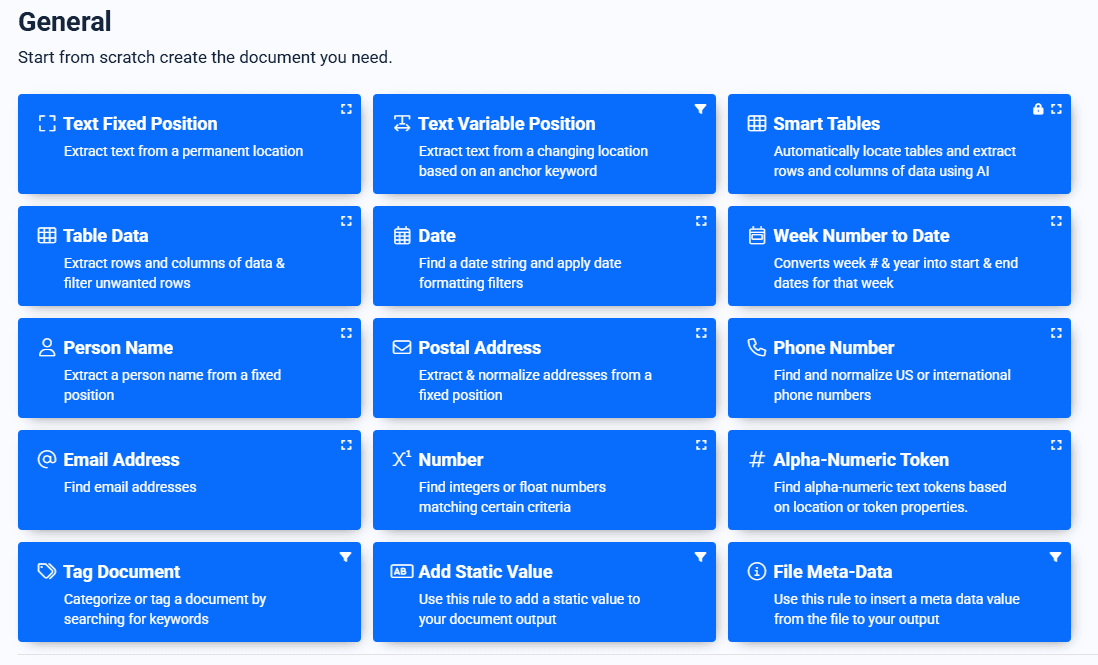
Docparser uses Zonal OCR: you draw boxes on a template to define extraction regions. The system extracts whatever falls in those pixel coordinates. For documents with perfectly consistent layouts, this works reliably.
The limitation: layout changes break extraction. If a vendor moves their 'Total Due' field, the parser extracts the wrong region. Rotated scans shift coordinates. Tables with varying row counts overflow their zones. Each variation requires template updates.
DocuPipe uses semantic extraction. Define what you want by field name, and the AI finds it regardless of where it appears on the page. No boxes, no coordinates. Layout changes don't require template maintenance.
The maintenance nightmare: hours weekly fixing templates
Docparser users report spending hours every week maintaining templates. A vendor changes their invoice format? Update the template. A new document type comes in? Create a new template from scratch. A table grows by one row? The 'Total' field extraction breaks.
This maintenance burden compounds. More document types means more templates. More vendors means more variations. Teams end up with hundreds of templates, each a potential point of failure.
DocuPipe's intelligent document processing is semantic, not spatial. You define 'extract the total amount' and the AI handles layout variations. No templates to maintain.
Tables: where zonal rules completely fail
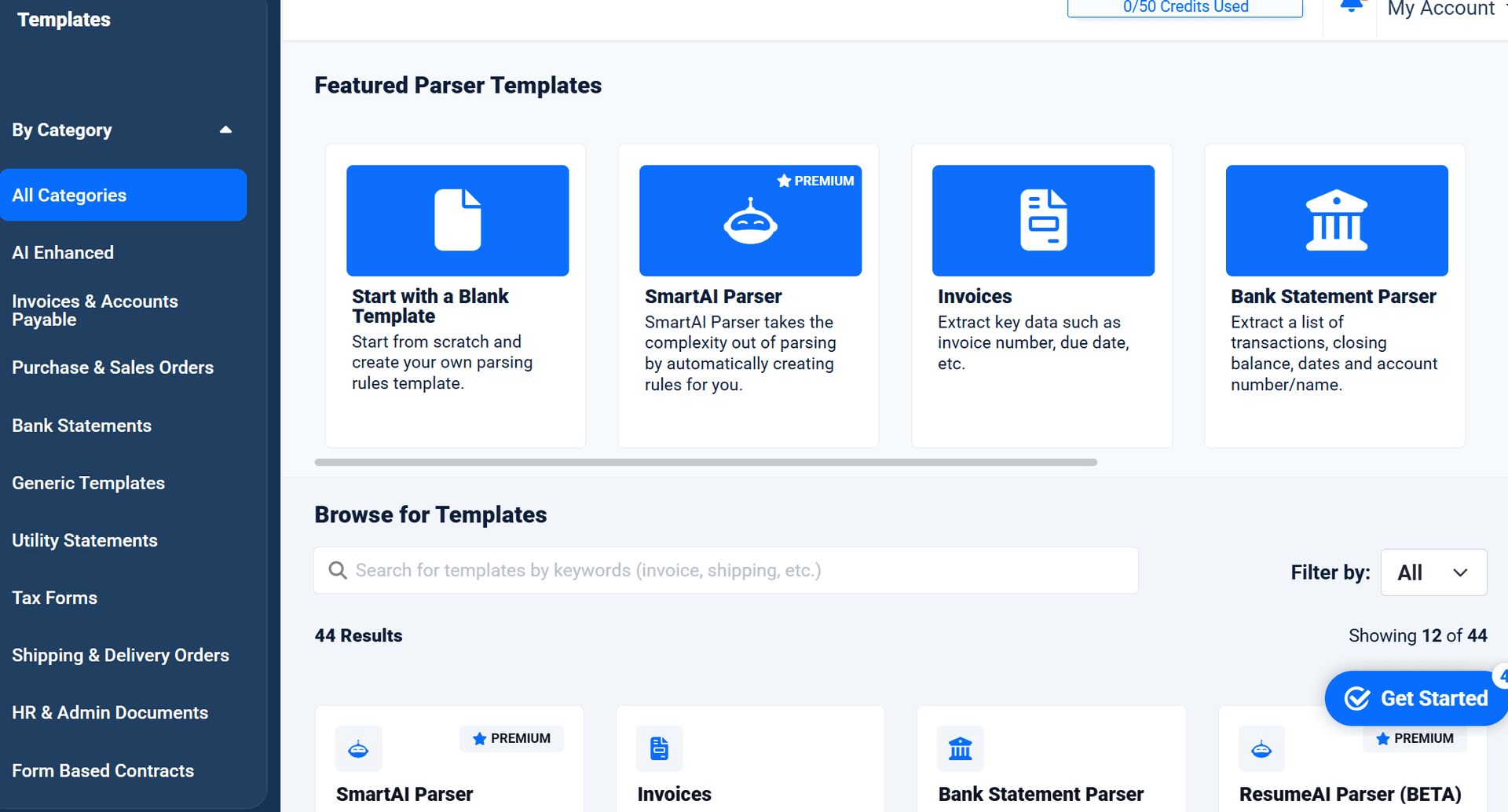
Tables expose Docparser's fundamental limitation. You draw a zone around the table area. But what if this month's invoice has 15 line items instead of 10? The zone is fixed - extra rows overflow, data gets missed or corrupted.
Docparser users create complex multi-zone setups to handle variable tables. It's fragile, hard to debug, and still breaks on edge cases.
DocuPipe understands table structure semantically. Variable row counts, merged cells, tables spanning pages - the AI handles them without fixed zones.
Modern AI vs legacy rules: the technology gap
Docparser was built before LLMs transformed document understanding. Its rule-based approach was state-of-the-art in 2015. But in 2026, it's a legacy system.
DocuPipe uses modern LLM-powered extraction. The AI reads documents like a human would - understanding context, handling variations, finding data regardless of exact position. This is fundamentally more capable than zonal rules.
The technology gap shows in accuracy, flexibility, and maintenance burden. Modern AI extraction is simply better.
See it in action
Up to 20,000 free credits with an eligible work email. No credit card required.
New document types: define schema vs draw zones
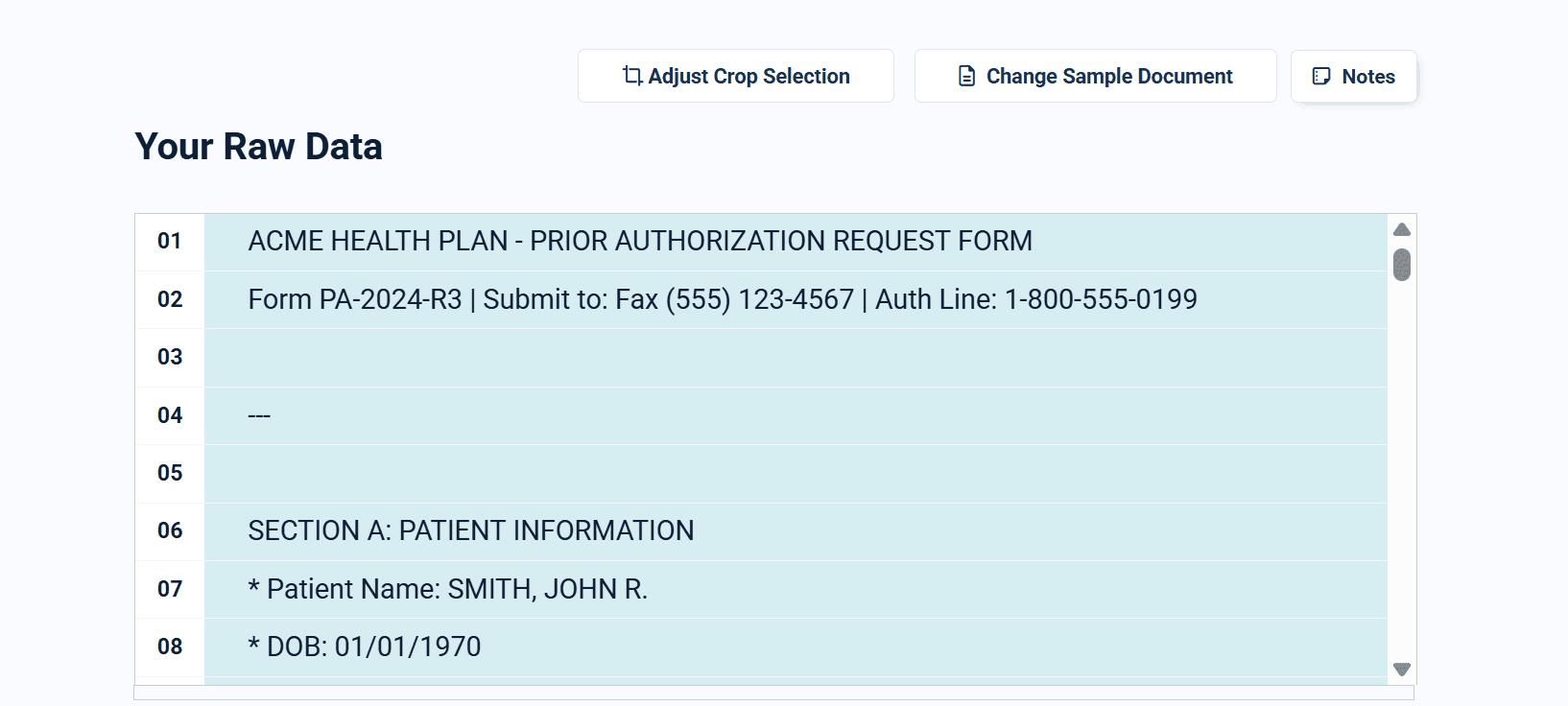
With Docparser, setting up a new document type is a process: upload samples, draw zones around each field, test extraction, iterate on zone placement, handle edge cases with additional rules. Hours or days per document type.
With DocuPipe, define a schema (or let AI suggest fields from a sample), and start extracting. The AI handles layout understanding automatically. New document types take minutes, not hours.
For teams processing diverse document types, this setup time difference compounds significantly.
Docparser vs DocuPipe: legacy rules vs modern AI
Choose Docparser if your documents are extremely consistent (same vendor, same exact format every time), you've already invested in template creation, and you're comfortable with ongoing maintenance.
Choose DocuPipe if your documents vary at all, you don't want to maintain templates, or you're setting up new document types and want to extract data in minutes instead of hours.
Docparser works for perfectly consistent documents. DocuPipe works for the real world.
Which should you choose?
Choose DocuPipe if...
Your documents vary in layout or format
You're tired of spending hours fixing templates
You want to add new document types quickly
Your tables have variable row counts
You prefer modern AI over legacy rules
Choose Docparser if...
You process highly templated documents with consistent layouts
You've invested heavily in existing templates
Deterministic rule-based extraction is required for your compliance
You prefer visual zone-drawing over schema definitions
Skip the setup headaches
Start extracting documents in minutes, not weeks.
Frequently asked questions
Docparser uses zonal rules - fixed pixel coordinates where data should appear. When layouts change even slightly (vendor updates, variable tables, minor formatting shifts), the zones no longer match the data. DocuPipe uses semantic extraction that adapts to variations.
Users report hours weekly. Each vendor format change, each new edge case, each variable table requires template updates. This maintenance burden grows with document volume and variety. DocuPipe schemas are semantic - no maintenance required.
Poorly. Docparser zones are fixed - a table that grows by a row can overflow the zone, missing data. Users create complex workarounds, but they're fragile. DocuPipe understands table structure semantically, handling variable row counts automatically.
For extremely high-volume, perfectly consistent documents (same exact format every time), Docparser's deterministic rules can be very fast. But most real-world document processing involves variation - where AI extraction wins.
Docparser: hours to days (create template, draw zones, test, iterate). DocuPipe: minutes (define schema or use AI-suggested fields, start extracting). The difference compounds for teams handling many document types.
No. DocuPipe uses LLM-powered semantic extraction. You define what fields you want, and the AI finds them regardless of layout. No zones, no coordinates, no templates to maintain.



The best way to compare? Try it yourself.
Up to 20,000 free credits with an eligible work email. No credit card required.