
IDP vs RPA: Why Choosing One Over the Other Is a Mistake

Nitai Dean
Updated Mar 25th, 2026 · 8 min read
Table of Contents
IDP vs RPA: Why Choosing One Over the Other Is a Mistake
RPA automates clicks. IDP extracts data. Pick one and your workflow breaks. Here's why.
IDP (Intelligent Document Processing) uses AI to extract and understand data from documents, while RPA (Robotic Process Automation) uses software bots to perform repetitive tasks like clicking buttons, copying data, and navigating between systems.
The confusion is understandable. Both fall under the "automation" umbrella, and both promise efficiency gains. But they solve fundamentally different problems, so picking the wrong one means automating the wrong thing entirely.
What You Need to Know
Core difference: RPA executes tasks; IDP understands documents.
RPA is best for: Repetitive rule based tasks across systems, such as copying data, clicking buttons, moving files, etc.
IDP is best for: Extracting data from documents with varying formats, layouts, and structures.
The real answer: Most efficient document workflows require both. IDP reads the document and provides the data, RPA acts on it.
What Is RPA?
RPA (Robotic Process Automation) is software that uses bots to mimic human actions: clicking buttons, copying data between systems, filling forms, and executing rule-based tasks.
Since the mid-2000s, RPA has automated tasks involving legacy systems that lack APIs. It's fast, reliable for structured work, and never takes a break. But it's also blind. RPA does exactly what it's told without understanding what it's actually doing.
How RPA Works
- Task identification - A repetitive process is identified
- Bot programming - Rules are defined (if X, then Y)
- Execution - Bots perform the task across applications
- Logging - Actions are recorded for audit trails
RPA Works Best For
- ✅ Copying structured data between systems
- ✅ Rule-based if/then workflows
- ✅ High-volume, repetitive tasks
- ✅ Interacting with legacy systems without APIs
RPA Struggles With
- ❌ Unstructured or variable data
- ❌ Tasks requiring judgment or interpretation
- ❌ Processes that change frequently
- ❌ Reading and understanding documents
What Is IDP?
IDP (Intelligent Document Processing) combines OCR, machine learning, and natural language processing to extract structured data from documents and understand what that data means. (For a breakdown of how IDP differs from basic text extraction, see IDP vs OCR.)
Where RPA is the hands of automation, IDP is the brain behind it. It doesn't just see text floating on a page - it knows that "5" is a quantity, "$12000" is an invoice total, and "Net 30" means payment terms. For a deep dive into IDP, check out our complete guide.
IDP vs RPA: Key Differences
| Feature | RPA | IDP |
|---|---|---|
| Primary function | Automates repetitive tasks | Extracts data from documents |
| Understands content | ❌ No | ✅ Yes |
| Handles unstructured data | ❌ No | ✅ Yes |
| Interacts with other systems | ✅ Yes (its strength) | ❌ Limited |
| Requires rules/scripts | Yes | No (learns from examples) |
| Adapts to layout changes | ❌ Breaks | ✅ Adapts |
| Best for | Clicking, copying, moving | Reading, extracting, validating |
The key insight: RPA and IDP aren't competitors. They're two halves of the same workflow. RPA moves data continuously, but it needs something to feed it that data. That's where IDP comes in.
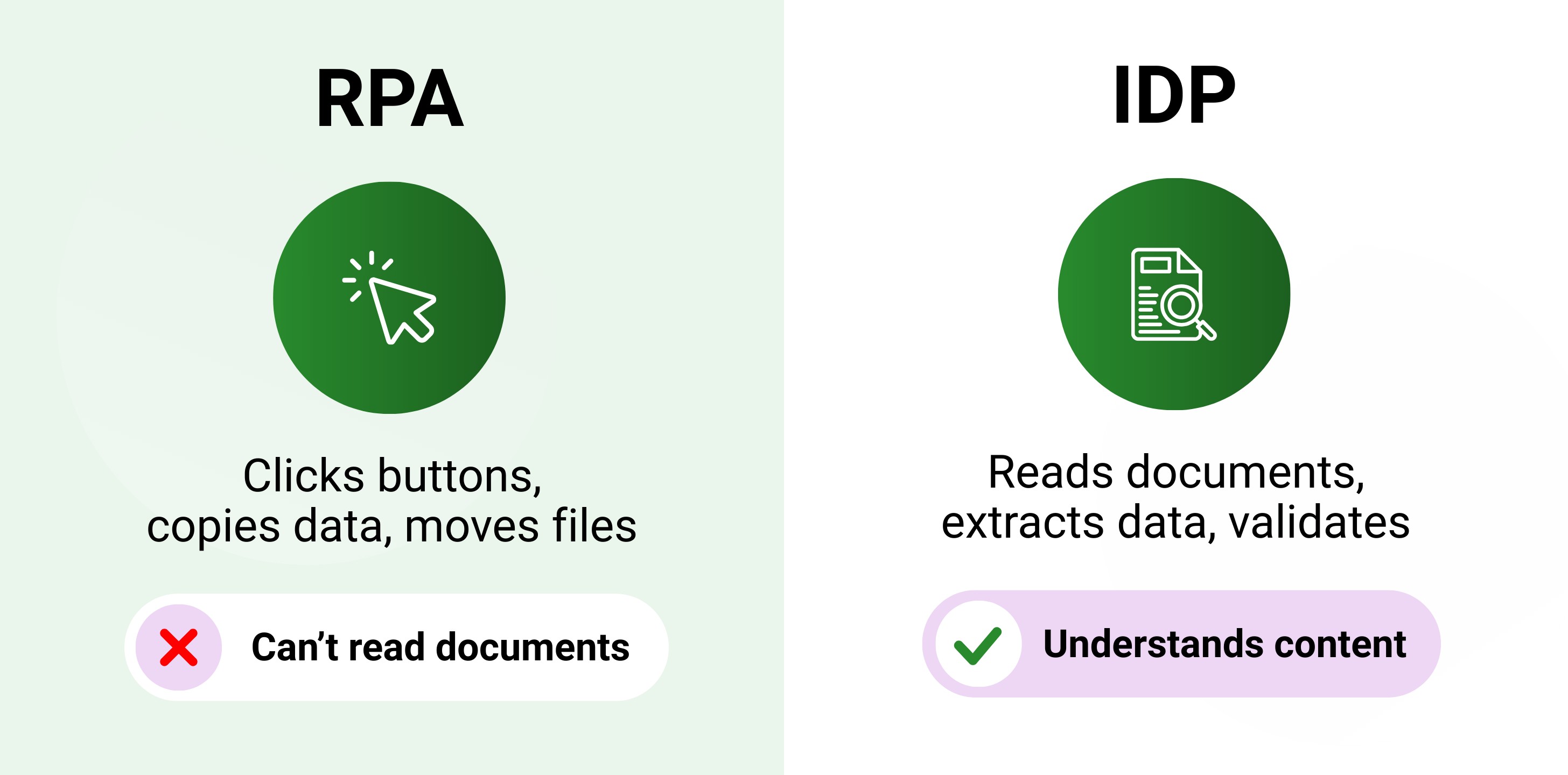 RPA automates clicks and tasks while IDP reads and understands documents - they work together
Building a SaaS product? See our guide to document processing APIs.
See how IDP works → Try DocuPipe free
When RPA Is Enough
If you're moving structured data from System A to System B and no documents are involved, RPA is probably enough. It's simpler to implement, cheaper to maintain, and handles strict rule-based workflows reliably. Not everything needs AI.
Use RPA alone if:
- Your data is already structured and machine-readable
- You're automating clicks between systems (no documents involved)
- Processes are stable and rarely change
- You're working with legacy systems that lack APIs
When You Need IDP
The moment documents enter your workflow, RPA hits a wall. It can't open a PDF and understand what's inside. It can't adapt when a vendor changes their invoice format. If your processes involve reading, understanding, or extracting data from documents, you need IDP.
Use IDP if:
- Documents come from multiple sources with different layouts
- You need to extract specific fields (invoice number, total, dates)
- Data needs validation before it hits downstream systems
- You're processing unstructured or semi-structured documents
How They Work Together
This is where the "RPA vs IDP" framing falls apart. They're not competing. IDP handles understanding documents, extracting fields, and validating data. RPA handles pushing that data into your ERP, triggering workflows, and updating records. RPA without IDP is half a solution. IDP can stand alone, but together they're more powerful.
A typical IDP + RPA workflow:
- Document arrives (email, upload, scan)
- IDP extracts vendor name, invoice number, line items, total
- IDP validates data against business rules
- RPA takes over - enters data into ERP, triggers approval workflow
- RPA routes exceptions back to humans when needed
FAQ
RPA automates tasks such as clicking buttons and moving data between systems. IDP extracts and understands data from documents. RPA does things blindly, IDP understands things.
Not really. RPA can interact with structured, machine-readable data. The problem is that it can't read a PDF or adapt to inevitable layout changes. For document data extraction, you need IDP.
It depends on your workload. If you're automating clicks between systems with no documents involved, RPA is more than enough. But the moment a document enters the picture, you need IDP, and will likely have both working together.
IDP reads documents and extracts validated, usable data. RPA takes that data and pushes it into downstream systems like ERPs or CRMs. As I mentioned, IDP is the brain, RPA is the hands.
No. RPA automates tasks across systems but can't understand documents. Document automation fundamentally requires IDP.
RPA can't read documents. This severely limits its ability for document processing without IDP involved.
Key Takeaways
- RPA automates tasks: clicking, copying, moving data between systems
- IDP understands documents: extracting, validating, structuring data
- RPA can't read documents; IDP can't interact with systems
- Together they create end-to-end document automation
If your workflow has documents, RPA can't handle it. If you need to move structured data between systems, you don't need IDP. But for most document processes, the answer is both.
Ready to add document intelligence to your workflow?
Recommended Articles

Related Documents