
PDF Data Extraction: Why the Format That Preserves Everything Shares Nothing

Uri Merhav
Updated Mar 23rd, 2026 · 7 min read
Table of Contents
PDF Data Extraction: Why the Format That Preserves Everything Shares Nothing
PDFs look perfect everywhere. They share data nowhere. Here's how to finally get it out.
PDF data extraction is the process of converting information locked inside PDF files into structured, machine-readable data that your systems can actually use. Unlike simple copy-paste or basic OCR, modern extraction systems can understand document structure, identify specific fields, and output clean data instead of random text.
In 1993, the PDF format was designed to preserve formatting, not share data. That design decision from the 90s is now the cause of daily headaches for every team that needs to move information from PDFs into databases, spreadsheets, or applications. Now if you want to dive into the specifics of how extraction fits into document processing pipelines, you should check out our guide on document extraction, we'll be focusing mainly on PDFs here.
What You Need to Know
The problem: PDFs store visual layouts, not data structures. A PDF "knows" where text appears on the page, but it has no idea what that text means.
Why OCR isn't enough: OCR (Optical Character Recognition) converts images to text. Extraction converts documents to structured data. Where OCR gives you a wall of text, intelligent extraction gives you JSON with the exact fields you need.
What works: AI-powered extraction that understands document structure, handles layout variations, and outputs validated data with confidence scores.
The tradeoff: Accuracy vs. speed vs. cost. Simple PDFs process in seconds. Complex documents with tables and handwriting need more sophisticated and intelligent processing.
Table of Contents
- Why Is PDF Data Extraction So Hard?
- How PDF Data Extraction Works
- PDF Data Extraction vs. OCR
- When to Use Different Extraction Approaches
- What to Look for in a PDF Extraction Solution
- Common PDF Extraction Challenges
- FAQ
- Key Takeaways
Why Is PDF Data Extraction So Hard?
PDFs weren't built for data extraction. They were built to make documents look the same everywhere, on every screen and every printer.
The technical reality: A PDF is effectively a set of instructions for drawing text and graphics at specific coordinates. It doesn't store "invoice number: 12345" as a data field. It stores "draw the characters '1', '2', '3', '4', '5' at position (x, y)," which has its technological limitations.
This creates several challenges:
No semantic structure. The PDF format has no concept of "this is a table" or "this is a header." It just has a series of symbols in designated positions.
Reading order is ambiguous. Multi-column layouts, text boxes, and floating elements make it unclear which text comes first. A human can figure it out intuitively, software has to reconstruct the logic.
Embedded images vs. native text. Some PDFs contain actual text data. Others are just images of documents (scans, photos). The extraction approach is completely different between the two.
Infinite layout variations. Every organization formats documents differently. 100 vendors means at least 100 invoice layouts (and many vendors have multiple templates). Same logical data, radically different locations.
How PDF Data Extraction Works
Modern extraction combines multiple technologies to handle this complexity well.
Step 1: Document Analysis
The system first determines what it's working with. Is this a native PDF with embedded text, or a scanned image? Does it have tables? Multiple columns? Handwriting? A signature?
This analysis determines which extraction approach to use.
Step 2: Text Extraction and OCR
For native PDFs, text can be extracted directly from the file structure. For scanned documents, OCR converts the image to text.
But raw text isn't enough. The system also needs to understand layout: where text blocks are, how they relate to each other, where tables begin and end.
Step 3: Structure Recognition
This is where modern extraction separates from basic OCR. OCR stops at recognizing characters. Modern extraction identifies document structure:
- Headers and titles
- Tables with rows, columns, and merged cells
- Key-value pairs (labels and their values)
- Lists and bullet points
- Form fields and checkboxes
Step 4: Field Extraction
With structure understood, the system extracts specific fields based on a schema. Instead of "all text on a page," it locates exactly what you need: vendor name, invoice number, line items, total.
This extraction uses context, not just positioning. When "Total" appears multiple times on an invoice, the system identifies which one is the actual invoice total vs. a subtotal vs. a tax amount.
Step 5: Validation and Output
Extracted data gets validated against business rules. Does the total equal the sum of line items? Is the date in a valid format? Are required fields present?
Clean, validated data outputs as JSON, ready for downstream systems.
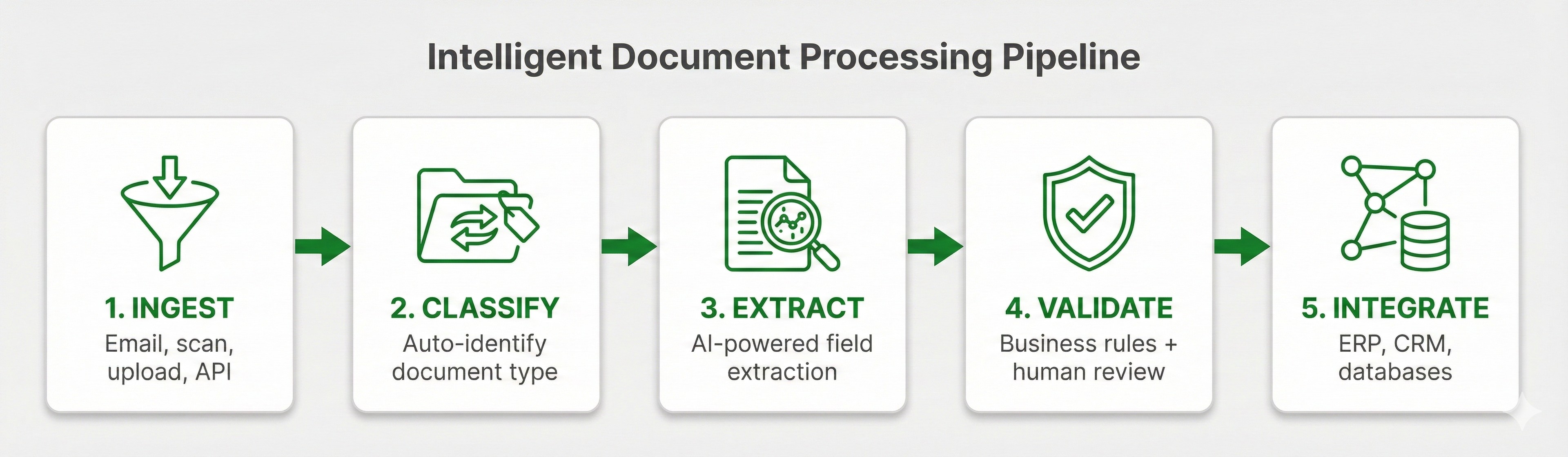 PDF extraction pipeline showing the five steps: Document Analysis, Text Extraction/OCR, Structure Recognition, Field Extraction, and Validation
PDF Data Extraction vs. OCR
OCR is a piece of extraction, not a synonym for it.
| Capability | OCR Only | Intelligent PDF Extraction |
|---|---|---|
| Converts images to text | Yes | Yes |
| Understands document structure | No | Yes |
| Extracts specific fields | No | Yes |
| Handles layout variations | No | Yes |
| Outputs structured JSON | No | Yes |
| Validates data | No | Yes |
| Provides confidence scores | Limited | Yes |
For a more detailed comparison of the two, check out our IDP vs OCR article. And for a comprehensive overview of modern document AI, see our guide to document extraction.
OCR answers: "What characters are on this page?"
Extraction answers: "What is the invoice total, and where did it come from?"
 Side-by-side comparison: OCR outputs raw unstructured text while intelligent extraction outputs clean structured JSON with labeled fields like vendor, invoice number, and total
When to Use Different Extraction Approaches
The right approach depends on your documents and what you need to do with them.
Simple, Consistent PDFs
If your PDFs have consistent layouts and you control the format, template-based extraction can technically work. Define where fields appear, and the system extracts from those locations.
Works only for: Internal forms, hyper-standardized reports, and documents you generate yourself.
Breaks the moment you introduce: Layouts change, new formats appear, or documents come from external sources.
Variable Layouts from Multiple Sources
This is where AI-powered extraction becomes integral. Documents from different vendors, customers, or partners all have variable layouts. You literally can't prepare templates ahead of time for formats you've never seen before.
AI-powered extraction works for: Invoices from multiple vendors, bank statements from different banks, contracts from various counterparties.
Requires: AI models that generalize across variations, not simple template matching.
High-Volume Processing
Scale completely changes the economics. Manual extraction costs $10-20 per document. AI extraction costs pennies per page.
At 100 documents per month, manual could conceivably work. At 10,000 documents per month, automation pays for itself almost immediately.
Complex Documents with Tables
Tables are particularly challenging for limited systems. Merged cells, multi-row headers, data that wraps within cells. Basic extraction fails here.
For documents with complex tables, look for solutions specifically built for table extraction. Check out our guide to table extraction to learn more.
What to Look for in a PDF Extraction Solution
Accuracy on Your Documents
Test with your actual PDFs, especially the messy ones. Marketing claims mean nothing without proof-of-concept on real data and actual trial and error.
Ask for field-level accuracy, not just document-level success rates. A document can "process successfully" even if many critical fields are completely wrong.
Handling of Tables and Complex Layouts
Tables break most extraction tools. Multi-column layouts confuse reading order. Ask specifically how the solution handles these challenges.
Confidence Scores
Any quality extraction should include a confidence score for each data point it extracts. High confidence enables automation. Low confidence triggers review. Without confidence scores, you're effectively guessing which extractions you can trust.
Structured Output Format
You need JSON with consistent field names and data types, not raw text that requires parsing. Evaluate how much post-processing the output will require.
Processing Speed
Simple PDFs should be processed in seconds. Complex documents will obviously take longer. Understand the tradeoffs and whether the solution matches your organization's latency requirements.
Pricing at Scale
Per-page pricing adds up. It's important to model your costs at 10x current volume to account for that. A solution that works well when you're at 1,000 pages per month might be prohibitively expensive at 100,000.
Common PDF Extraction Challenges
Scanned Documents and Image Quality
Scanned PDFs are images, not text. OCR accuracy depends heavily on scan quality. Faded text, skewed pages, and low resolution can all degrade results.
The quality of your extraction technology's preprocessing (deskewing, contrast enhancement, noise reduction) can help significantly, but obviously can't completely amend poor source quality.
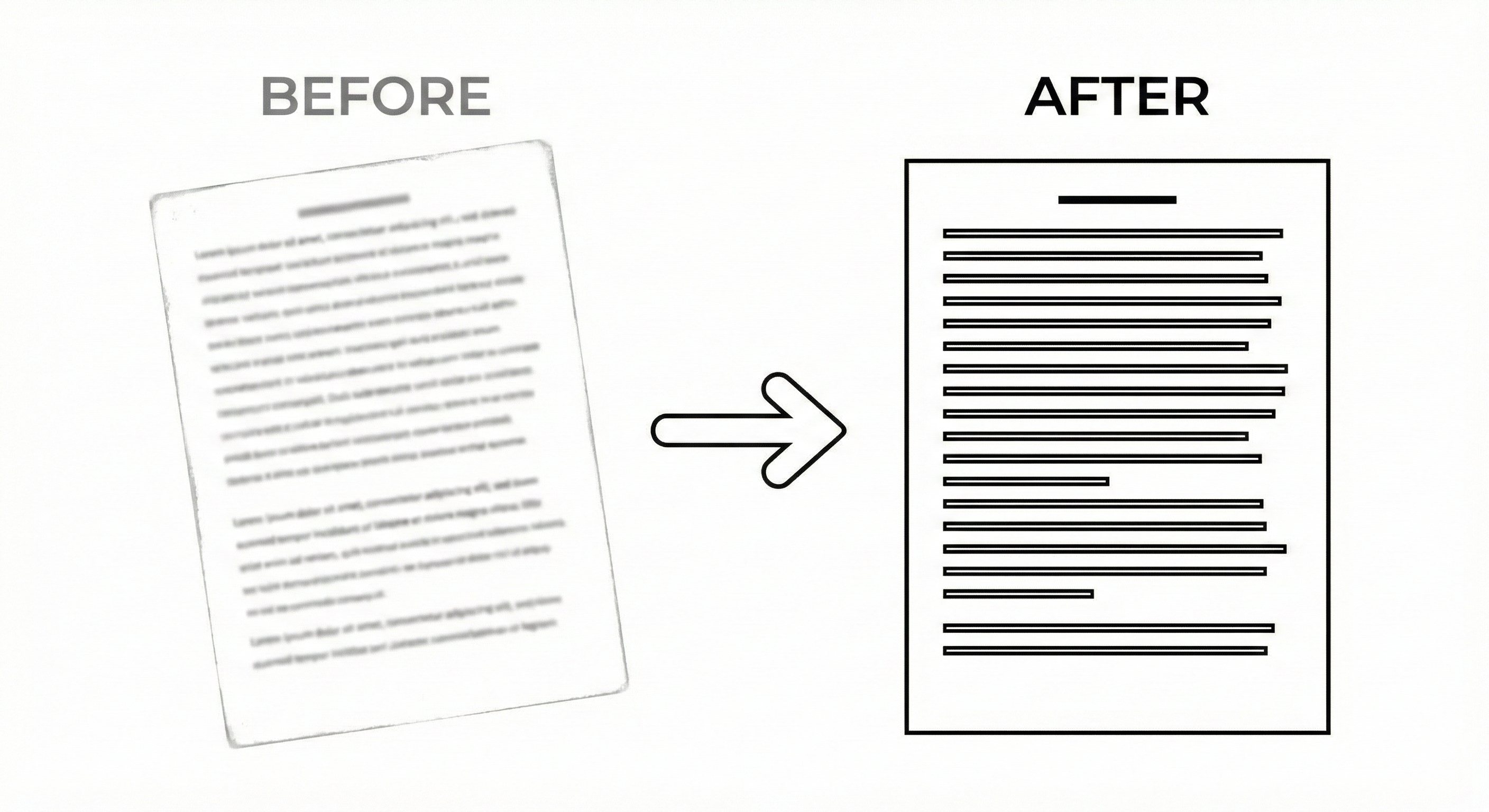 Scanned document before and after preprocessing
Handwriting
PDFs often contain handwritten annotations, signatures, or filled form fields. Handwriting recognition (ICR) is understandably less accurate than printed text recognition. Expect more review requirements for handwritten content than clearly typed text.
Multi-Page Tables
Tables that span multiple pages are particularly challenging for certain systems. Headers appear only on page one, but the data continues across subsequent pages. A good extraction system can maintain context across multiple pages.
FAQ
PDF data extraction converts information inside PDF files into structured data (like JSON) that software can process. It goes beyond OCR by understanding document structure and extracting specific fields.
Yes. Scanned PDFs require OCR to convert images to text, followed by intelligent extraction to identify specific fields. Quality depends on scan resolution and document condition.
Modern AI-powered extraction achieves 95-99% field-level accuracy on well-structured documents. Accuracy varies based on document complexity, image quality, and layout consistency.
OCR converts images to text. PDF extraction systems understand document structure, identify specific fields, apply business logic, and output structured data. OCR is one component of the extraction pipeline.
Yes, but table extraction is challenging. Look for solutions that are designed to handle complex tables with merged cells, multi-row headers, and data spanning pages.
Pricing typically ranges from $0.01-0.10 per page depending on complexity and volume. High-volume processing is significantly cheaper per page than low-volume.
Modern extraction handles PDFs, images (JPG, PNG, TIFF), Microsoft Office documents, and scanned paper. The same pipeline works across formats.
Template-based extraction requires predefined layouts and breaks when formats change. AI-powered extraction works without templates, handling layout variations automatically.
Key Takeaways
- PDF data extraction converts PDFs into structured, machine-readable data, not just raw text.
- OCR is a component, not the complete solution. Extraction adds structure, field identification, and validation.
- AI-powered extraction handles layout variations without templates, essential for documents from multiple sources.
- Accuracy depends on document quality and complexity. Test with your actual documents before committing.
- Confidence scores separate trustworthy extractions from guesses. Look for field-level confidence in any solution.
PDFs shouldn't ever be a bottleneck. The data inside them should flow into your systems automatically, accurately, and without manual re-keying. That's why we built DocuPipe.
Recommended Articles


Related Documents